Lead scores, A to F
Avery gives each person a letter for how likely they are to do business with you. See why she picked it, change it in two taps, and find or keep a list of your A's and B's.
Each person gets a letter, A to F, for how likely they are to do business with you. Avery picks it and keeps it current, so you can see at a glance who to focus on. It's beside their name on their page and in People.
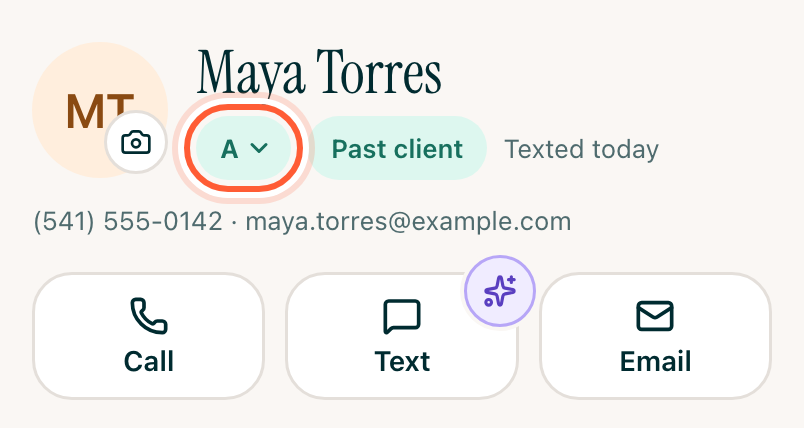
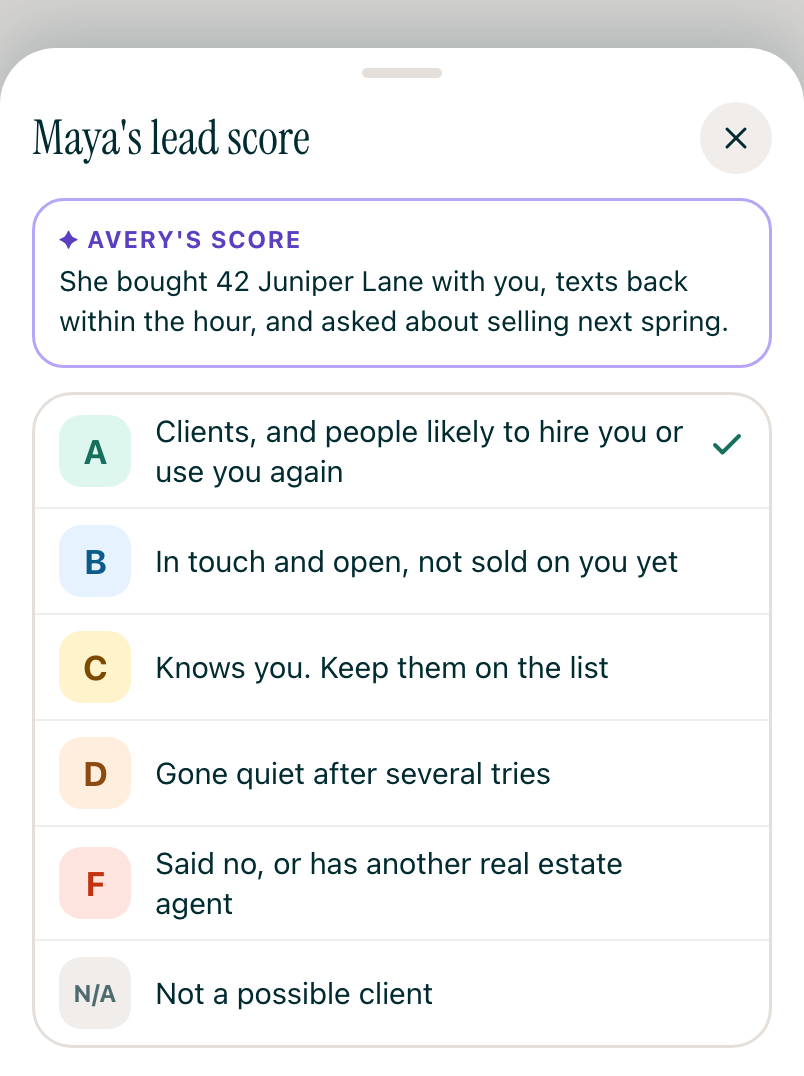
What the letters mean
- A (green): your clients, and people likely to hire you or use you again.
- B (blue): in touch and open to it, but not sold on you yet.
- C (yellow): they know you, but nothing is moving. Keep them on the list.
- D (orange): gone quiet. Several texts, calls or messages in a row with no answer.
- F (red): said no. They have another real estate agent, or asked you to stop.
- N/A (grey): not a possible client, like another real estate agent, a lender, an attorney or a vendor. If one of them buys or sells with you, they get a letter.
No letter yet? Avery doesn't know enough to judge, like a name and number from an import. She scores them once something happens: a text, a call, a note. Your teammates never get a score. If you imported from KW Command, a tag like "A - Hot" becomes their first letter, and Avery takes it from there.
The score doesn't change who Avery puts in your deck, or how often. It's there to help you see and find people.
How Avery picks a score
Whenever something happens with someone (a text, a call, an email, a note, a deal moving), Avery rereads everything she knows about them and picks the letter that fits best. There's no formula or points to add up: she judges it the way you would. Someone who stops answering moves down on their own, even when nothing new comes in.
To see why, tap the letter on their page. Avery's reason is at the top.
What you tell her counts. A note like "they're using her cousin, who's a real estate agent" or "three tries and no answer, they're done" shapes the score. So does turning off Nurture, or tapping Stop suggesting them in your deck.
Change a score
- On their page, tap the letter beside their name.
- Tap the letter you want.
It changes at once, with Undo for a few seconds. Avery keeps your letter for a year. She changes it only if something clearly changes after you set it, like Maya texting that she hired another real estate agent.
If she does, tap the letter to see what you had set, what changed and when. Tap Put it back to keep yours.
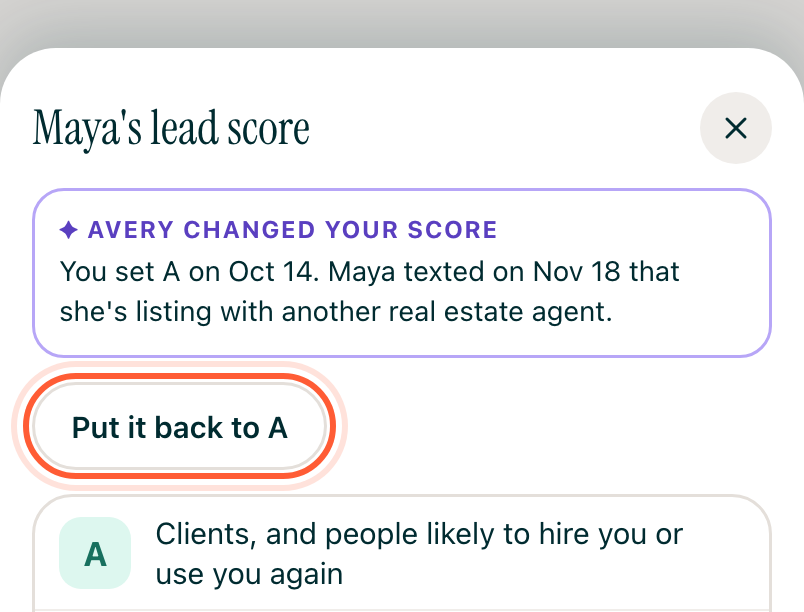
Rather leave it to Avery? Tap the letter you set, then Let Avery decide. Every change, yours and hers, is under History and settings at the bottom of their page.
To score someone who has no letter yet, open History and settings and tap Lead score.
Find people by score
In People, search for things like "my A and B people" or "C's who came to an open house". Each person's letter is beside their name.
A search by score lists your A's first. To do the same with any other search, tap the order above the results (like Talked most recently) and pick Lead score.
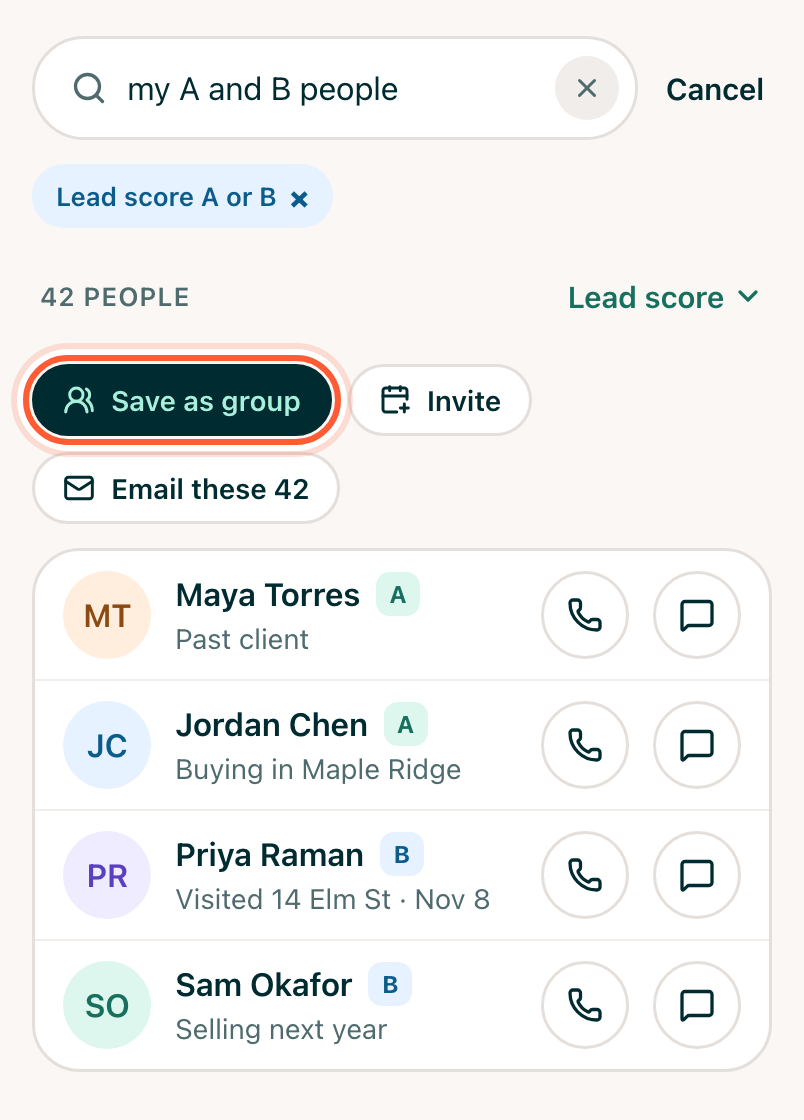
Keep a list of your A's
- In People, search "my A people".
- Tap Save as group, give it a name, and turn on Keep it up to date. When Avery moves someone to A, they join within the hour. When someone drops to B, they leave. Anyone you add or remove yourself stays that way.
- Open the group from Groups and tap Email this group or Invite to event.