Add a note about someone
Type or say what you learned on a person's page. Avery reads every note, updates their profile and shows what she changed, so you can undo, edit or delete it.
After a call, a showing or a chat at the farmers market, put what you learned on the person's page. Avery reads every note and keeps their profile up to date, so you only write it once.
Step 1Write the note
- Find the person in People and open their page.
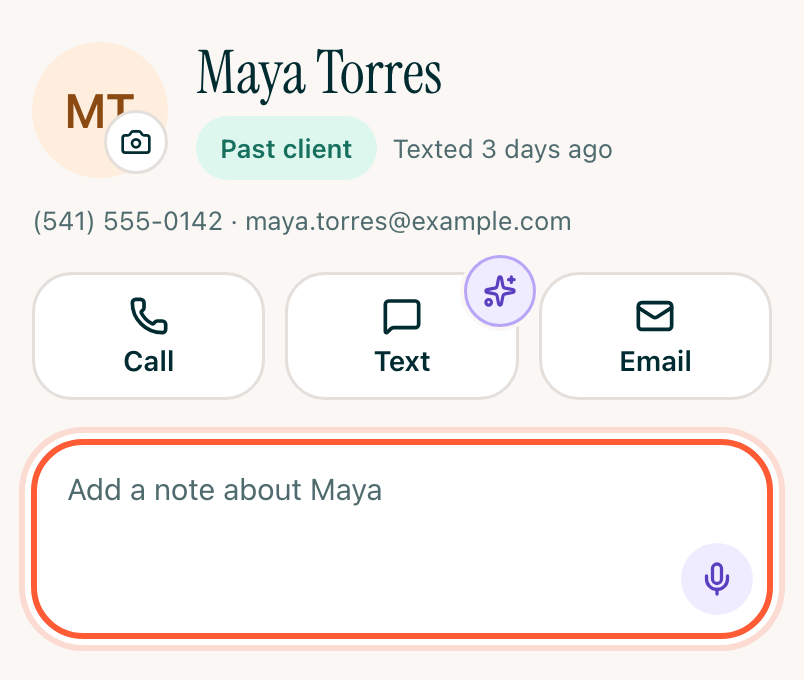
- Below Call, Text and Email, tap Add a note about them and type.
- Tap Save.
Rather talk? Tap the mic. See Tell Avery about someone by voice.
If you leave before you save, your words are still in the box when you come back.
It happened earlier?
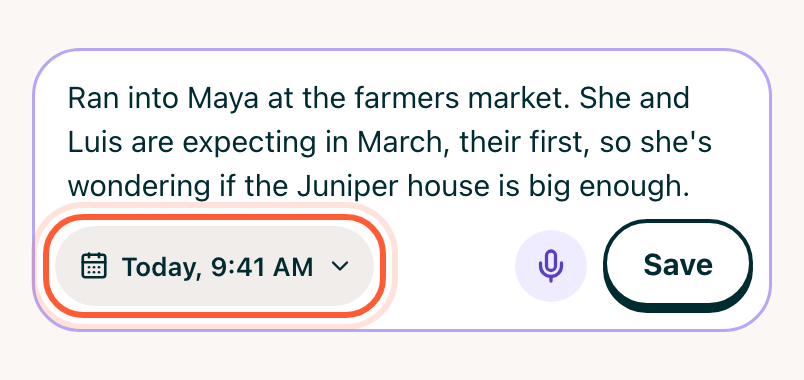
A note is dated now. To write up yesterday's call, tap the date under your words before you save, pick when it happened and tap Done. A note can't be dated in the future.
Step 2See what Avery did with it
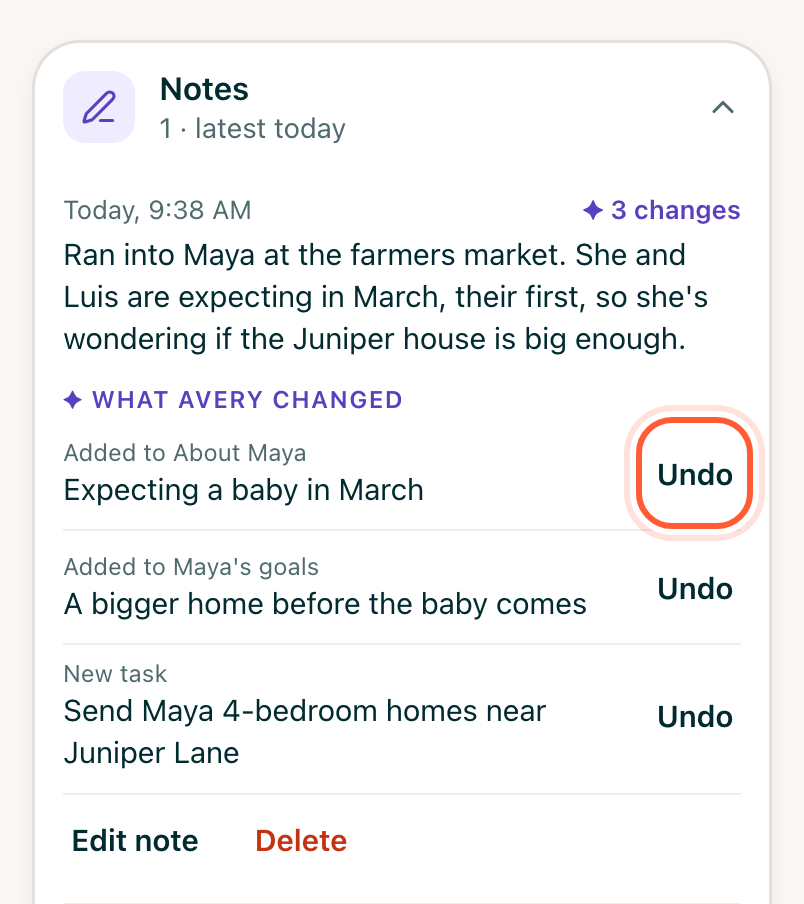
Notes opens with your note on top. Beside its date, it says where Avery is with it:
- Avery's reading…: give her a moment.
- ✦ 3 changes: she updated the profile.
- ✦ Avery has a question: tap one of the answers under the note.
- Nothing new: there was nothing to add or change.
- Avery couldn't read this: tap Try again.
Tap the note to see each change and where it went:
- About Maya: details like family, money, their home and what they like.
- Maya's goals: what they're hoping to do, like buying or selling.
- New task: a follow-up for you. Tap it to open the task.
Avery can also add to Connections and Deals and homes. These are the sections further down the page; tap one to open it.
Step 3Undo a change
If Avery got one wrong, tap Undo beside it. Your note stays, and that change is crossed out.
Edit or delete a note
Tap the note, then:
- Edit note: fix the words and tap Save. Avery reads it again and changes only what's different.
- Delete: choose Delete note and undo its 3 changes, or Delete note only to keep what Avery learned. Changed your mind? Tap Undo right after, or open History and settings at the bottom of their page, then History.
You can edit or delete notes you wrote. A teammate's note shows their name beside the date.
Find an older note
The page shows the latest notes. Tap See all for every note by month, with a search box at the top.
Notes are what you typed or said, and your call notes. Texts and emails aren't listed here: tap Text to open your conversation.