Add your team logo
Upload your real estate team's logo, or have Avery draw one, for open house signs, event invitations, RSVP pages and email blasts. Avery cleans up the background for you.
Your team logo goes on your open house signs, client event invitations, RSVP pages and email blasts. Upload the file you have (any background is fine, Avery cleans it up), or have Avery draw one for a team or personal brand. Team owners add and change it from More, then Team, then Team logo.
Step 1Open Team logo
Tap More, then Team. Under Team details, tap Team logo. With no logo yet, it says Add yours for signs, invitations and RSVP pages.
Step 2Upload it, or make one
- Upload from Photos or Upload from Files: pick your logo. Avery takes out the background and sharpens the edges, which takes about a minute. If your file already has a clear background, she keeps it exactly as it is.
- Make one with Avery: see below.
Step 3Check it and save
Avery shows your logo under How it looks, on Light designs and Dark designs. If she cleaned it up, switch between Avery's and Yours to compare with your original. Tap Save.
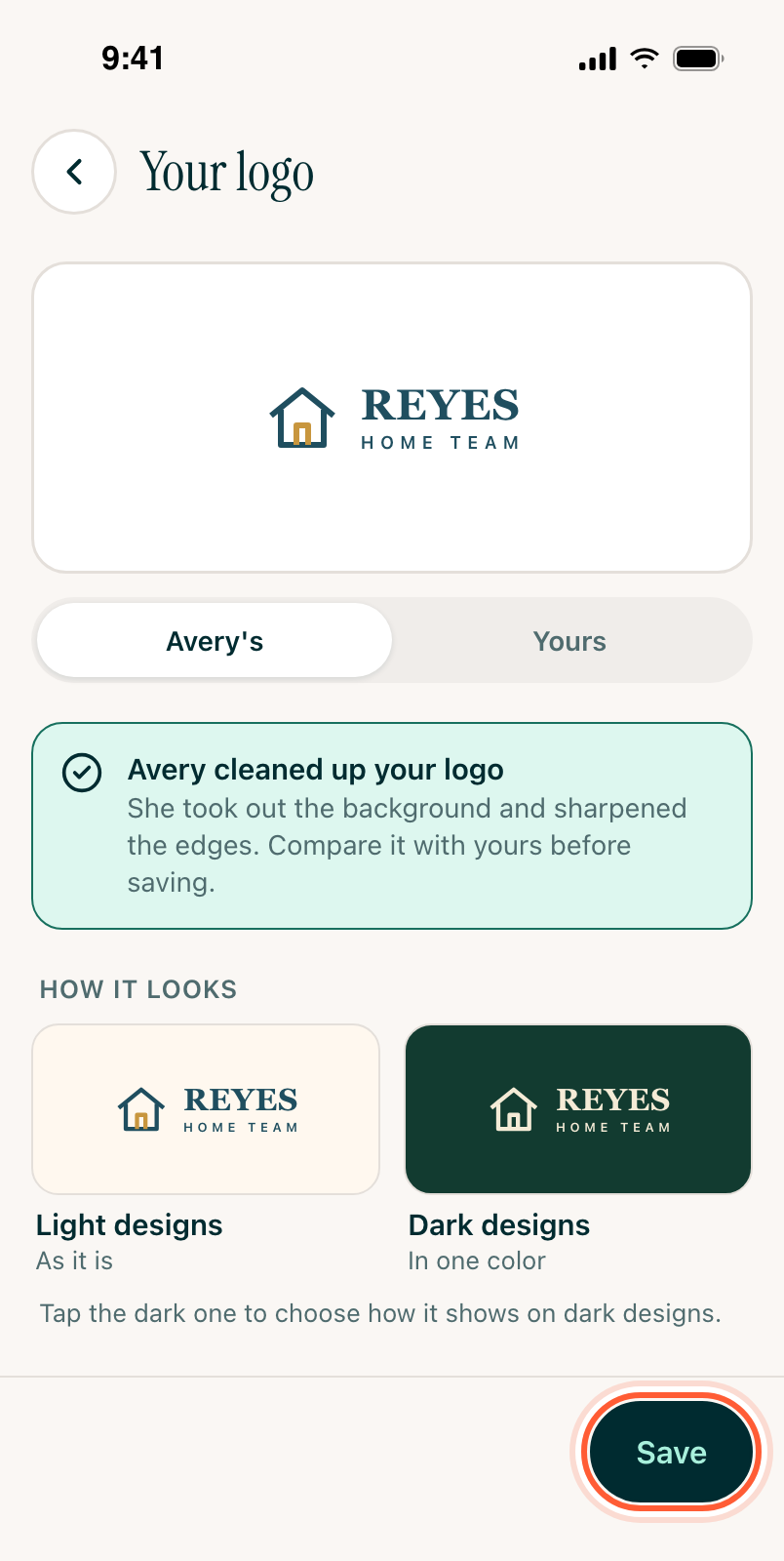
Tap the dark tile to choose how it shows on dark invitation designs:
- One color: your logo redrawn in the design's own ink. Best for simple logos.
- On a card: your logo as it is, on a small white card. Best for detailed or colorful logos.
Make one with Avery
No logo yet? Under Team details, tap Make one with Avery.
- Check Name on the logo. It starts as your team's name.
- Pick a Style: Classic, Modern or Hand-drawn.
- Under Anything Avery should know, add a few words, like "A pine tree by the water. Navy and gold." Or tap the mic and say it.
- Tap Make logos. Avery draws four in about a minute.
- Tap the one you like, then Use this one. Check the spelling, then tap Save.
Not quite right? Tap Make four more. If you work under a brokerage, it usually has its own logo to upload instead.
Change or remove it
On Team, tap Replace logo to upload a new one or make another, or Remove logo. Removing shows Logo removed with Undo, if you change your mind.
Examples
- You're printing open house signs this weekend and want your team's mark on them. Upload the logo from your phone's photos.
- You just went solo and don't have a logo yet. Have Avery make one with your name in the Classic style.
- Your logo looks muddy on the dark Movie Night invitation. Tap the dark tile and pick On a card.
Who can change the logo?
Team owners. Everyone else sees it, with Only team owners can change the logo.
Where else does my logo show?
Your email blasts can use it too. In an email, open Your branding and pick Your logo.