Check Avery's email log
The email log lists every email Avery received, what she learned from each, and the person and deal she filed it on. Let in or ignore mail from senders Avery doesn't know.
The email log lists every email sent to Avery's email address for you, newest first, like a mail app. Open one to see what Avery did with it: added a new lead, what she learned, and the person and deal she filed it on. Mail from senders Avery doesn't know waits at the top for you. Open it from Settings, then Avery's email, then Email log.
Step 1Open the email log
Tap your initials at the top of Tasks (or More, then Settings), then Avery's email, then Email log. If something is waiting, the row says how many, like 1 waiting.
At the top, pick All, Leads or Waiting.
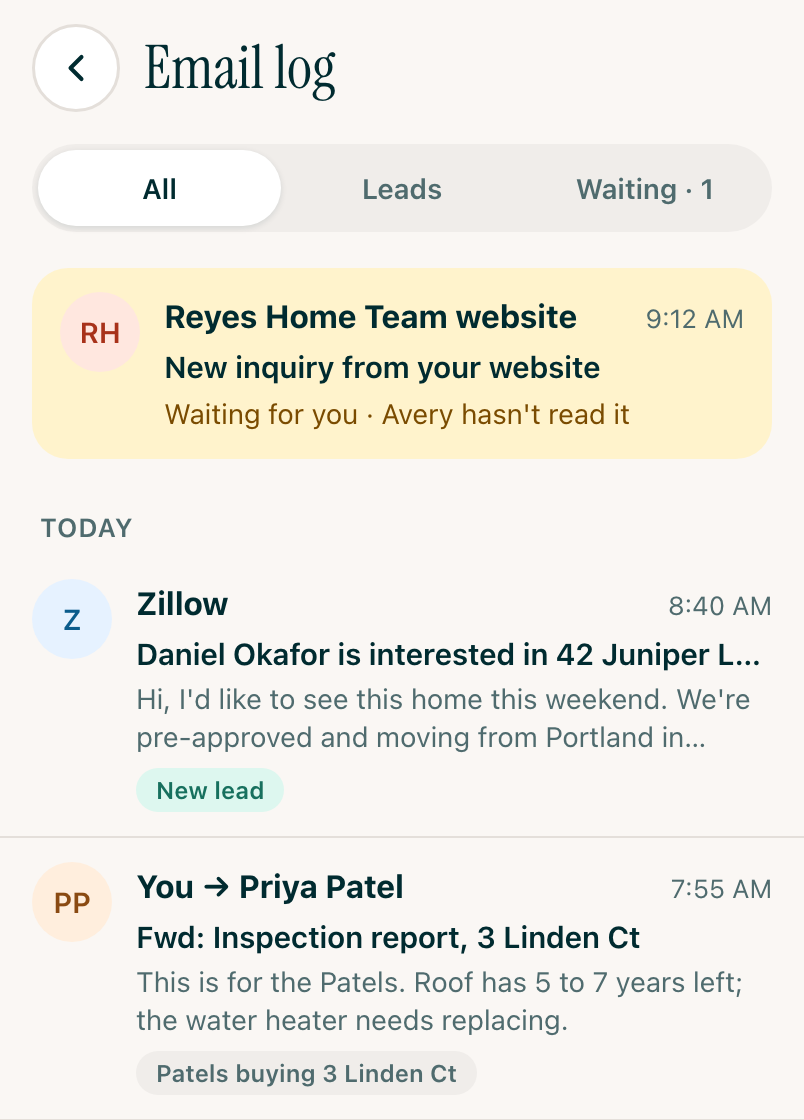
Each email shows who sent it, the subject and the first lines, with a tag like New lead, the deal it's on, or Avery is reading it. Automated mail Avery had nothing to file from folds into one line a day; tap Show to see it.
Step 2See what Avery did
Tap an email. The box at the top says what happened:
- Avery added a new lead, with a link to open their page.
- Avery learned, with each thing she took from it, and Filed on the person and deal.
- Avery saved talking points, for news worth passing on to clients.
- Avery has it, for email you wrote to Avery herself. It's in your thread with Avery, where she answers.
- Nothing to file, for automated mail.
Tap Show quoted text to see the earlier emails in the thread.
Let in an email Avery doesn't know
An email from a new sender, like your website's contact form, shows Waiting for you · Avery hasn't read it. Open it and read it first.
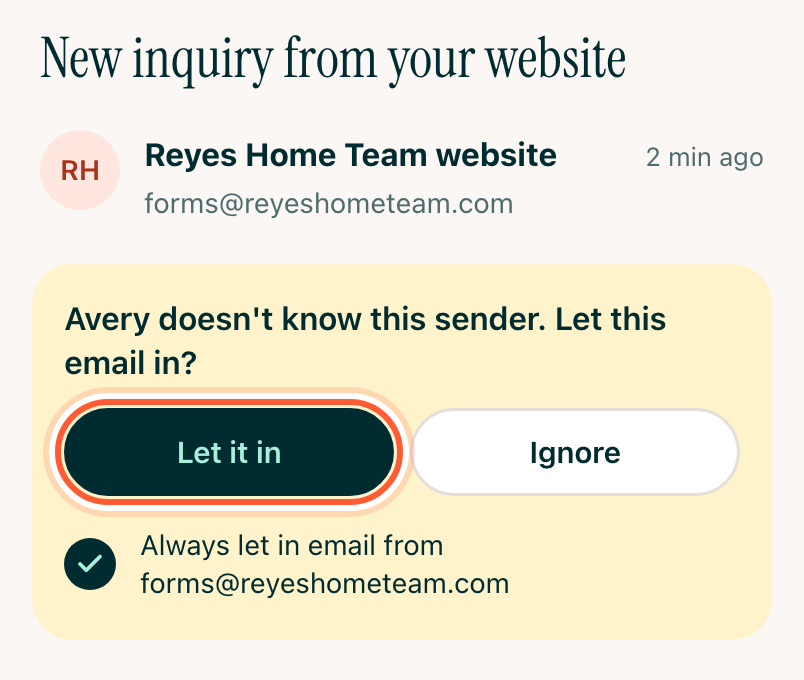
- Tap Let it in, and Avery reads it. Leave Always let in email from checked so the next ones from that sender come straight through.
- Tap Ignore for junk.
Sometimes Avery couldn't confirm the email came from that sender. Then you can only let in that one email, and the screen may say the sender's domain needs a quick fix. Tap Send steps to your tech person (or Send them the steps) to pass along what to fix.
Examples
- You forwarded the Patels' inspection report an hour ago. Open the email log to check Avery filed it on their deal.
- Your website's contact form sent a new buyer. Open it under Waiting and tap Let it in.
- A spammer found Avery's address. Tap Ignore.
I let in the wrong sender
Open Lead emails, automatically on Avery's email. Senders you accepted are listed there; tap Remove beside one.
Who can see the email log?
Your log lists the email sent to your own Avery address; each teammate has their own. Once Avery files an email on a person or deal, your whole team can see it there.