Choose your team number
Pick a local number by area code, what happens after you tap Get this number, and how to choose one your clients will remember.
Your team number is the one your clients, leads and sphere save and call back, so it's worth a minute to pick well. A team owner chooses it. If you're not one, the screen tells you who can, and calls and texts keep using your phone until then.
Pick an area code
Use the area code your clients already know: the one for the market you sell in, or the one on your signs and business cards. A local number gets answered more often than an unfamiliar one, and people trust it more.
If you work two markets, choose the area code where most of your business comes from. Each team has one number.
Search and choose
- Tap More, then Settings, then Team number.
- Type a three-digit area code and tap Search numbers.
- You'll see up to 20 numbers that are free right now, each with the town it belongs to. Tap Choose next to the one you want.
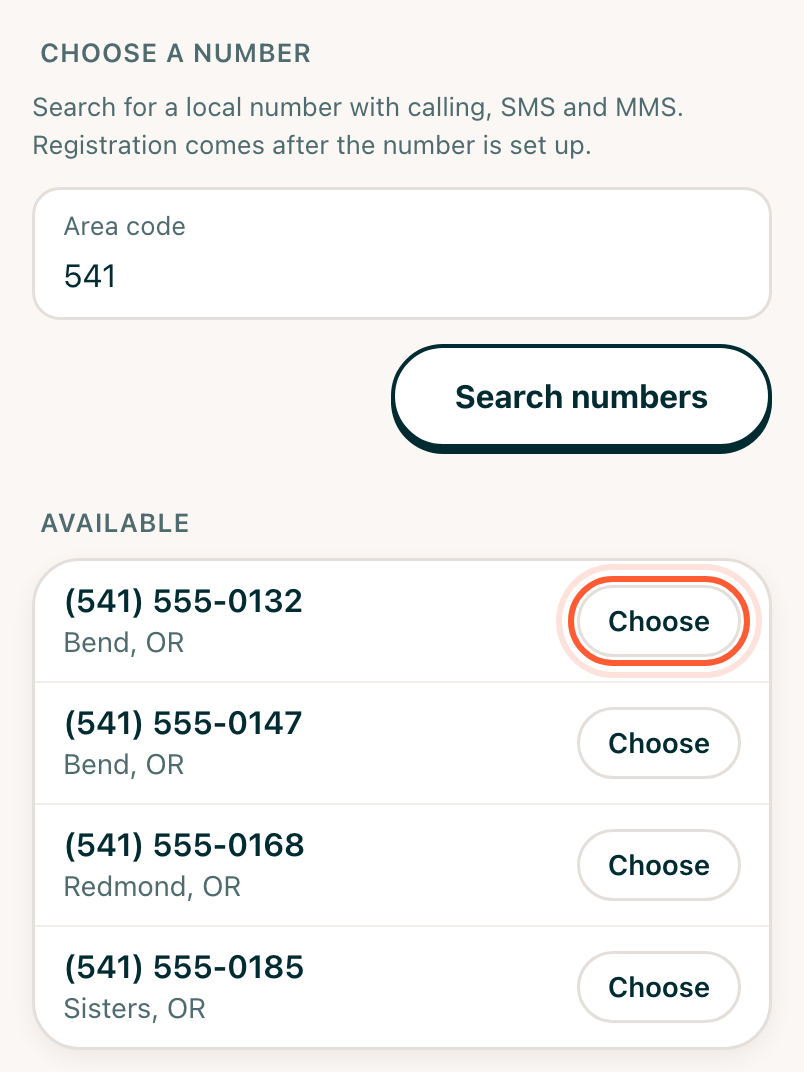
Every number in the list is a regular local US number that can make and take calls and send texts and pictures. You can't search for particular digits or get a toll-free number. If you don't like what comes up, search again: the list changes as numbers are taken and freed up. If it says No numbers available here right now, try a nearby area code.
A few things make a number easier to live with:
- Easy to say out loud. Repeated or sequential digits (0055, 1234) are easier to remember from a yard sign or a voicemail.
- The right town. If you can, choose one from the town you're best known in.
- One you'll keep. You can't swap the number for another one in the app later, so choose the one you'd print on a sign.
Confirm it
Check the number in the sheet, then tap Get this number. It's included in your plan.
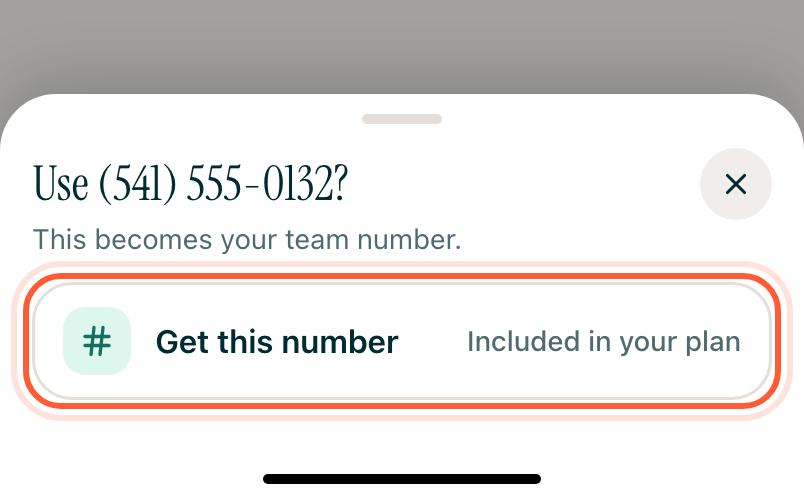
If someone else takes it first, the app says That number was just taken. Search again and choose another.
While it's being set up
The number shows under Setting up your number while the order goes through. You can leave the screen. Tap Check setup to see if it's done.
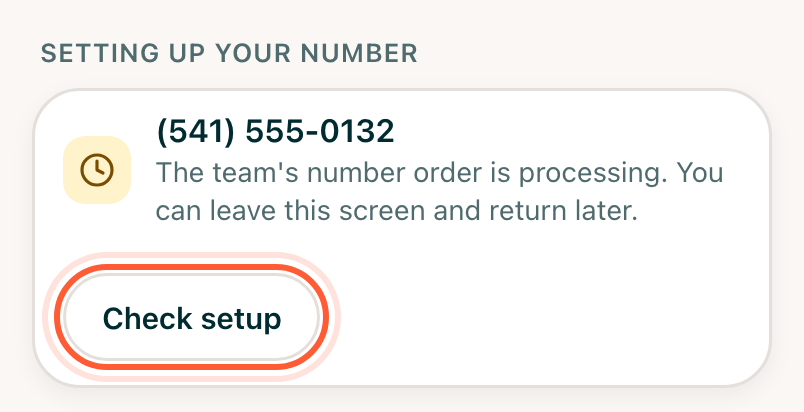
When it's ready, you'll get an email. Calls and incoming texts work right away, and texts people send to the number show up in your Inbox. Sending texts from it needs a carrier registration first: see Register for team texting. To choose who answers and turn on call recording, see Your own number or a team number.
If your subscription lapses
The team number belongs to your team while your subscription is active. If it lapses, team owners get an email with the date the number will be released, and another the day before. Restart your subscription before then to keep it. Once released, the number goes back to the carrier and can't be recovered. Your contacts, conversations and notes stay either way, and you can choose a new number when you come back.