Register for team texting
Phone carriers make every business number register (10DLC) before it can send texts. What to fill in, the $21.50 fee, the PIN and how long approval takes.
Before your team number can send texts, US phone carriers need to know who's sending them. This registration is called 10DLC, and every business texting from a regular local number goes through it. It's how carriers keep spam off their networks, and unregistered numbers get their texts blocked.
You do it once, in the app. Calls and incoming texts on the team number already work, so nothing waits on it but sending.
A team owner registers. Have these ready:
- Just you, no EIN: your name, email, home or office address, and your own cell to get a PIN.
- A business with an EIN: the legal business name, EIN, business address, a contact phone, and a website or social profile.
Step 1Fill in your details
Tap More, then Settings, then Team number. At the bottom, under Team texting, tap Enable team texting.
Choose how you're registering. Just me (no EIN) is for a solo real estate agent; carriers check it's you with a PIN texted to your own cell. Choose A business with an EIN if your team has its own EIN.
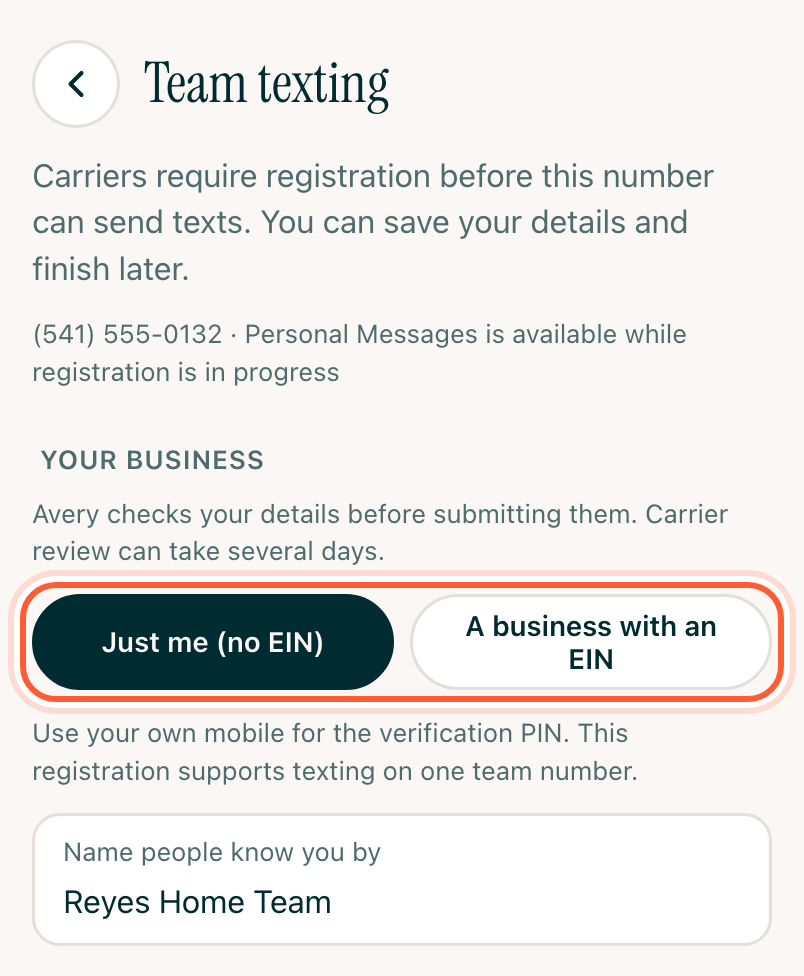
Name people know you by is the name carriers attach to your texts. Use your own name or your team's name, like "Reyes Home Team". Don't include your brokerage (Keller Williams, RE/MAX, Compass and so on), even as "@ KW": carriers read that as the brokerage itself registering and reject it.
With an EIN, add a Website or social profile carriers can open to see your business is real. Your own site, a brokerage profile page, Zillow, Google Business, Facebook, Instagram or LinkedIn all work.
Then fill in Contact details. With Just me, use your own cell for Your mobile (we'll text a PIN), not the team number.
Your answers save as you type. Tap Save and finish later to come back to them.
Step 2Submit and pay the fee
Carriers charge a one-time $21.50 registration fee. AveryIQ passes it through at cost. Tap Pay $21.50 and submit.
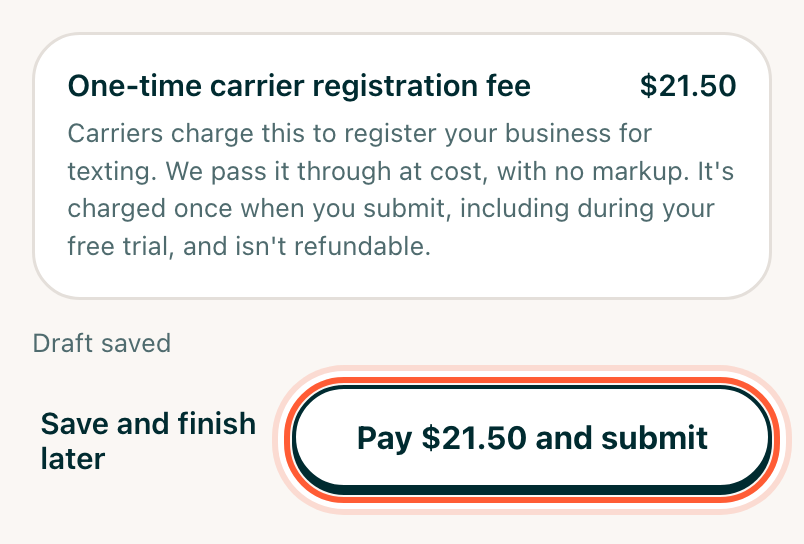
Avery checks your details first, for free. If something looks off, like a brokerage in your name or a website that won't open, the form comes back with what to fix and nothing is charged. Once it passes, the fee goes on your card on file, even during your free trial. It isn't refundable. If the card can't be charged, you'll see Pay $21.50 to pay with another card.
Step 3Verify your cell (Just me only)
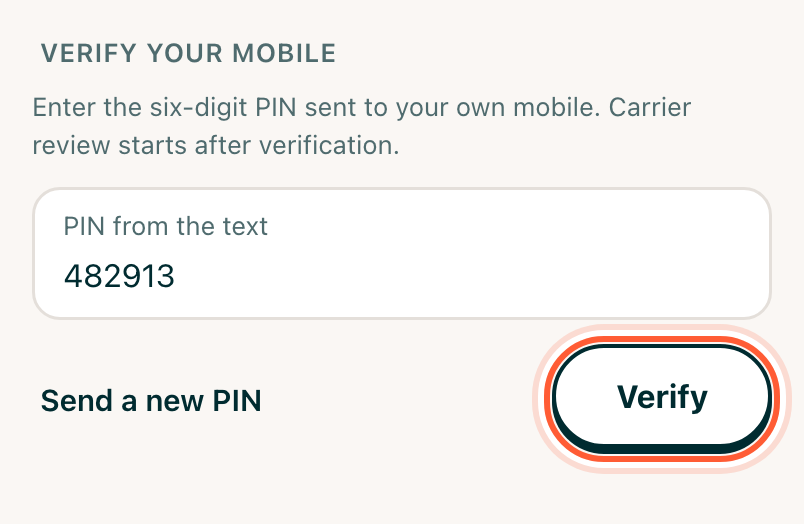
Once carriers have your business on file, a six-digit PIN is texted to the cell you entered. Open Team texting again, type it under PIN from the text and tap Verify. No text? Tap Send a new PIN.
With an EIN, there's no PIN. Carrier review starts on its own.
Step 4Wait for approval
Carrier review takes anywhere from a few days to a few weeks. You can see where it stands under Team texting on the Team number screen:
| What it says | What's happening |
|---|---|
| Avery is checking your details | Avery's free check, before the fee |
| Carriers are checking your business | The fee is paid; carriers confirm your business is real |
| Verify your mobile with a PIN | Waiting for your PIN |
| Carriers are reviewing your texting registration | The last step, and usually the longest |
| Registration approved | Approved; the number is being switched on |
| Registration needs corrections | Read the note under it, then fix and submit again or contact support |
Until it's approved, texts open in Messages on your phone as usual. When it's ready, everyone on the team gets a notification: Team texting is ready. From then on, texts to clients on the team line go out from the app.
If support needs to look at your registration, tap Copy registration reference and include it in your message. Your number keeps working for calls while it's sorted out.
If your subscription lapses
Texting is turned off when the team number is released. Your business stays registered, so when you come back and choose a new number there's no form to fill in: tap Re-register for $21.50. Carriers charge the fee again for the new number.