Delete your AveryIQ account
How to permanently delete your AveryIQ account from Settings, what goes with it, what happens to your team, and how to keep your team if you're its last owner.
You can delete your AveryIQ account yourself, from Settings, then Account, then Delete account. It permanently removes your profile, your private conversations and your settings. If you're the last owner of a team, the whole team goes too. It can't be undone, so read the screen first.
Step 1Open Delete account
Tap your initials at the top of Tasks (or More, then Settings), then Account. Tap Delete account at the bottom.
Step 2Read what goes
Under What goes, the screen lists exactly what's deleted:
- Your account: your profile, sign-in sessions, private conversations and personal settings.
- Your team, by name. If another owner remains, the team and its shared contacts stay with the others. If you're the last owner, the team goes too: its contacts, messages, events, files and other records. Its subscription is cancelled, its phone number released, and everyone on it loses access.
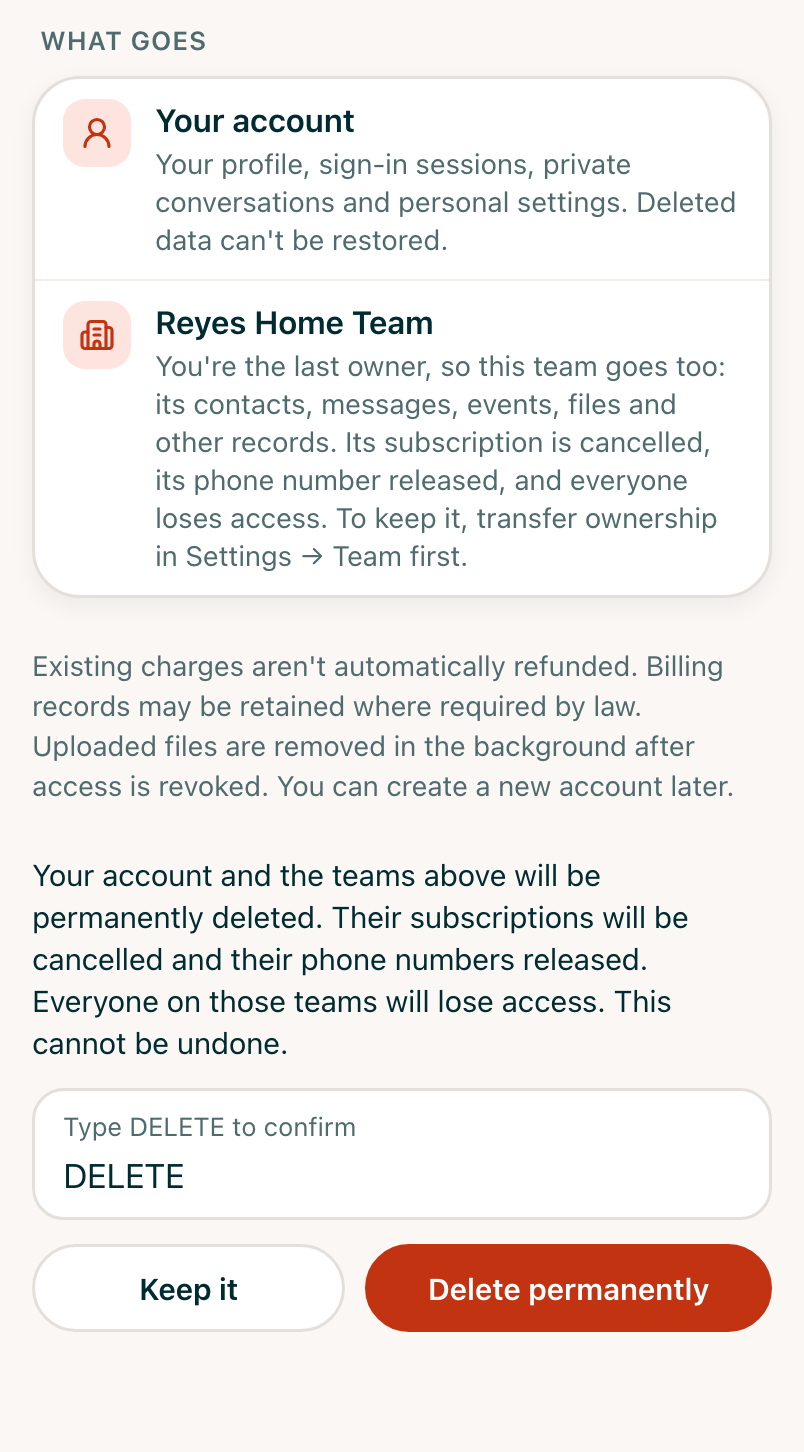
Step 3Confirm
Type DELETE in Type DELETE to confirm, then tap
Delete permanently. You're signed out. Changed your mind? Tap
Keep it.
Keep your team, delete only yourself
If you're the team's only owner and want the team to carry on, make someone else an owner first: tap More, then Team, then their name, and under Role pick Team owner. Then delete your account. See Your team.
To leave a team without deleting your account, tap Leave team at the bottom of Team instead.
Examples
- You're retiring and your teammate Grace is taking over the business. Make Grace an owner, then delete your account. Your clients stay with her.
- You tried AveryIQ on your own and it isn't for you. Delete your account, and the team you made goes with it.
Do I get a refund?
Existing charges aren't refunded automatically. Billing records may be kept where the law requires.
Can I come back later?
Yes, you can make a new account later. Deleted data can't be restored.
It says team phone setup is still processing
Wait for your team number's setup to finish, then try again, so AveryIQ can close the phone line safely.