Draw a giveaway winner
Draw your giveaway's winners live on your phone, one prize at a time, redraw if a winner isn't there, and let Avery write a "you won" note to each winner and a follow-up to everyone else.
When it's time, open the giveaway and tap Start the drawing. Your phone shows a full-screen drawing made for showing the room: the tickets spin past, slow down and stop on the winner, one prize at a time. Every ticket has the same chance, and nobody wins twice. When you're done, Avery writes a "you won" message for each winner and a follow-up for the other entrants, in your deck.
When you'd use it
- 8 PM at your holiday party: turn your phone toward the room, tap Draw, and read out the name.
- Your pie giveaway closes Monday morning: draw all 10 pies at your desk, then send the winners their texts from your deck.
- Ticket 000042 belongs to someone who already left the open house: tap Redraw this prize.
Step 1Start the drawing
Go to More, then Client events, and tap the giveaway under Giveaways (or tap it on its event's page). Tap Start the drawing at the bottom.
Entries close when you start: the entry page tells new visitors the drawing has started, and tickets can't change. If bonuses are still waiting for you to check, AveryIQ asks first; see Give bonus tickets.
Step 2Draw each prize
The screen shows Prize 1 of 3 and the prize. Tap Draw when the room is ready.
The tickets spin for about five seconds, ticking as they slow, and stop on the winner: first the ticket number, then the name, with confetti.
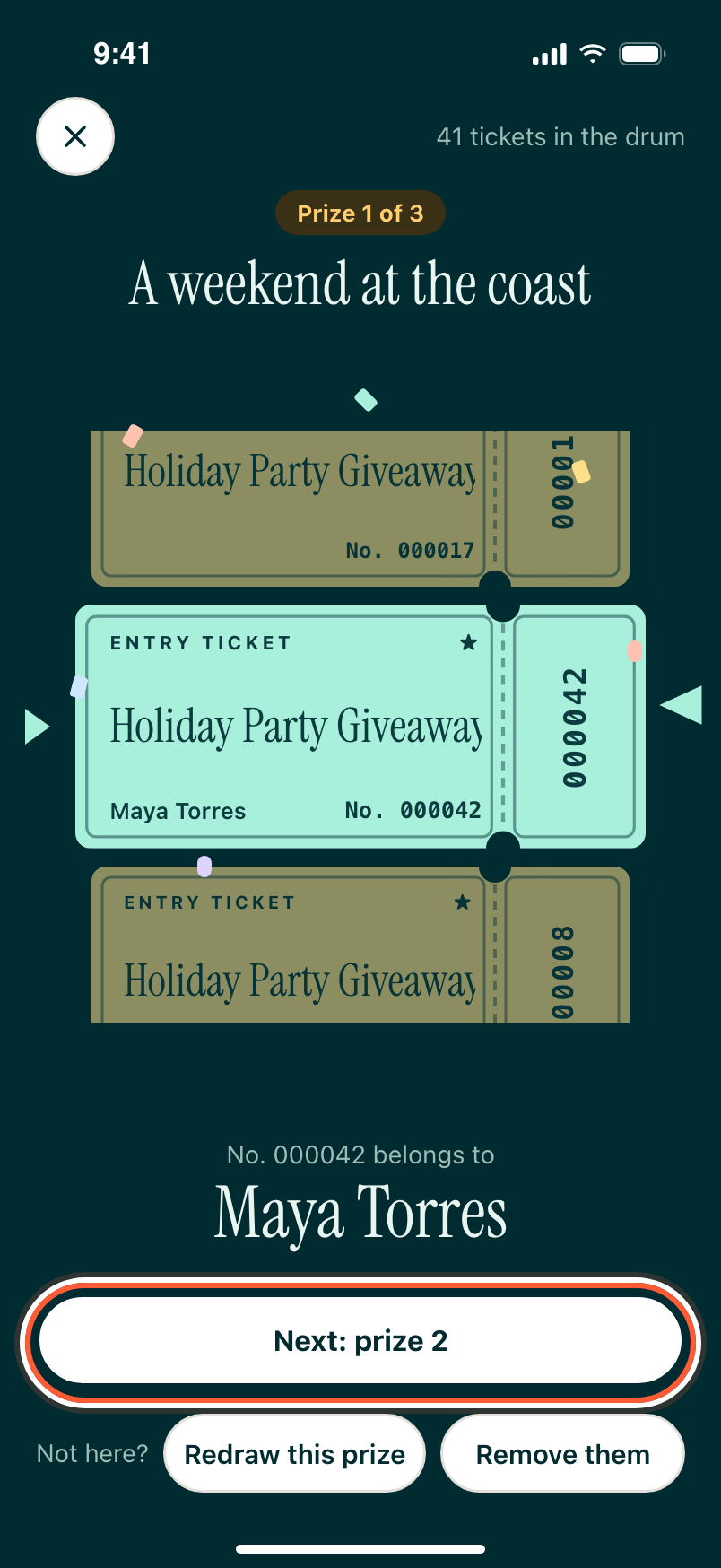
Tap Next: prize 2 and draw again. After the last prize, tap Finish.
What if the winner isn't there?
Under the name, Not here? gives you two choices:
- Redraw this prize draws again. That person can't win this prize, but can still win a later one.
- Remove them draws again and takes them out of the rest of the drawing.
Step 3Finish
The last screen lists the Winners. Tap Done · write the cards. Avery writes a "you won" message for each winner and a note for the other entrants, and they show up in your deck, winners first. New people get an introduction. Entrants who came to your event get their thank-you instead, and anyone who didn't agree to hear from you gets nothing. Every winner is told.
The winners stay on the giveaway's page under Winners. Tap one to open their page.
Can I stop halfway?
Yes. Tap × at the top to close it. Prizes already drawn are saved. Open the giveaway and tap Back to the drawing to pick up at the next prize.
How is the winner picked?
AveryIQ picks the winner before the tickets spin; the spin only shows it. Every live ticket is equally likely. Someone who has already won, was removed, or was passed over for this prize can't be picked.