Find your emails in Email blasts
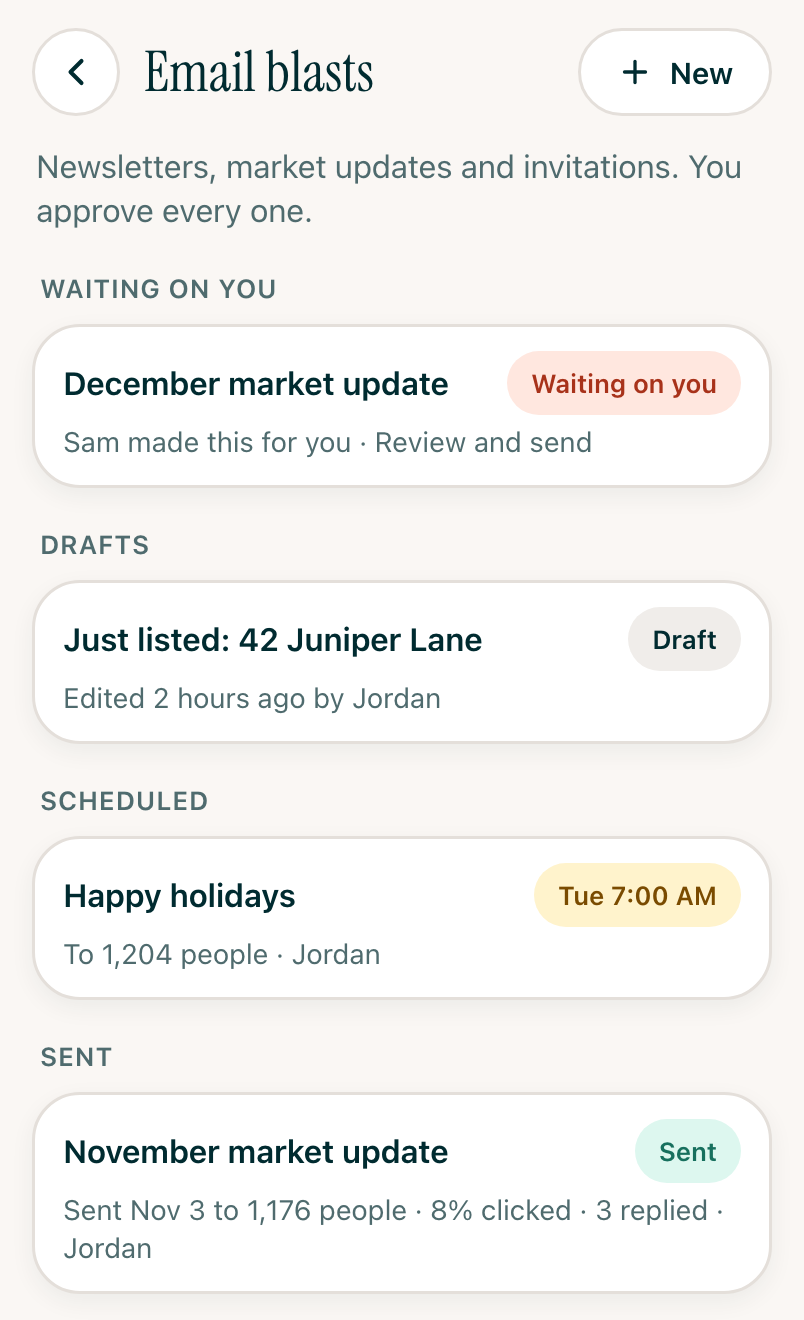
Where your email blasts live in AveryIQ. The Email blasts list shows every newsletter and announcement your team made, sorted into Waiting on you, Drafts, Scheduled and Sent.
Every email blast your team makes is in one list: tap More, then Email blasts. It's sorted into Waiting on you, Drafts, Scheduled and Sent, and each row says what state the email is in and who it's from. Everyone on your team sees the same list.
When you'd use it
- Your assistant made this month's newsletter for you last night. It's at the top under Waiting on you, with "Sam made this for you · Review and send".
- You started a just-listed email on your phone at the showing. Open it from Drafts on your computer to finish it.
- A past client asked "did you send something about rates?" Find it under Sent to see what went out and how it did.
What each section holds
| Section | What's in it |
|---|---|
| Waiting on you | Emails a teammate made under your name, and emails paused until you choose what to do. |
| Drafts | Emails nobody has sent yet. Each says who edited it last. |
| Scheduled | Approved emails with a time to go, like Tomorrow 7:00 AM. |
| Sent | Emails that went out or are going, with how many people got them and how they did, like "15% clicked · 3 replied". |
The chip on each row says Draft, Sending, Paused, Stopped, Sent or the scheduled time. Older emails load as you scroll; tap Show earlier emails to load more.
Open an email
Tap a row. A draft opens on its checklist. A sent email opens on how it did, with Who to talk to first. On a computer, the list stays on the left and the email opens beside it.
To start a new one, tap New at the top (Send your first email newsletter).
Can my teammates see my emails?
Yes. Everyone on your team sees every email and can edit a draft. Only the person an email is from can send it.
Where did my draft go?
If a teammate deleted it in the last ten minutes, opening it says This draft was deleted with Undo, which brings it back for everyone. A banner at the top of the list, like Sending is paused for your team, means something needs fixing first; tap Get help on it.