See which emails someone got from you
On a person's page in AveryIQ, see every email blast they got, open their own copy with their name in it, whether it was delivered, and which links they clicked.
Every email blast someone got from your team is in their history on their page, as a quiet row: "Email · Nov 3" with the subject. Tap it to see their own copy, with their name in it, whether it was delivered, and each link with when they clicked it.
When you'd use it
- Before you call Maya Torres, check what she's seen from you lately, and that she clicked the Juniper Lane listing twice.
- Daniel says he never gets your newsletters. His copy says Didn't deliver: his address needs fixing.
- A past client mentions "your email about rates". Open it from her page to see exactly what she read.
Step 1Find it on their page
Open the person from People and scroll their history. Each email shows as "Email · Nov 3" with the subject, and what they did with it. Several in a row with nothing clicked fold into one row, like "4 emails since June"; tap it to open them out.
Step 2Open their copy
Tap the email. You see:
- "Sent to Maya Nov 3 at 7:02 AM", with a chip like Delivered, Delivered · marked as spam, Couldn't confirm it went out or Didn't deliver.
- Asked from it, Replied or Unsubscribed, when they did.
- Links: each link with "Clicked 2 times, last Nov 4" or "Not clicked".
- The email itself, as they got it. Switch between Desktop, Mobile and Dark above it.
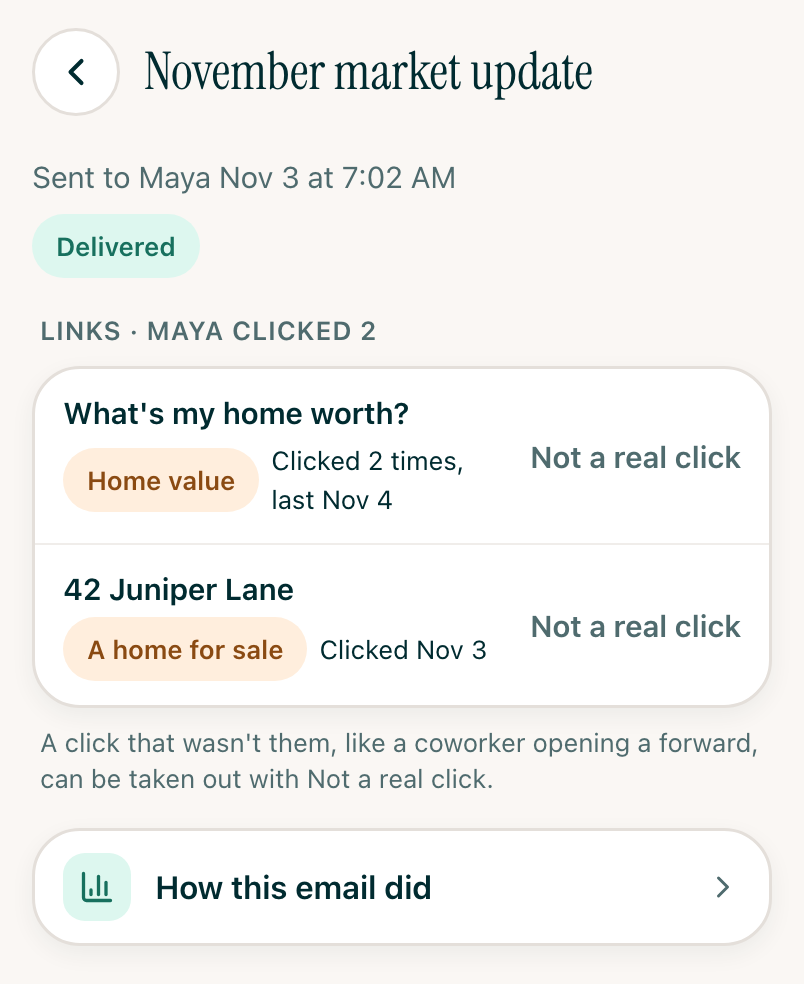
Tap How this email did to see the results for everyone it went to (See how your email did).
A click that wasn't them
If a coworker opened a forward, tap Not a real click beside the link. It stops counting, and Avery stops treating it as interest. Undo puts it back.
Why isn't an email on their page?
They weren't sent it: they may have been left out (Who can get your emails), or the email was stopped before it reached them. If the page says This email isn't on their page, someone may have merged them with another person.