Add a task in AveryIQ
Add your own to-do in AveryIQ from the + button or the Tasks tab, with a due date, priority, person, deal and notes, or assign it to a teammate. You can also just ask Avery.
Add a task for anything you need to remember: call the lender, drop off the lockbox, send the CMA. Tap + in the bar at the bottom, then New task, type what to do, and tap Create. It shows up on Tasks under its day, and in your deck on the day it's due.
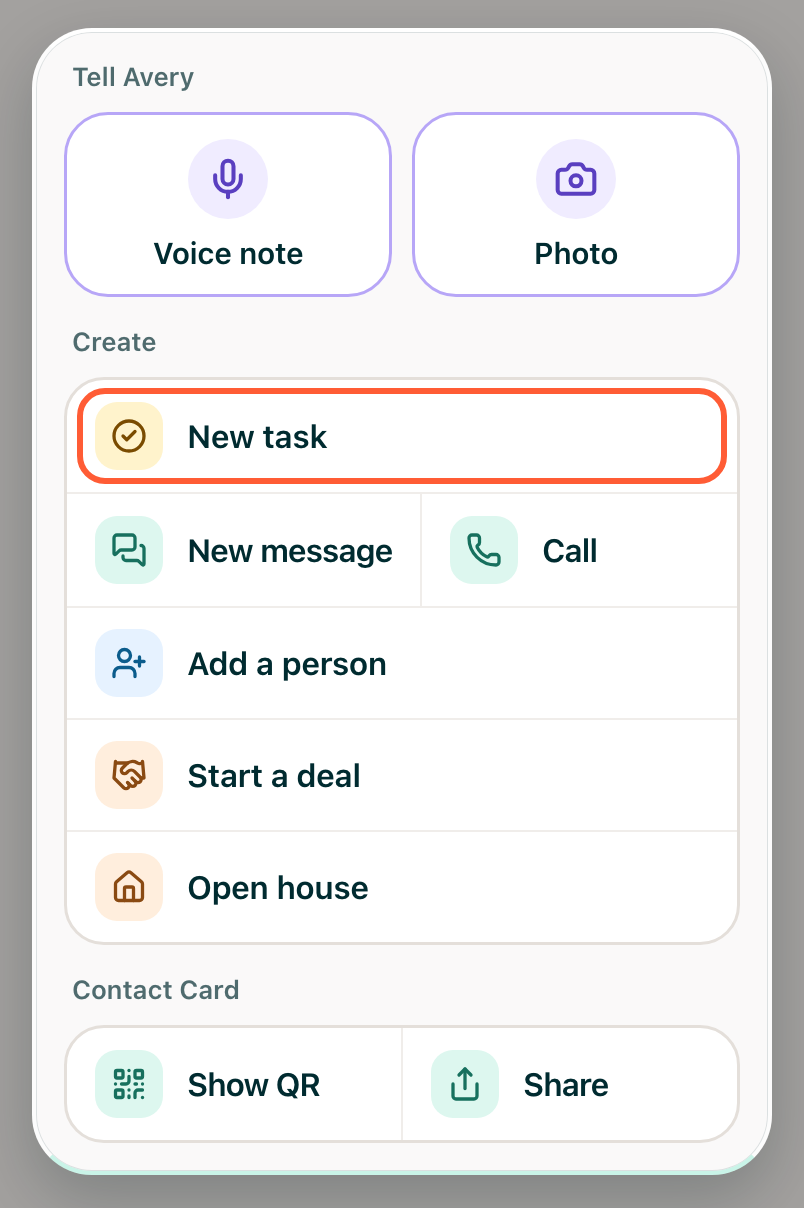
Step 1Open New task
Tap the yellow + at the bottom of any screen, then New task under Create. Or, on Tasks, tap the + beside the search bar.
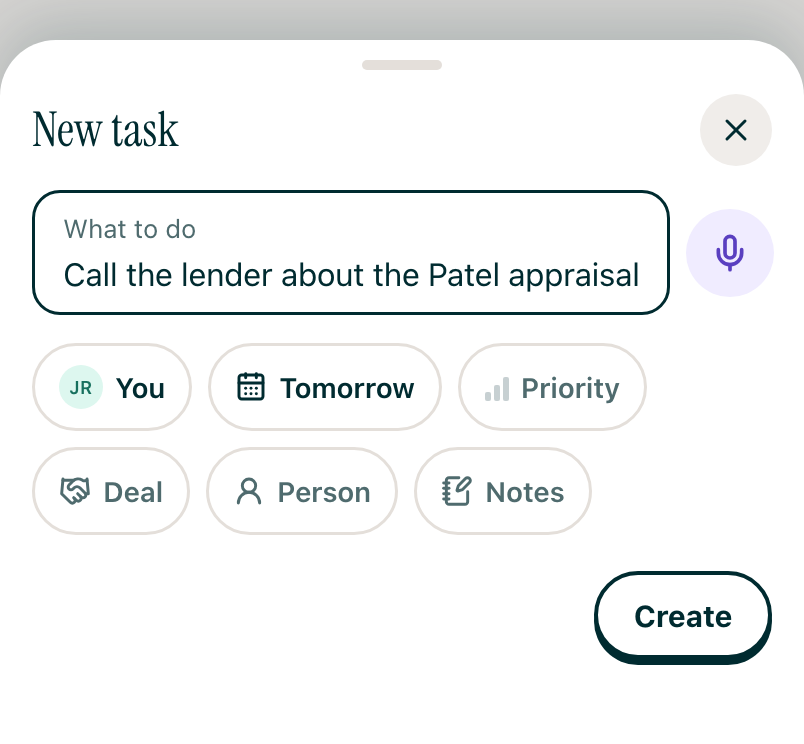
Step 2Say what to do
Type it in What to do, like "Call the lender about the Patel appraisal." Or tap the microphone and say it.
Step 3Add the details you need
Each chip under the box opens its choices. All of them are optional.
- You: who does it. Pick a teammate and they're told. Pick Unassigned and anyone on the team can take it.
- Due: Today, Tomorrow, A day, or A time. With a time, you get a reminder then.
- Priority: Urgent, High, Medium or Low.
- Deal: puts the task on that deal's list.
- Person: who it's about, so it shows on their page.
- Notes: anything you'll want when you do it.
Step 4Tap Create
You'll see Added to your tasks. A task with no due date sits under Today until you do it or drag it to another day.
Ask Avery instead
In Ask Avery, type or say it the way you'd tell an assistant: "Remind me to call Maya Torres Friday at 3," or "Have Sam send the Patels the disclosures tomorrow." Avery saves the task with the right person, day and teammate. With a receipt printer, say "print a sticky for..." and she prints it too.
Avery also offers tasks she hears in your notes and calls, like "I'll send her the comps Monday." They show faded in your list until you add them.
Change or remove a task
On Tasks, tap the task to open it. Change any line, or tap Edit for the words. To remove it, tap Status, then Skipped. Undo shows for a few seconds after each change.
When you'd use it
- Leaving a listing appointment: "Order the pre-listing inspection," due tomorrow, on the 42 Juniper Lane deal.
- Your assistant should call the title company: assign it to them, and they're told.
- A buyer asked you to check HOA rules: add it with them as the Person, so it's on their page when they call back.
Can my teammate see my tasks?
Yes. Everyone on your team can see and change any open task. Teammates see yours under Team on Tasks.