Connect Gmail to send email from AveryIQ
Connect your Gmail so the emails you send from your AveryIQ deck and reply to from email blasts go straight from your own address, with a few seconds to undo. AveryIQ can only send, never read your inbox.
Connect Gmail and the emails you send from AveryIQ go straight from your own Gmail address when you tap send, with 5 seconds to undo. Without it, each email opens in the Mail app on your phone for you to send from there. AveryIQ asks Google for permission to send only: it can't read your inbox. Set it up in Settings, then Gmail.
Step 1Open Gmail in Settings
Tap your initials at the top of Tasks (or More, then Settings). Under Phone and email, tap Gmail. It says Connect.
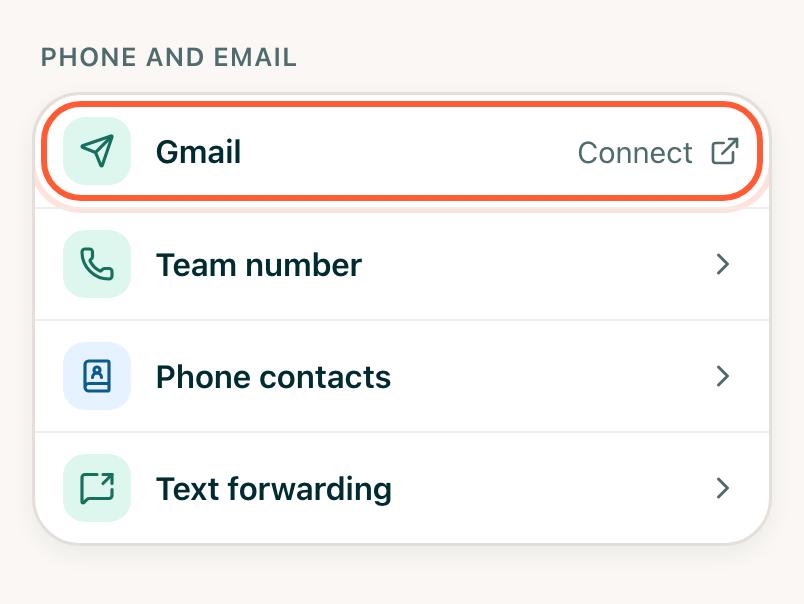
Step 2Give Google permission
Your browser opens Google's sign-in. Pick the Gmail account you email clients from, and allow AveryIQ to send email for you. Google then shows Gmail connected. Go back to AveryIQ: the row says Connected.
Step 3Send an email from your deck
When your deck has an email for someone, the line above the draft says which address it goes from, like from [email protected] · Gmail. Tap send, and it goes. Tap Undo in the next 5 seconds if you change your mind.
The same goes for answering a reply to one of your email blasts.
Disconnect Gmail
In Settings, tap Gmail (it says Connected), then Disconnect. Email tasks open Mail on your phone again. You can connect again any time. Tap Keep it to leave it connected.
Examples
- A past client's home anniversary task is an email, not a text. With Gmail connected, you tap send and it's on its way from your address.
- You switched brokerages and have a new Gmail. Disconnect, then connect the new one.
It says Reconnect
Google stopped letting AveryIQ send, usually because your Google password changed or the permission was removed. Tap Gmail and sign in again.
Does AveryIQ read my Gmail?
No. It can only send the emails you tap send on. To have Avery read an email, copy or forward it to Avery's email.
I don't see Gmail in Settings
The Gmail row only shows when Gmail sending is available on your account. Without it, emails open in Mail on your phone, and you send them from there.
Does it work with Outlook or my brokerage email?
Only Gmail, including Google Workspace addresses. Other email opens in Mail on your phone.