Copy Avery on your email
CC, BCC or forward the emails that belong in your CRM to Avery's email address, and route your portal lead emails to Avery automatically.
Avery has her own email address, just like an assistant would. Copy her on the emails that belong in your team's CRM and she files each one on the right contact (and their deal) and learns from it. Your teammates can see what you send.
Step 1Find Avery's email address
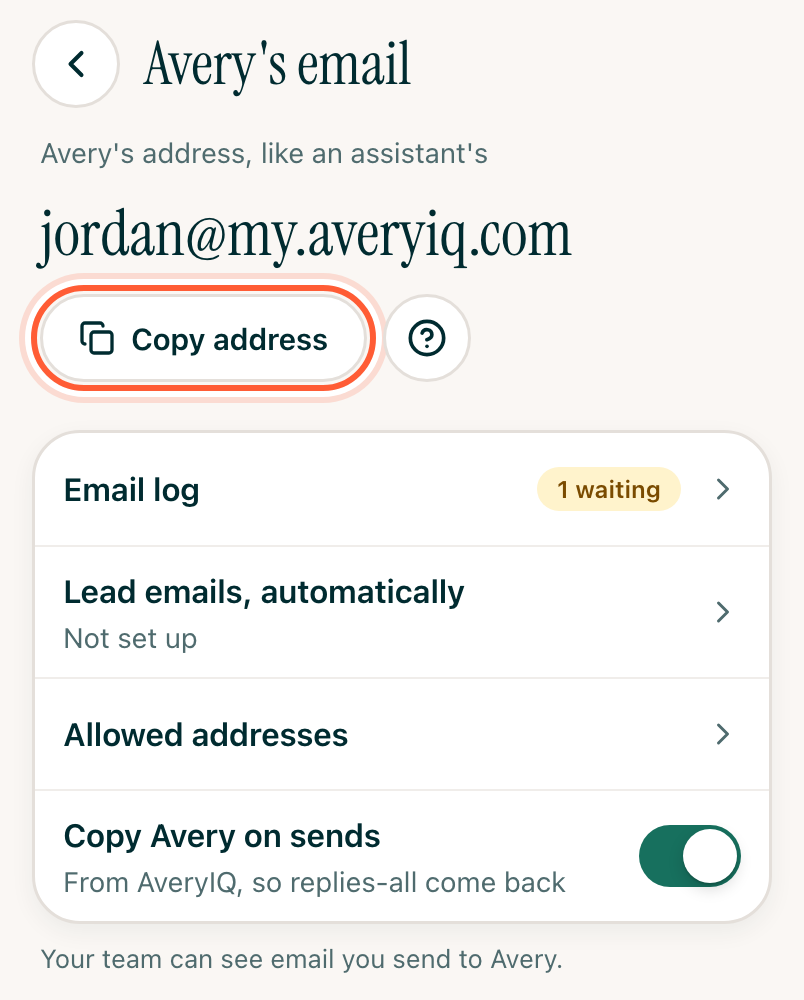
Tap More, then Settings, then Avery's email. The first time, you choose the name. Pick carefully: clients see it when you copy Avery, and it can't be changed later. Tap Copy address and save it as a contact named Avery.
Step 2Copy Avery
- CC Avery on threads she should follow. Clients see your assistant on the thread, and their reply-alls come back to Avery.
- BCC Avery to log an email quietly. Replies won't come back to her.
- Forward an email to file it: a new lead, an inspection report, a pre-approval letter. Add a line saying who it's for if that isn't obvious.
Email you send from AveryIQ copies Avery automatically while Copy Avery on sends is on, on the same screen.
Step 3Send lead emails automatically (optional)
A rule in your mail app can forward lead emails from Zillow, Realtor.com, Redfin and other portals to Avery's address as they come in. Avery adds each new lead and has a reply ready in your deck. Tap Lead emails, automatically on the same screen for the steps, and pick your mail app.
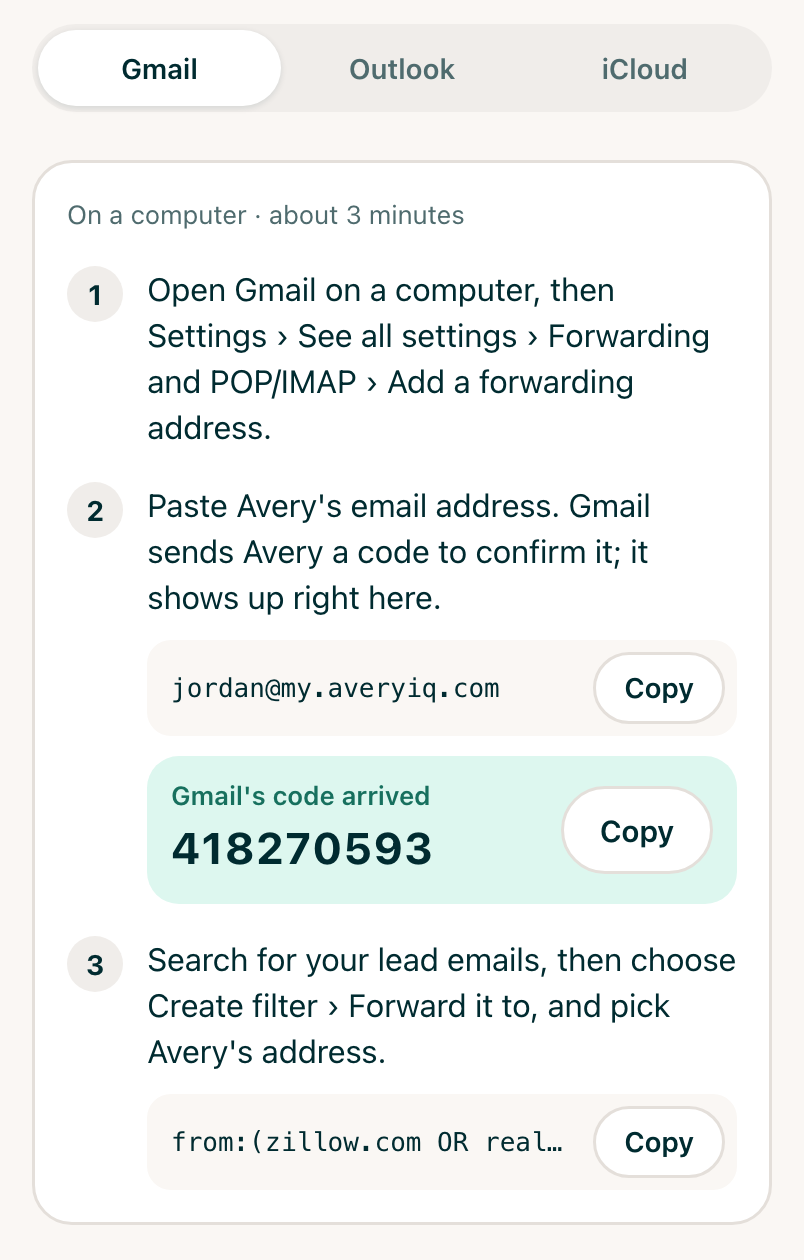
- Gmail: on a computer, go to Settings › See all settings › Forwarding
and POP/IMAP › Add a forwarding address, and paste Avery's address. Gmail
sends Avery a confirmation code, which shows up on the same screen in
AveryIQ. Then search for your leads (like
from:zillow.com) and choose Create filter › Forward it to. - Outlook: Settings › Mail › Rules › Add new rule: from
zillow.com, redirect to Avery's address. - iCloud: on iCloud.com, Mail › Settings › Rules: if from
zillow.com, forward to Avery's address.
Check the email log
The Email log, on the same screen, lists every email Avery received. Open one to see what Avery learned, and which contact and deal she filed it on.
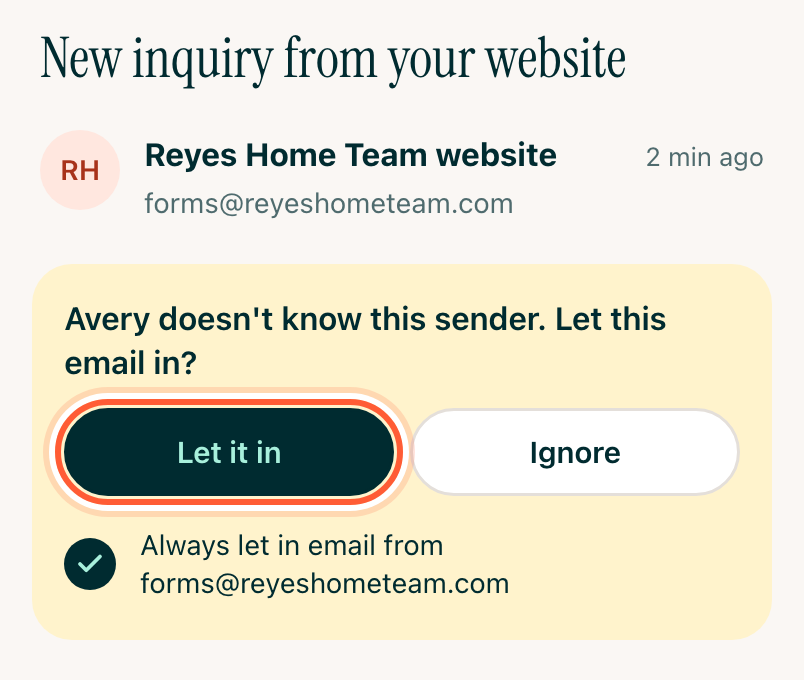
Mail from a sender Avery doesn't know, like your website's contact form, waits at the top of the log the first time. Open it and tap Let it in, or Ignore. Leave Always let in email from checked and the rest from that sender come straight through.