Keep a deal's files in one place
Add contracts, addendums, disclosures, inspection reports and photos to a deal in AveryIQ, from your camera, Photos or Files, and open them from the deal any time.
Every deal has a Files list for its paperwork: the contract, addendums, disclosures, the inspection report, the appraisal and photos. Add a file from your phone, and anything your team posts in the deal's thread lands here too. Find it on a deal's details, under Files.
Step 1Open the deal's files
Open the deal, tap Details, then Files. Newest files are at the top.
Step 2Add a file
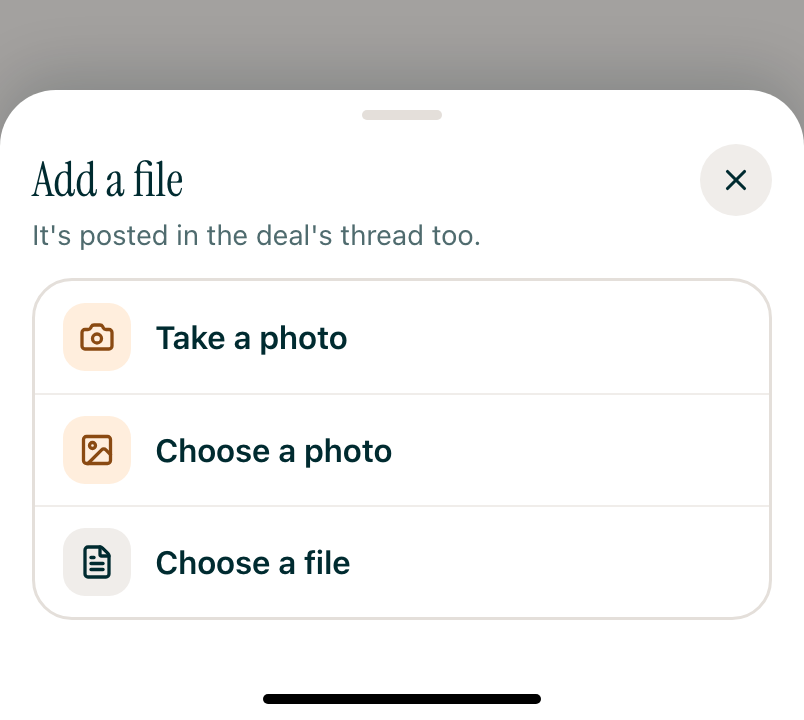
Tap + Add a file (or Add a file on a deal with none yet), then pick:
- Take a photo: snap a signed page or the house.
- Choose a photo: from Photos.
- Choose a file: a PDF or document from Files, or one you saved from email.
The file shows "Uploading" with how far along it is, then "File added". It's also posted in the deal's thread so your team sees it.
On a computer, drag a file onto Drop a file here, or click it to choose one.
AveryIQ takes PDFs, photos, Word and Excel files, CSV and text files.
Step 3Check what it is
AveryIQ guesses what each file is from its name: Contract, Addendum, Disclosure, Inspection, Appraisal, Listing sheet, Photo or File. To change it, tap ⋯ beside the file and pick the right one under What it is.
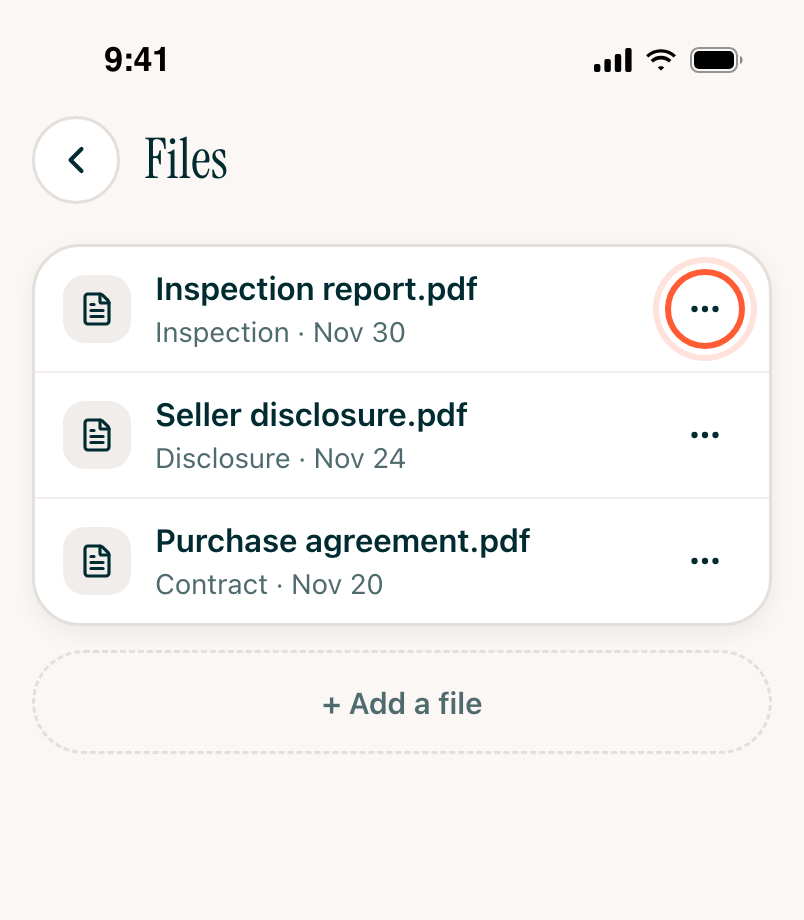
Tap a file to open it.
Remove a file
Tap ⋯ beside it, then Remove from the deal, then Remove. It comes off the deal's files. If it was posted in the thread, it stays there.
When you'd use it
- The sellers signed the counteroffer. Take a photo of the signed page right at the kitchen table.
- The inspector emailed the report. Save the PDF to Files, then Choose a file on the deal.
- Your assistant posts the HOA documents in the deal's thread. They show up under Files without anyone filing them.
Do voice notes go in the files?
No. A voice note you post in the deal's thread stays in the thread. Photos, PDFs and documents go in both.
Why does the deal's picture in Messages change?
The newest photo on the deal (or on its home) becomes the deal's round picture at the top of Messages. Add a photo of the front of the house and it's easy to spot.