Talk about a deal with your team
Every deal in AveryIQ has a private team thread for notes, photos, files and questions for Avery, with the deal's stage and next deadline at the top.
Each deal has its own thread, like a group chat for your team about that one client. Post notes, photos and files, @mention a teammate, or ask Avery about the deal. Only your team sees it: clients and the other side never do. Open a deal from the round photos at the top of Messages, or from More, then Deals.
What's at the top?
The home's street (or the client's name, before there's a home), the side and stage, and the people on the deal. Below that, a bar shows the stage, and Next up shows the soonest open date.
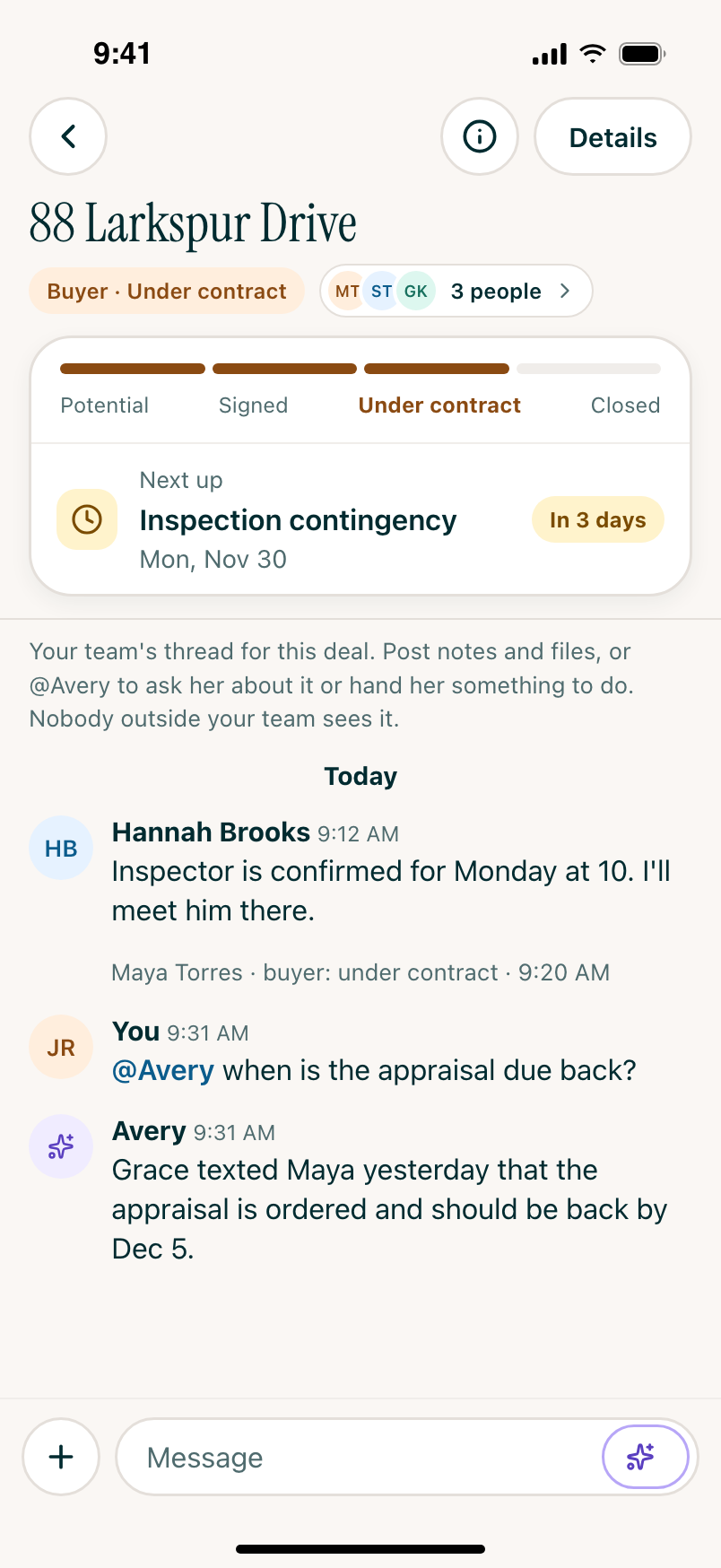
- Tap the bar, or Details, for the deal's details.
- Tap Next up for the deal's dates.
- Tap the people for who's on the deal, or + Add a person when there's no one yet.
Post a note or a file
Type in Message at the bottom and send it. Beside the empty box are a camera button, + for Photos and Files, and a voice note button. Once you start typing, the camera and voice note move into +. Photos and files you post here are saved to the deal's files too.
Type @ to mention a teammate. They get a notification.
Ask Avery about the deal
Tap the ✦ in the message box, or type @Avery, then your question (see Ask Avery in a deal thread or team message with @Avery). Avery looks at the deal's stage, dates, people and list of files, plus the recent texts and calls with everyone on it, and answers in the thread. You can also hand her something to do, like "@Avery remind me to send the HOA docs Friday."
On the deal's details, Ask Avery about this deal opens the thread with @Avery already typed.
What else shows in the thread?
- Tasks Avery prepared for this deal, small, marked ✦ AVERY PREPARED. Tap Mark done on a date's task, or Open in your deck for one with a draft.
- One-line changes, like a stage move or a new date. A line about a call or a text with someone on the deal opens that conversation.
Texts with the deal's people stay in their own conversations in Messages.
Mute it or pin it
Tap ⓘ at the top. Under Notify me about, choose Everything, Mentions or Nothing. Mute quiets it for you only, and Pin keeps it on top of Messages.
When you'd use it
- Your showing assistant posts a photo of a water stain from the second showing so the whole team sees it.
- You ask "@Avery what did the lender say about the appraisal?" and she answers from the calls and texts with the lender on the deal.
- Your transaction coordinator @mentions you when the signed addendum comes back, and drops the file in.
Can my client see the deal thread?
No. The thread is only for your team. To message your client, use the Text button on the deal's people or their page.