Send a group text
Start a group text in AveryIQ with two to eight people, like a couple buying together. Everyone sees each other's replies. It's different from a saved group on People, which you use for emails and events.
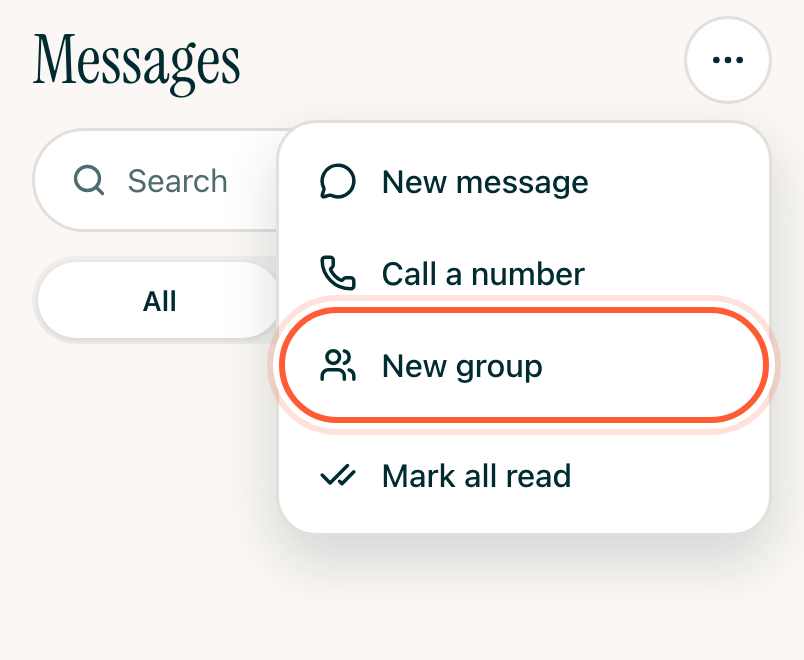
A group text is one conversation with several people where everyone sees each other's replies, like a group in Messages. Use it for a couple buying together, or a seller and their adult kids. In Messages, tap ⋯ at the top, then New group, pick two to eight people and tap Start. It sends from your team number once it can text, otherwise from your phone's Messages.
Step 1Start the group
- Open Messages and tap ⋯ at the top right.
- Tap New group.
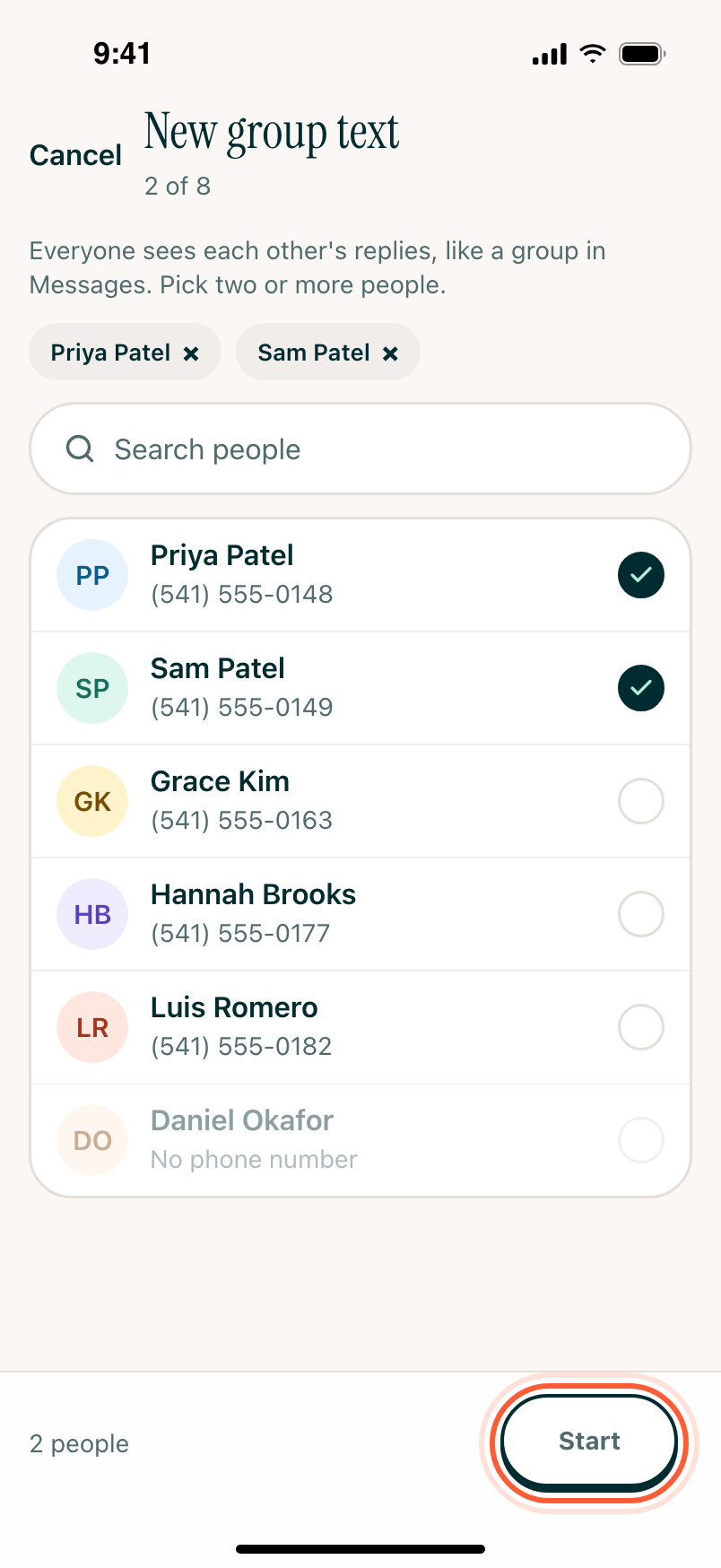
- Search and tap each person. They show as chips at the top, and the count says how many you've picked, like 2 of 8.
- Tap Start.
The group's conversation opens. If these same people already have a group, that one opens instead, so you never end up with two.
You can also start one from the dock: tap +, then New message, then New group text.
Step 2Write and send
Type in the box that says Text the group and tap send.
- On the team line, it sends from AveryIQ, and everyone's replies come into this conversation in Messages.
- From your phone, Messages opens with a group text to everyone, ready for you to send.
On the team line, photos go as pictures. Anything else you attach goes as a link.
Who can be in a group text?
Two to eight people, and each needs a phone number. People with no phone number are greyed out in the list. If the group can't start, AveryIQ says Couldn't start the group: check everyone has a phone number and that there are at least two different numbers.
A group can't get team-line texts if someone in it has a landline or has replied STOP to your team number. Text them from your phone instead.
Is a group text the same as a group on People?
No. A group on People is a saved list, like "Past clients 2024", that you use for emails, event invitations and your deck. Nobody in it sees anyone else. A group text is one conversation where everyone sees every reply. New group in Messages starts a group text; New group under People, then Groups, makes a saved list.
Example uses
- Priya and Sam are making an offer tonight. Start a group text so both see the counter at the same time.
- A seller's two adult kids are helping with the estate sale. Keep all three in one conversation.
- After a showing, text the couple together: "Thanks for coming out to 42 Juniper Lane. Any questions from either of you?"
Who in the group is who?
Tap ⓘ at the top of the conversation. The details list everyone in the group; tap a name to open their page. The phone button at the top calls one of them.