Review texts held from your phone
With text forwarding on, AveryIQ holds texts from numbers that aren't in your database, and group texts with someone new, until you choose. Add them to AveryIQ or ignore them.
When you forward your iPhone's texts to AveryIQ, a text from a number that isn't in your database waits in Held for review instead of coming in. So does a group text with someone new in it. You decide, one number or group at a time, whether it belongs in AveryIQ. Avery doesn't read held texts. Open Messages and tap Texts forwarded from your personal phone.
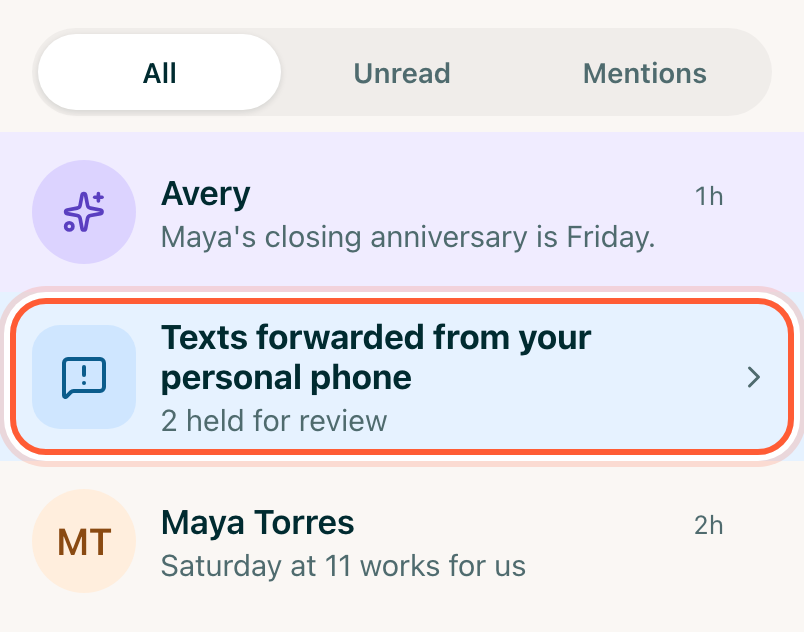
The row shows only while something is waiting. You can also get there from More, then Settings, then Text forwarding, then Held for review.
Step 1Look at who texted
Each card shows the number (or their name, if they're saved in your phone's contacts), when they last texted, and their last few texts. A group shows Group text and everyone in it.
Step 2Choose
- Add to AveryIQ: for one number, type their name and tap Add. Or
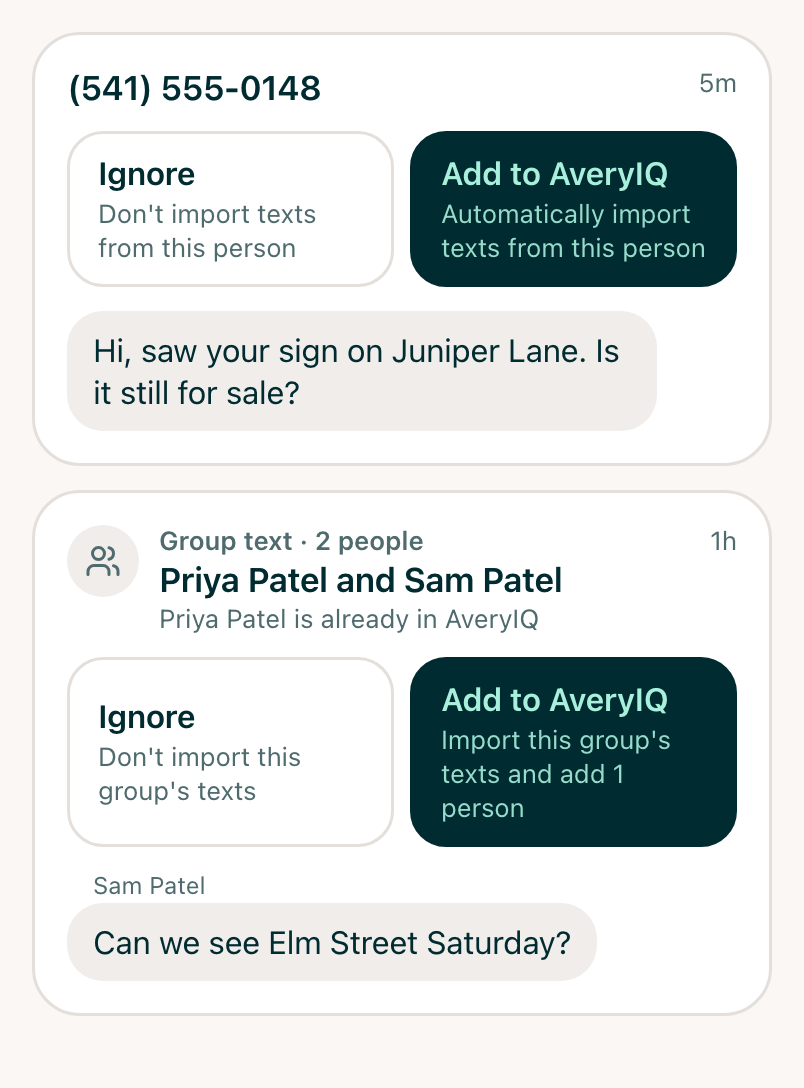
tap Add to an existing contact to give the number to someone already in your database. For a group, the new people are added with their names from your phone's contacts. Their held texts move into the conversation, and new ones come straight in.
- Ignore: their texts aren't imported, now or later. Tap Undo right away if you change your mind.
Ignoring a group doesn't ignore the people in it. Ignore your family group text, and your dad's texts to just you still come through.
Texts you don't add or ignore are deleted after 30 days.
Example uses
- A buyer from Sunday's open house texts your cell from a new number. Add to AveryIQ, type their name, and Avery can draft your reply.
- Your dentist's office texts a reminder. Ignore it, and it never comes in.
- Maya texts you and her husband together for the first time. Add to AveryIQ adds him and keeps the group's conversation.
I ignored someone by mistake. How do I get them back?
Tap More, then Settings, then Text forwarding. Everyone you've ignored is under Ignored. Tap Add to AveryIQ beside them.