Choose who answers your team number
Decide whose phones ring when someone calls your AveryIQ team number, set up a phone tree ("For rentals, press 2"), and have Avery take a message when nobody picks up.
When someone calls your team number, AveryIQ rings the teammates you pick, or plays a short phone tree so the caller can choose who to talk to. If nobody answers, Avery takes a message or the caller is let go, and you get a notification either way. A team owner sets this up under More, then Settings, then Team number, in the Calls section. Everyone else can see it but not change it.
Step 1Open the Calls section
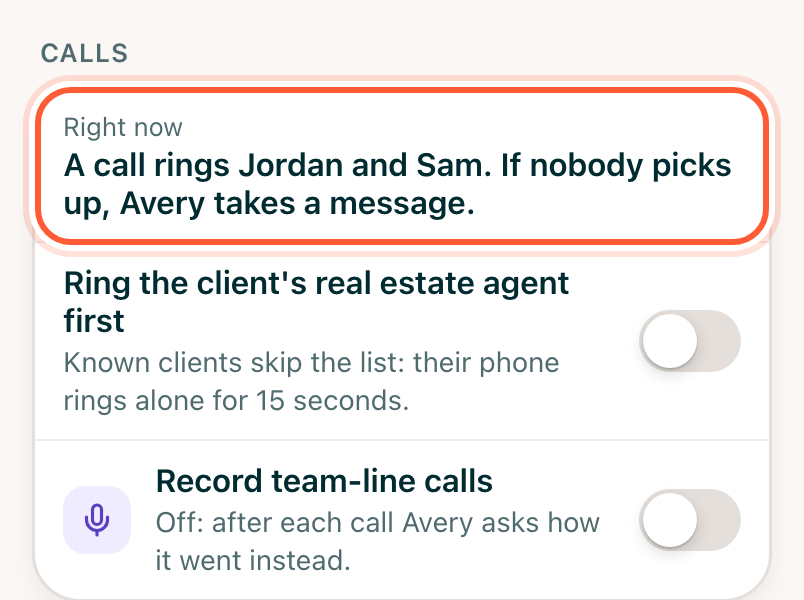
Tap More, then Settings, then Team number. Under Calls, Right now says in one sentence what happens when someone calls, like "A call rings Jordan and Sam. If nobody picks up, Avery takes a message." It changes as soon as you change a setting below.
Step 2Ring the client's own real estate agent first
Turn on Ring the client's real estate agent first and a caller who's already in AveryIQ rings the teammate they're assigned to, alone, for 15 seconds. If that teammate doesn't pick up, the call goes on to everyone else.
Step 3Pick who rings
Under When someone calls, choose one:
- Ring these people: tick the teammates whose phones ring. Checked phones ring together for 30 seconds, and whoever answers first takes the call.
- Phone tree: callers hear a greeting and press a key to choose who rings. See the next step.
A teammate marked Open AveryIQ once to ring hasn't opened AveryIQ since the team number was set up, so nothing of theirs can ring yet. Calls ring their phone, and AveryIQ on any computer where they have it open.
Step 4Set up a phone tree
With Phone tree picked:
- Under Greeting, type what Avery says first, or leave the placeholder ("Thanks for calling Reyes Home Team.").
- Tap + Add an option.
- Pick a key, type what it's for (Avery says "For rentals, press 2."), and tick who rings under Rings.
- Tap Add.
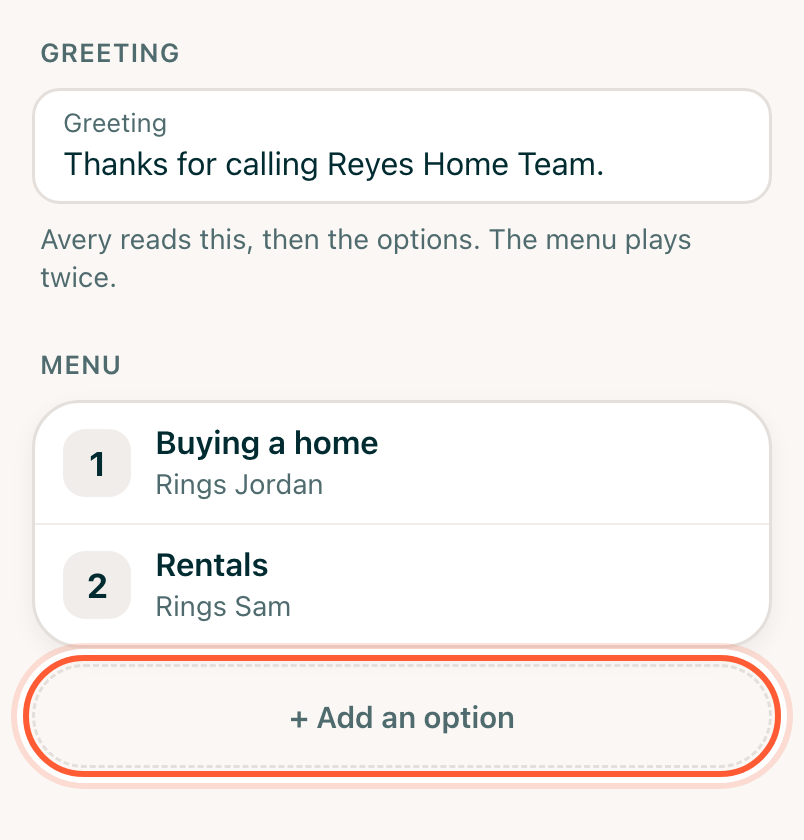
You can have up to five options. Avery reads the greeting and the options, and the menu plays twice. Under If they don't press anything, choose Ring these people (and tick who) or Avery takes a message.
To change or remove an option, tap it, then Save or Remove option.
Step 5Choose what happens if nobody answers
Under If nobody answers:
- Avery takes a message: she says she's the team's AI assistant and that the call is recorded, then asks who's calling, what it's about and the best time to call back. She never answers questions about homes, prices or showings, and never promises anything for you.
- Let the caller go: the call ends.
Either way, the teammate it was for gets a notification: "Missed call from Maya Torres" or "Maya Torres left a message". The call shows in Maya's conversation in Messages with Call back. When Avery took a message, a short summary of what Maya wants and the recording are there too.
Example uses
- You handle buyers and your assistant handles rentals: Phone tree with "For buying a home, press 1" ringing you and "For rentals, press 2" ringing your assistant.
- Your past clients should always reach you: turn on Ring the client's real estate agent first, and new callers ring the whole team.
- Saturday open houses keep everyone busy: leave Avery takes a message on, then call back from the notification between showings.
Why doesn't my teammate's phone ring?
They need to open AveryIQ once, on their phone or computer. Until then their row says Open AveryIQ once to ring. Also check they're ticked under Ring these phones, or on the phone tree option the caller pressed. If a teammate is on time away, missed calls go to whoever covers for them.
Can I turn off Avery answering?
Yes. Pick Let the caller go under If nobody answers. To record the calls you do answer, see Your own number or a team number.