Send a just-listed email to your sphere
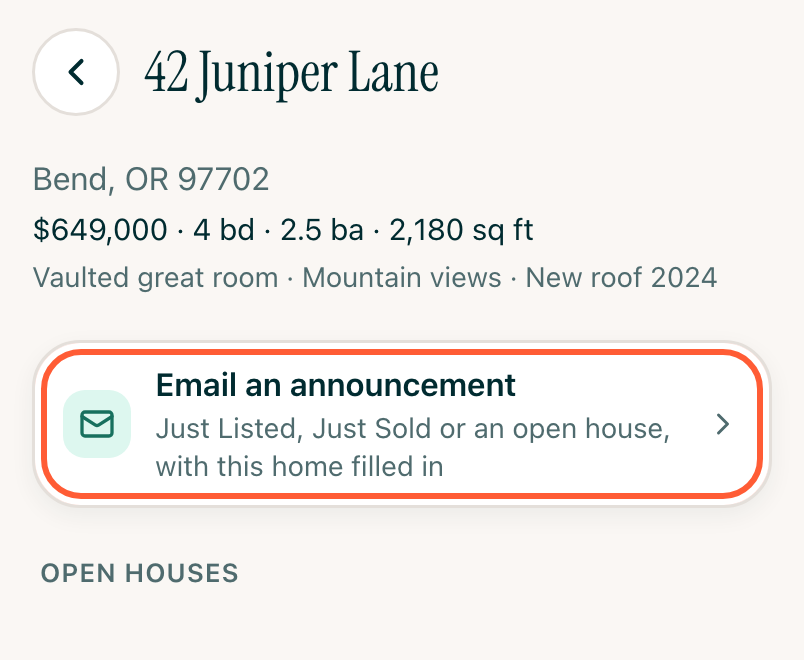
Announce a new listing by email blast from AveryIQ. Tap Email an announcement on the home's page and the Just Listed template fills in its address, price, beds, baths and photos.
The fastest way to announce a listing is from the home itself. Tap More, then Properties, open the home and tap Email an announcement. A new email opens with Just Listed picked and the home's address, price, beds, baths and square feet filled in. Add photos, choose who gets it and send.
When you'd use it
- 42 Juniper Lane hits the market Thursday. Tell your sphere Wednesday night, so friends and neighbors hear it from you first.
- The price dropped. Save the people who clicked last time as a group (Save as group on the email's results), then send them the new price.
- It sold in a weekend. Pick Just Sold instead and show your sphere what you did.
Step 1Start from the home
Tap More, then Properties, and open the home. Tap Email an announcement. Just Listed is already picked; tap Just Sold or Open House if that fits better. Tap Next.
Hosting an open house there? On the open house's page, Email an invitation starts the Open House template the same way.
Step 2Add the photos
Tap an empty photo, then Add listing photos, and pick up to 12. They fill the email's empty photos in order and stay on the home for next time. Give each one a short description, like "Front of 42 Juniper Lane". Check the price and the two lines about the home, then tap Done. Feature a listing in an email has the details.
Step 3Choose who gets it
Tap To. Good choices for a new listing:
- Buying or selling in the next 6 months.
- Open house visitors, last 30 days, who are out looking now.
- A group of neighbors, or Search People… with "homeowners in Northwest Crossing".
See Choose who gets your email.
Step 4Review and send
Tap Review, then Send to (your number), or Send later for a morning send (Schedule an email). You have a minute to Undo.
Who should I talk to after it goes?
Open the email after a few hours. Who to talk to lists who asked about it, replied or clicked the home, and Avery puts the people who clicked near the top of your deck (See how your email did).
Can I use MLS photos?
Only if you have the right to. MLS rules and photographers' licenses often limit where listing photos go, so check before you email them.