Track RSVPs and mark who came
See who's going to your client event, what they answered and who's bringing guests, change an RSVP by hand, mark who came, and save or export the guest list.
Your event's page is the guest list. Before the event, guests are grouped into Going, No answer and Can't make it, with counts at the top, and each answer from an RSVP page shows up as it comes in. After it starts, you mark who came, which is what Avery uses for your thank-yous. Go to More, then Client events, and tap the event.
When you'd use it
- Ordering food: the top says 31 Going and +12 guests, so you plan for 43.
- Tom calls to say he can't make it. Tap him and choose Can't make it.
- At the party, tick people off on Who came? as they walk in, or do it the next morning over coffee.
- After the party, save everyone who came as a group for next year's invite.
See who's coming
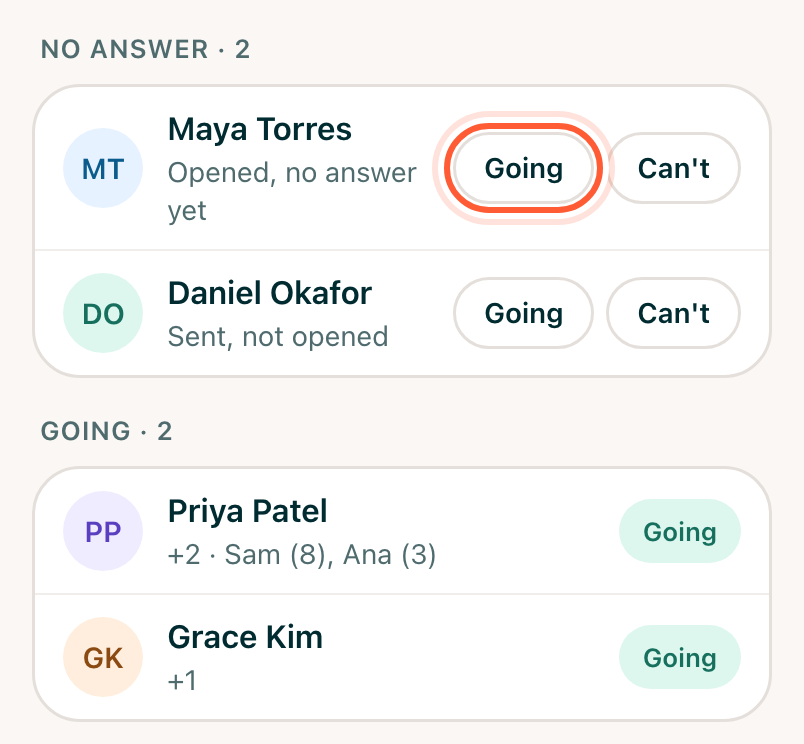
The top of the page counts Invited, Going (with how many guests they're bringing) and No answer (with how many opened it). Under each guest's name you see who they're bringing, their answers, or where their invitation stands, like Sent, not opened or Opened, no answer yet.
What guests told you sums up each RSVP question. Tap one to see who picked each choice, and tap a name to open their RSVP.
Change an answer by hand
Someone answered by text, a call or in the hallway:
- On a guest with no answer, tap Going or Can't on their row.
- Or tap their name and choose Going, Can't make it or No answer yet.
A message at the bottom confirms it, with Undo.
Tap a name, then Their RSVP, to see everything about one guest: their answer, Bringing (use − and + to change it), when the invitation was sent and opened, their note to you and their answers. Answers marked On Maya's profile are saved to her page.
Other choices when you tap a name: Open their page, and Take off the list.
Mark who came
Once the event starts, the page shows Who came?. Tap it.
- Tap everyone who was there. Under Said they'd come, Mark all ticks them all at once; then untick anyone who didn't show.
- Someone came without an invite? Tap + Someone else came, find them, and tap Mark came.
- Tap Done. Nothing is saved until you do.
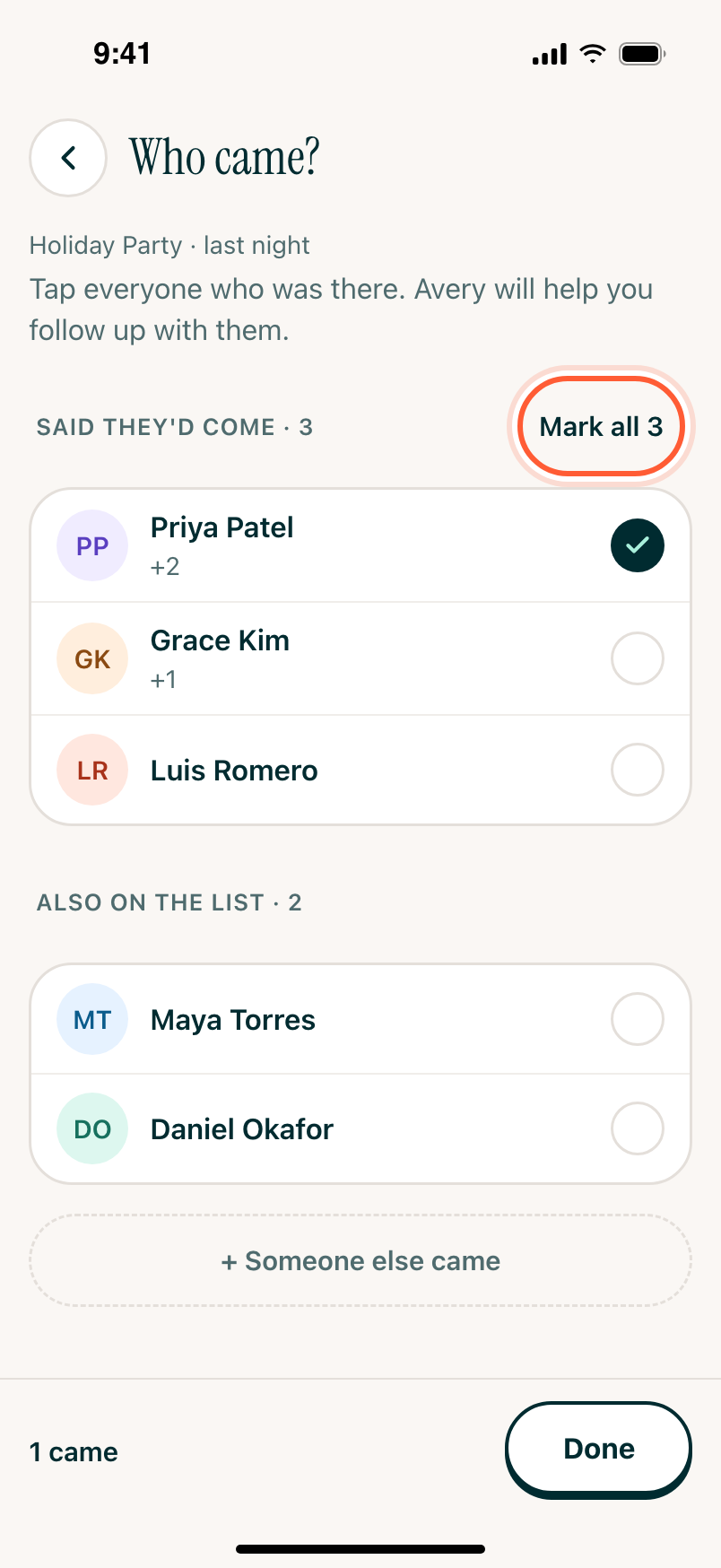
You can come back to Who came? · Update to change it. To fix one person, tap their name and choose Came or Didn't come.
Save or export the guest list
Under Guest list on the event's page, pick who: Going or Everyone before the event, Came, Said yes or Everyone after. Then:
- Save as group makes a new group, or adds them to one you have. The group is a copy: changing the guest list later doesn't change it. Undo on the message takes it back.
- Export CSV makes a spreadsheet with names, phone, email, address, RSVP, whether they came and who they're bringing. Share it to email or Files.
See Groups.
Where else do RSVPs show up?
Each answer from an RSVP page also goes on the person's page as a message from them, so Avery knows they're coming. Their page lists the events they've been invited to and whether they came.
Can I see the list on my computer?
Yes. On a computer the guest list is a table with filters like Going, From the link and No answer. After the event, it opens on Came.