Set time away for vacation
Going on vacation? Set time away in AveryIQ so your daily deck pauses, a teammate covers your new leads and replies, and your streak is safe until you're back.
Time away is for vacation, a family trip or leave. While you're away, your morning deck pauses, a teammate you choose gets your new leads and replies, and your streak waits for you. To set it, tap your initials at the top of Tasks (or More, then Settings), then Time away.
Step 1Open Time away
Tap your initials at the top of Tasks, then Time away, under Your day.
Step 2Choose your days
Tap Leaving to pick your first day away, and Back to pick the day you're back at work.
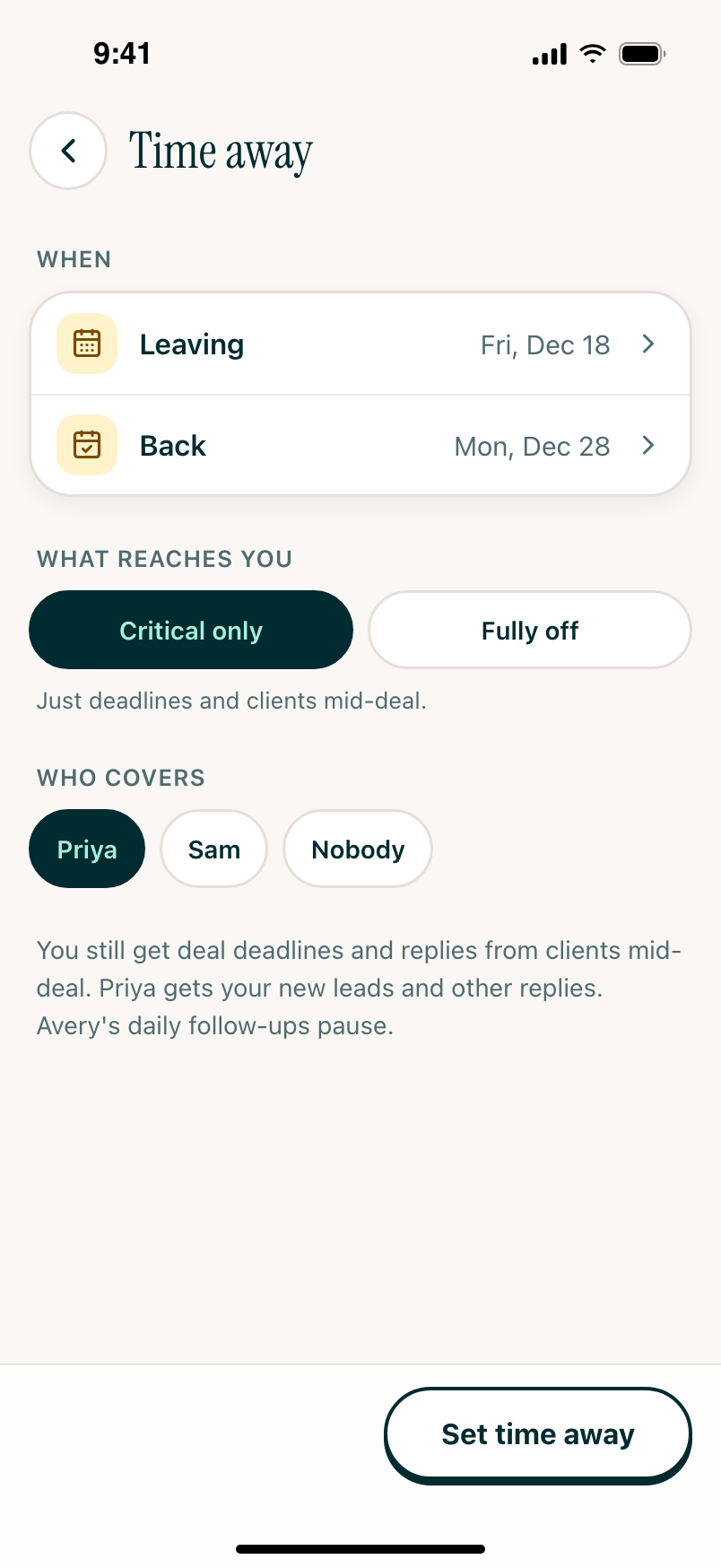
Step 3Choose what still reaches you
- Critical only: you still get deal deadlines and replies from clients mid-deal. Everything else goes to whoever covers.
- Fully off: nothing reaches you. Your cover gets your deal deadlines, client replies and new leads. This needs someone to cover.
Step 4Choose who covers
Tap a teammate under Who covers, or Nobody. With Nobody, new leads go to the team pool. The sentence under the choices says exactly what will happen.
No teammates yet? See Invite your team.
Step 5Tap Set time away
You'll see "You're away Dec 18–27, with Priya covering. Priya was told." Your teammate gets a notification too.
While you're away
- Tasks shows You're away until your back day, with I'm back.
- Avery's daily follow-ups pause. She picks them up again when you're back.
- Nobody's people move to someone else. Your cover handles them only while you're out.
- Your streak is paused, not broken.
Coming back
Back early? Tap I'm back on Tasks, or at the bottom of Time away. On your first day back, Welcome back says what happened: tasks your cover finished, deadlines that passed, people they texted. People who came in while you were out are listed under New while you were out. Tap Take on any you want back. The rest stay with your cover.
Change or cancel it
Open Time away, change the days, level or cover, and tap Save. To cancel before it starts, tap Call off time away. Each change shows Undo for a few seconds.
When you'd use it
- A week in Cabo: Critical only, so you still see the inspection deadline on the Patel deal, and Priya gets the Zillow leads.
- Maternity leave: Fully off with your partner on the team covering everything.
- A long weekend with no coverage: Critical only and Nobody, so new leads wait in the team pool for whoever's on.
You can also tell Ask Avery: "I'm out December 18th through the 27th, Priya's covering."