Change your mobile number or sign out
In AveryIQ, Settings then Account shows the email you sign in with, lets you change your mobile number, and signs you out. Delete account is at the bottom.
Account shows the email you sign in with, your mobile number, and Sign out. To open it, tap your initials at the top of Tasks (or More, then Settings), then Account, near the bottom.
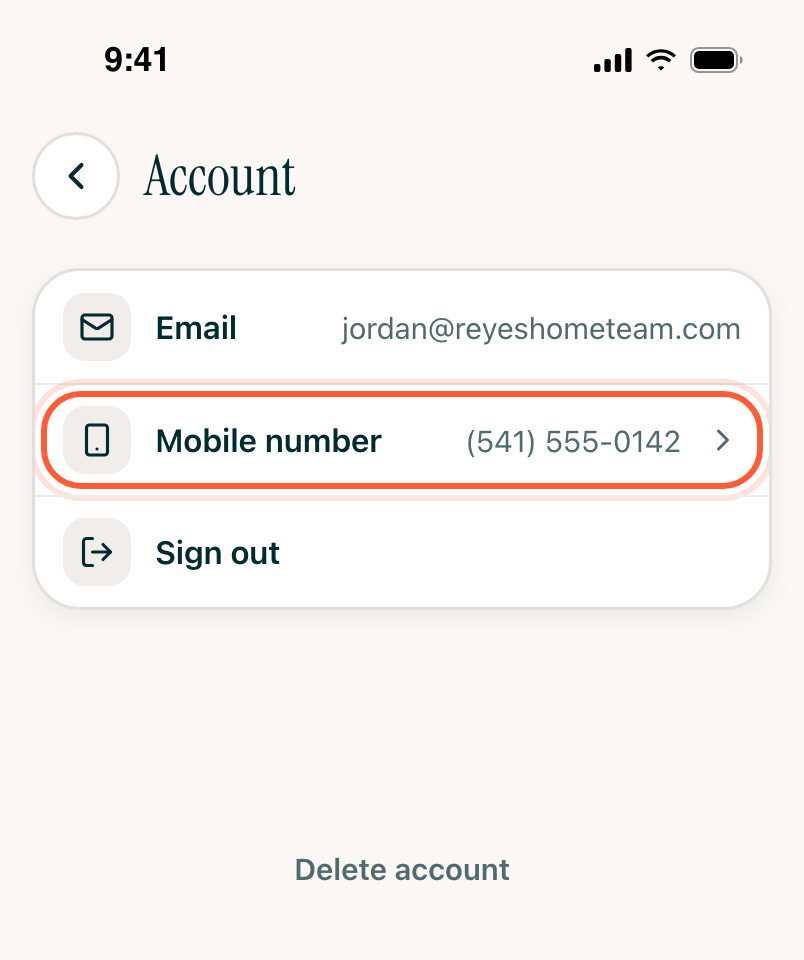
Change your mobile number
- Tap Mobile number. It shows your number, or Add.
- Type the number on your iPhone.
- Tap Save.
Your mobile number is how AveryIQ knows the texts you forward come from you, and how teammates tell you apart. It's also on your open house sign-in pages. To change the number on your Contact Card, see Set up your Contact Card.
Sign out
Tap Sign out, then Sign out again. To sign back in, you'll need a new code sent to your email.
Can I change the email I sign in with?
Not in the app. The Email row shows it but can't be changed there. Contact support and we'll help.
Examples
- You switched carriers and got a new number. Tap Mobile number and save the new one, so your forwarded texts still reach AveryIQ.
- You're handing your old phone to your kid. Tap Sign out first.
Delete your account
Delete account is at the bottom of Account. See Delete your account.