Follow up after your open house
When you tap Done hosting, Avery puts a follow-up for every open house visitor in your deck, and texts the ones who asked once the home sells. Here's what each visitor gets and where to find them.
When your open house is over, tap Done hosting. Avery puts a follow-up for every visitor in your deck: a text to send, a call to make, or a feedback request for their real estate agent. Every visitor is already saved in your database with their answers. Nothing goes out until you send it.
Step 1Tap Done hosting
Open the open house (More, then Open houses, under Open) and tap Done hosting, then Send follow-ups now. You get one notification when they're ready.
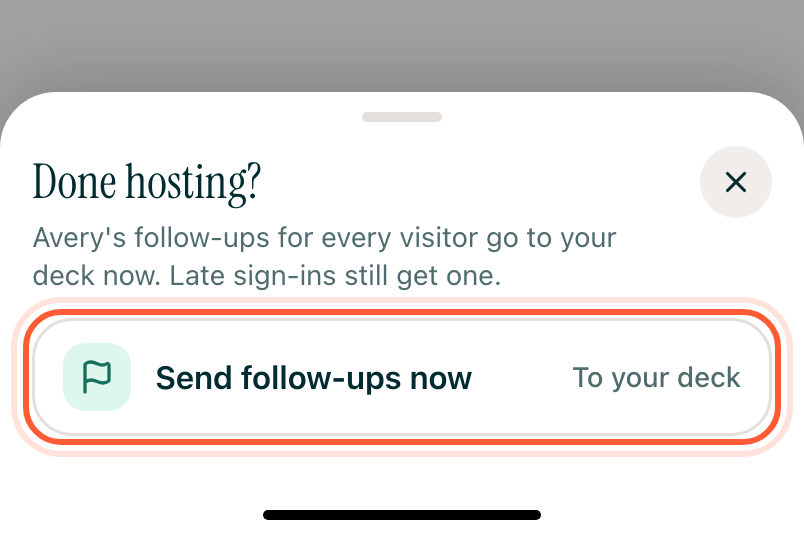
Forgot? The follow-ups go to your deck on their own an hour after the last sign-in. Anyone who signs in later still gets one.
Step 2Send them from your deck
Go to Tasks and tap Start today's deck. Each visitor gets one of these:
| The visitor | What Avery prepares |
|---|---|
| Checked Text me what this home sells for | A text, drafted from the home and their answers |
| Didn't check it | A call, since they didn't agree to texts |
| Works with another real estate agent, and gave their number | A text to that real estate agent asking for feedback |
| Works with another real estate agent, no number | Nothing |
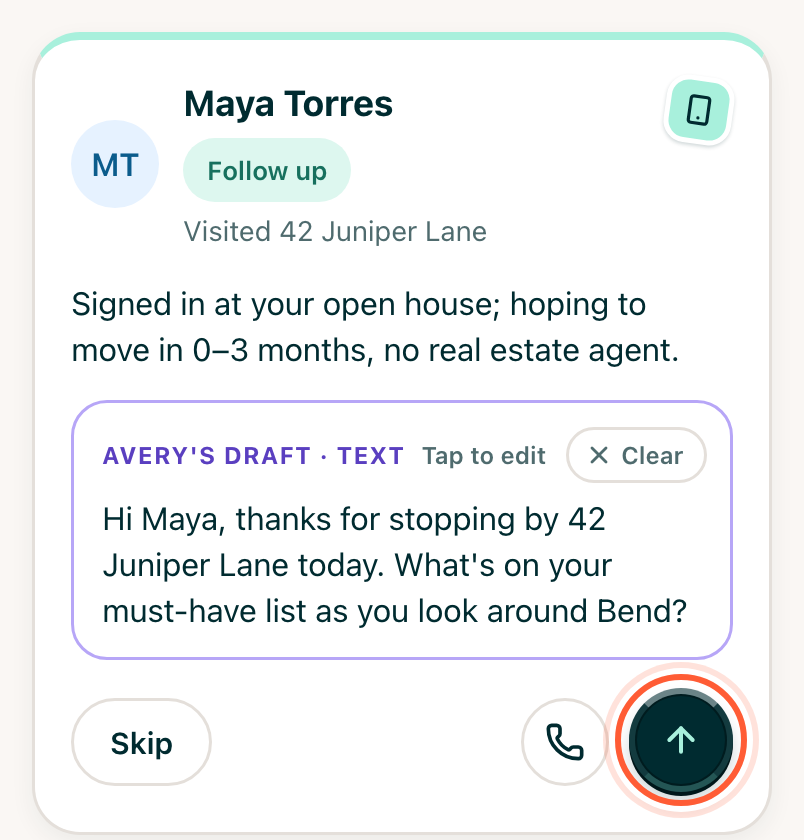
Read each draft, tap it to make it sound like you, and send. Not right for someone? Tap Skip. See Use your deck.
New visitors who don't have a real estate agent keep coming up after that, as often as you chose under Prioritize new visitors. See Follow up with a new lead every day.
Step 3See who came
The open house now shows Done with how many visitors came, and each visitor's time and answers, like "no real estate agent · moving in 0–3 months".
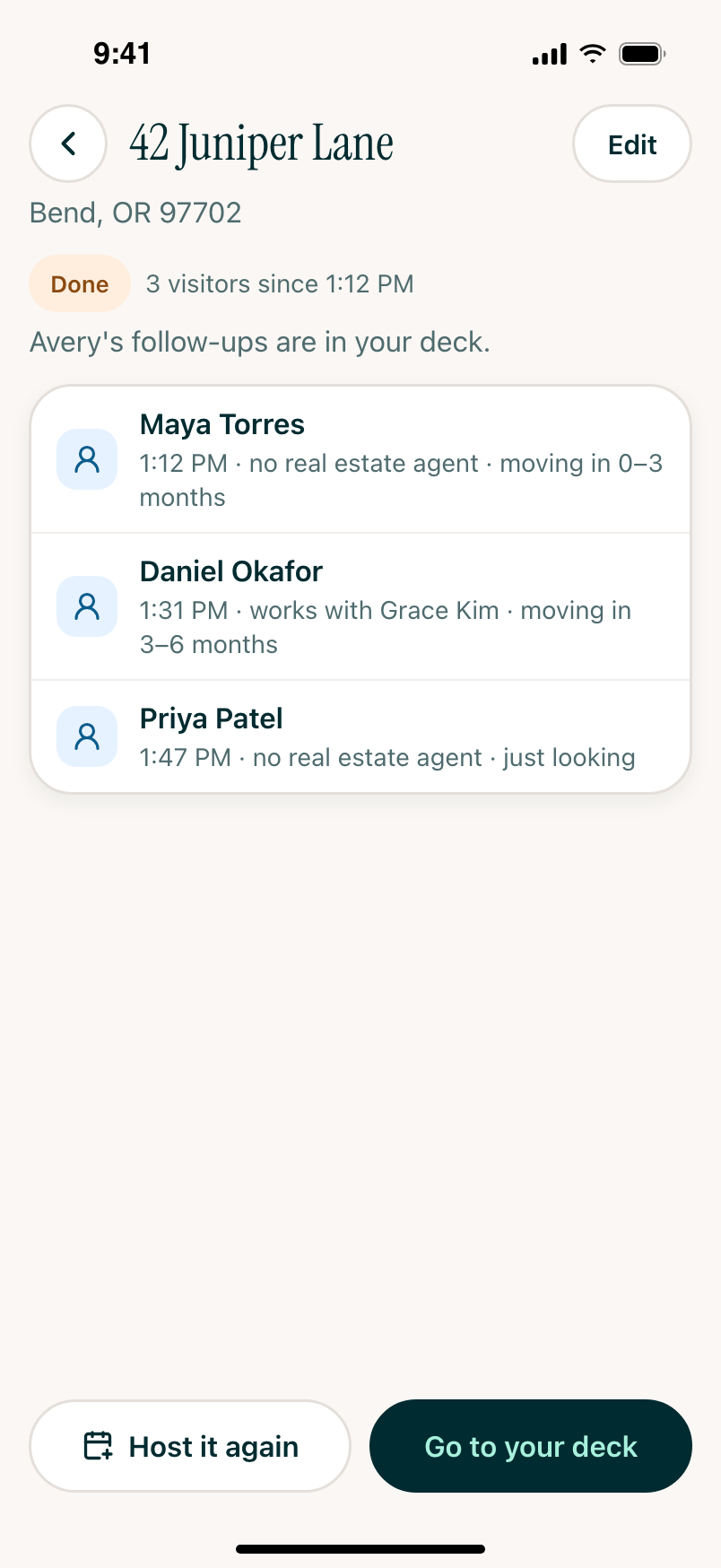
Each visitor is a person in AveryIQ. Find them under People, or on the home's page under People, marked "visited". Their answers are on their page, and Avery has read them into what they're looking for.
When the home sells
Avery keeps the promise on the sign-in form. For visitors who checked Text me what this home sells for:
- Your team's listing: close the Selling deal with its price, and Avery drafts a text for each of them right away.
- Someone else's listing: about 45 days after the open house, Avery asks in Ask Avery, "Did 42 Juniper Lane sell? Tell me the price..." Answer with the price and she drafts the texts. Tap Not sold yet and she asks again in a month.
Each text is its own task in your deck, never a mass text.
Host it again
Hosting there again next weekend? Tap Host it again. The form opens with the home's details filled in. You get a new sign; your earlier visitors and their history stay.
Change or delete an open house
Open it and tap Edit. Change the details or the note for Avery, then tap Save. Your QR link and visitors stay the same.
Delete open house at the bottom removes it with its sign-ins, and the sign's QR code stops working. The visitors stay in AveryIQ as people. This can't be undone.
When you'd use it
- Sunday at 4, the last visitor leaves. You tap Done hosting in the driveway and send six follow-ups before you're home.
- A buyer who toured with their own real estate agent gave that real estate agent's number. You send the feedback request Avery drafted and hear back about their offer plans.
- Five weeks later the house sells. You tell Avery the price, and send each visitor who asked a short text with it.
Does Avery text my visitors on her own?
No. Avery drafts each follow-up and puts it in your deck. You read it and tap send.