Move a deal through its stages
Deals in AveryIQ move from Potential to Agreement signed, Under contract and Closed, or end as Lost. What each stage means, how to change it, and what closing a deal does.
Every deal has a stage that says how far along it is: Potential, Agreement signed, Under contract, Closed or Lost. Change it on the deal's details by tapping the stage at the top. Closing a deal is what makes your clients past clients in AveryIQ.
What does each stage mean?
| Stage | Means |
|---|---|
| Potential | You're talking; nothing is signed yet. Every deal starts here. |
| Agreement signed | They signed with you: a buyer agreement or a listing agreement. |
| Under contract | There's an accepted offer. |
| Closed | The sale or lease is done. |
| Lost | It isn't going to happen with you. |
The bar at the top of the deal's thread shows the first four as steps.
Change the stage
Open the deal, tap Details, then tap the stage at the top, like Under contract. Pick the new one.
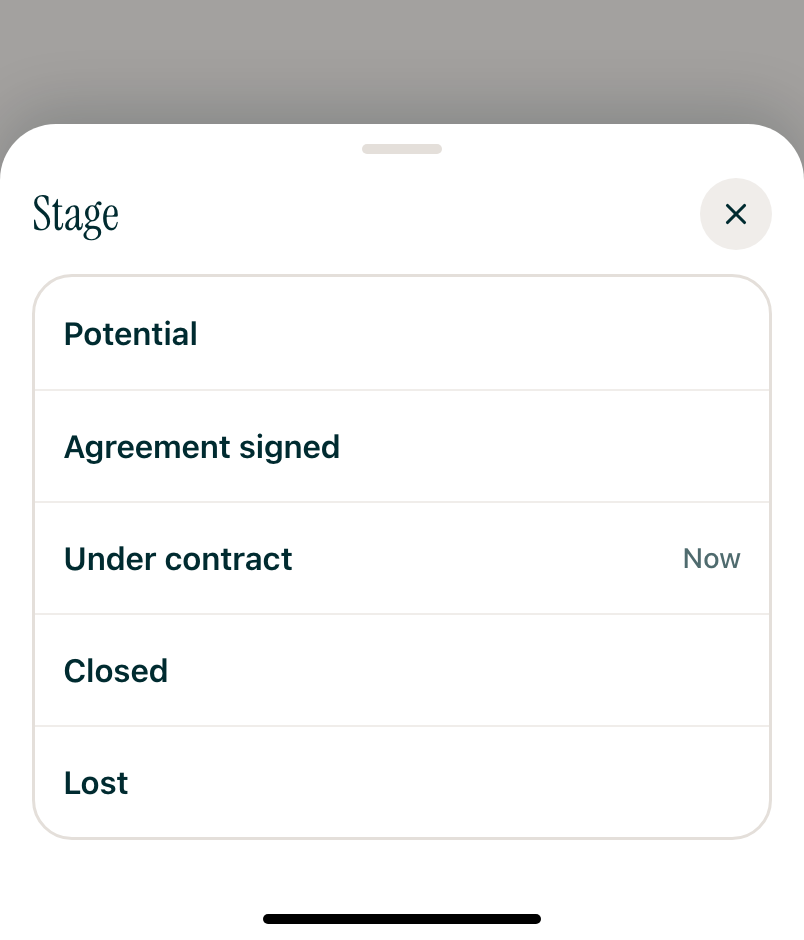
The change shows in the deal's History, where you can Undo it.
Close the deal
Pick Closed, then Close deal. The deal needs its home first; if it isn't linked, AveryIQ asks you to Link a home.
Closing records the sale or lease on the home and in each person's history, which is how AveryIQ knows they're a past client. A closed deal stays closed: its stage can't change again, so check the price first.
When you close a Selling deal, Avery drafts a text for each visitor to your open houses there who asked what the home sells for, ready for you to send. If the deal has no price, she asks you for it first. See Follow up after your open house.
Mark it lost
Pick Lost. Choose what happened, if you like: Not ready yet, Went with another real estate agent, Changed their mind or Something else. Add a note in Anything to add? and tap Mark as lost.
The reason tells Avery whether they may come back: Not ready yet keeps what they want on her radar for later, while another real estate agent or a change of heart closes it out.
Back on? Tap the stage and pick another one. The deal reopens.
When you'd use it
- Your buyers signed your buyer agreement at the first showing. Move the deal to Agreement signed.
- The sellers accepted your buyers' offer. Move it to Under contract and add the dates from the contract.
- Keys handed over. Make sure the price is right, then Closed.
- Your buyers decided to wait until spring. Mark it Lost with Not ready yet, and reopen it when they call.
Do Avery's reminders stop when a deal closes?
Yes. Date reminders only come for deals that are Potential, Agreement signed or Under contract.
Can I reopen a closed deal?
No. A closed deal is permanent history for everyone on it, so AveryIQ asks first with Mark as closed?. Check the home and the price before you tap Close deal. A lost deal, on the other hand, can be reopened any time.