Start and track a deal
A deal in AveryIQ keeps one client's home purchase, sale or rental in one place, from first talk to closing day. Start one for a buyer, seller, tenant or landlord, and find it again in Messages or under More.
A deal is one client buying, selling or renting a home. It keeps that client's dates, people, files and your team's messages together, and Avery reminds you before each deadline. Start one from +, then Start a deal, and find every deal under More, then Deals.
Step 1Pick the client
Tap +, then Start a deal. Under Who's it with?, search by name, phone or email, or tap someone under Recent. Not in AveryIQ yet? Tap + Add someone new.
You can also start from their page: open Deals and homes and tap Start a deal, or tap Start a deal under one of their goals, like Buying, to have the side picked for you.
Step 2Pick the side
Choose what you're doing for them, then tap Start.
| Choice | Means | Shows on the deal as |
|---|---|---|
| Buying | Helping them buy | Buyer |
| Selling | Listing their home | Seller |
| Renting | Helping them rent | Tenant |
| Leasing out | Finding a tenant for their home | Landlord |
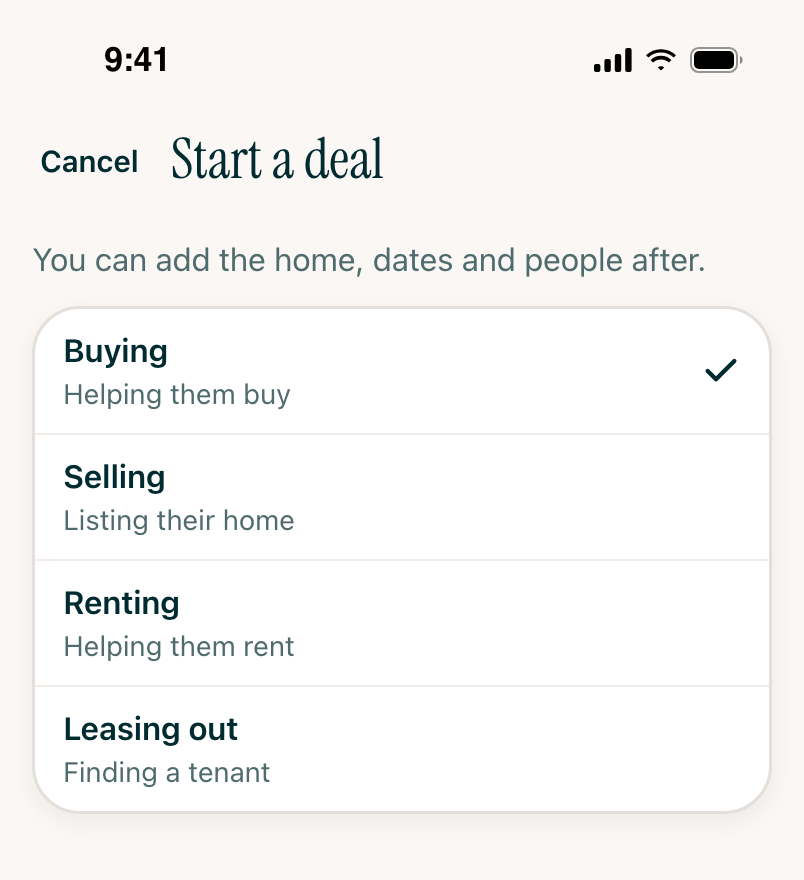
The deal opens on its thread, where your team talks about it. See Talk about a deal with your team. You can add the home, dates and people whenever you're ready. A buyer deal can start without a home.
Step 3Open the deal's details
On the deal's thread, tap Details at the top right. Here you see:
- The stage, with the price and expected close beside it.
- Coming up: dates due this week. Tap the circle to check one off.
- Tasks: what Avery prepared for this deal, and New task to add your own.
- On this deal: People, Dates, Files, the home, and History.
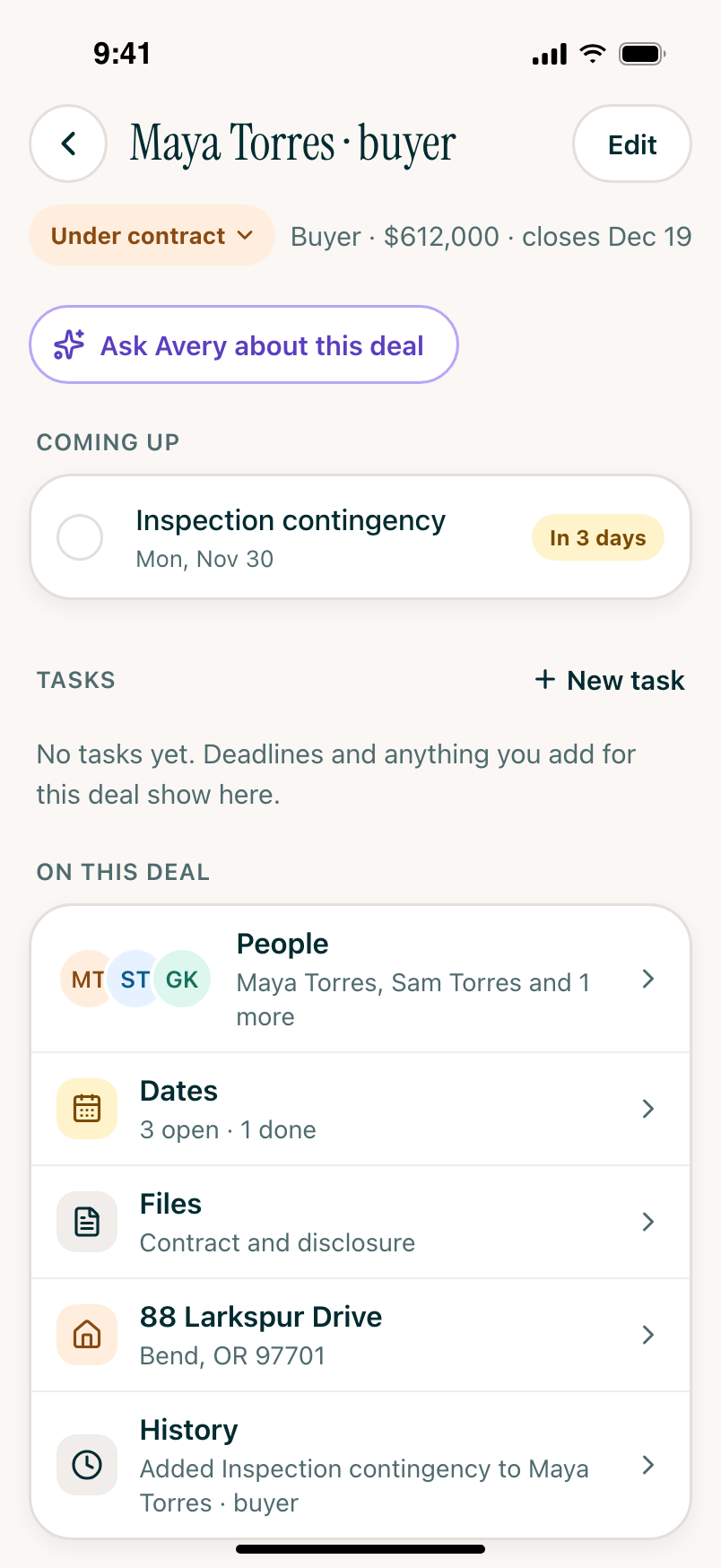
To change the title, price or expected close, tap Edit, then Title, price and close date. To link the home, tap Link a home and pick it. Homes come from your open houses and the people you work with; to add one first, see Add a property.
Step 4Move it along
As the deal moves, change its stage: tap the stage at the top of the details and pick Potential, Agreement signed, Under contract, Closed or Lost. See Move a deal through its stages.
Undo a change
Tap History on the deal's details. Every change by you, your team or Avery is listed, newest first. Tap Undo beside one to take it back.
Delete deal at the bottom removes the deal with its dates, files, thread and open tasks, and it can't be undone. The client, the home and any closed sale stay.
When you'd use it
- A couple from Sunday's open house asks you to start showing them homes. Start a Buying deal with them now, and link a home once they make an offer.
- You just signed a listing agreement for 42 Juniper Lane. Start a Selling deal, link the home and set it to Agreement signed.
- Your buyers' offer was accepted. Move the deal to Under contract and add the inspection and closing dates.
Where do I find my deals?
Deals that were active in the last 10 days sit as round photos at the top of Messages, like stories on Facebook. All deals at the end of that row, or More, then Deals, lists every deal, closed and lost ones too. Sort them By stage, Recent or Closing.
Does Avery start deals on her own?
No. Only you or a teammate starts a deal. Avery can start or change one when you ask her to, and every change shows in the deal's History.