Send Zillow and portal leads to Avery automatically
Set up a rule in Gmail, Outlook or iCloud Mail that forwards new lead emails from Zillow, Realtor.com, Redfin and other portals to Avery, so each lead lands in your real estate CRM with a reply ready.
A rule in your own email can forward new lead emails from Zillow, Realtor.com, Redfin and other portals to Avery the moment they arrive. Avery adds the person to AveryIQ and has a reply ready in your deck, so you can text a new lead within minutes. It takes about 3 minutes on a computer. In the app, open Settings, then Avery's email, then Lead emails, automatically for the steps with your addresses filled in.
You need Avery's email address first.
Step 1Pick your email
On Lead emails, pick Gmail, Outlook or iCloud. Each step has a Copy button for the address or search to paste.
Step 2Make the rule
Gmail, on a computer:
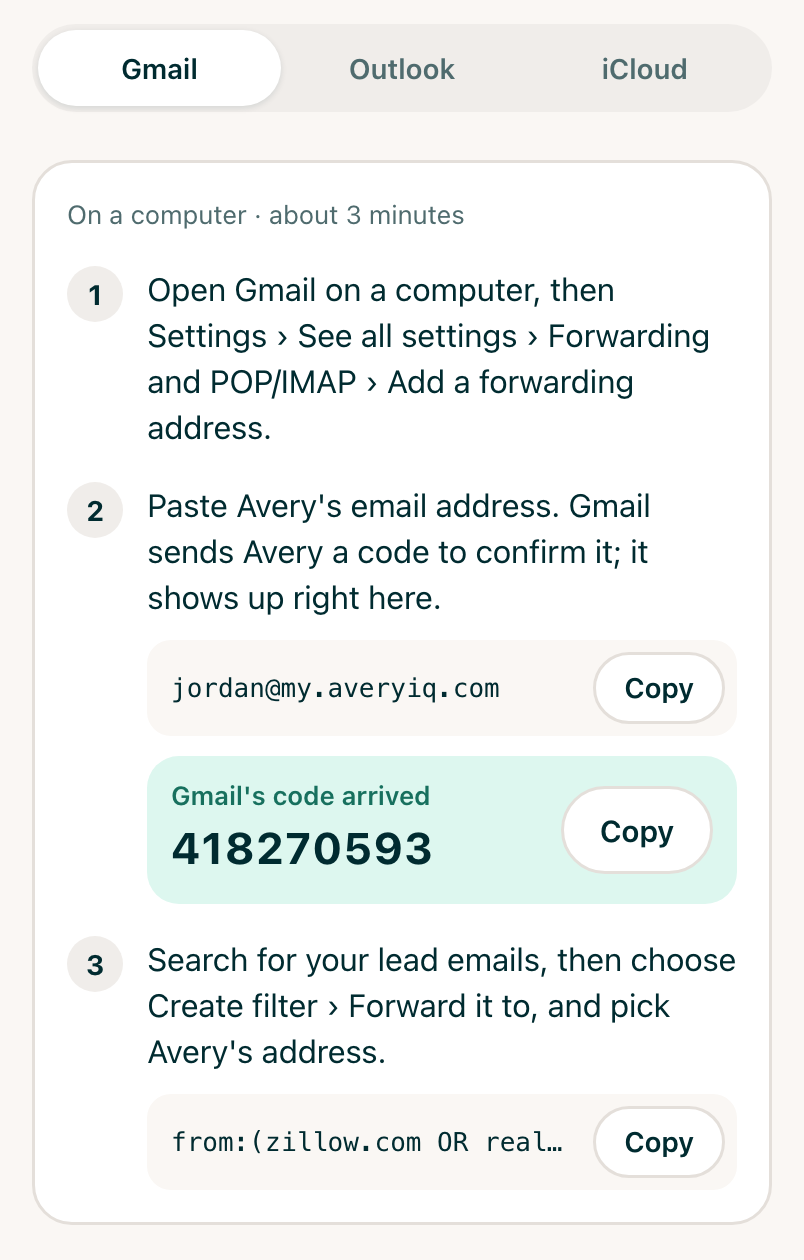
- Open Settings › See all settings › Forwarding and POP/IMAP › Add a forwarding address.
- Paste Avery's email address. Gmail sends Avery a code to confirm it. A minute later it shows up in AveryIQ under Gmail's code arrived. Tap Copy and paste it into Gmail.
- Search for your lead emails, like
from:(zillow.com OR realtor.com OR redfin.com), then choose Create filter › Forward it to, and pick Avery's address.
Outlook: Settings › Mail › Rules › Add new rule. Choose From and enter
zillow.com; realtor.com; redfin.com. Choose Redirect to, paste Avery's
address, and save.
iCloud: on iCloud.com, open Mail, then Settings › Rules › Add a rule. If a message is from where your leads come from, forward it to Avery's address, and save.
Step 3Check it's working
At the bottom of Lead emails, the line says Waiting for the first lead your rule sends. When one comes through, it changes to Your rule is working: a lead came in through it. On Avery's email, the row says Your rule is working.
Which lead sources does Avery accept?
Zillow, Trulia, Realtor.com, Redfin, Homes.com, HomeLight and Opcity come straight in. A lead from anyone else, like your website's contact form, waits in the email log the first time. Tap Let it in, leave Always let in email from checked, and the rest from that sender come straight through. Those senders are listed on Lead emails with Remove beside them.
Examples
- Zillow leads come in at 10 PM while you're asleep. In the morning, each one is in AveryIQ with a first text drafted on your deck.
- Your website's form emails you from [email protected]. Let it in once from the email log, and every form fill after that becomes a lead.
Do I have to forward every lead by hand?
Not once the rule is set. You can still forward any one-off lead yourself: see Copy or forward email to Avery.
My rule is set but nothing arrived
Check that the rule forwards to Avery's exact address (tap Copy on Lead emails and paste it again). In Gmail, the forwarding address only works after you enter Gmail's code. Then check the Email log under Waiting.