Add a photo and find shared files
Put a photo on someone's page so you know them at a glance, and find every photo, file and link shared in your conversations with them in one place.
A person's page has two kinds of pictures. Their photo is the circle at the top: tap it to take or choose one, so you know their face before an open house or a pop-by. Media, links and files lists everything shared in your conversations with them, like listing photos, a pre-approval letter or a Zillow link, newest first.
Step 1Add or change their photo
- Open their page from People.
- Tap the circle with their initials at the top left. It has a small camera on it.
- Tap Take photo or Choose photo, then move and zoom the square to fit their face.
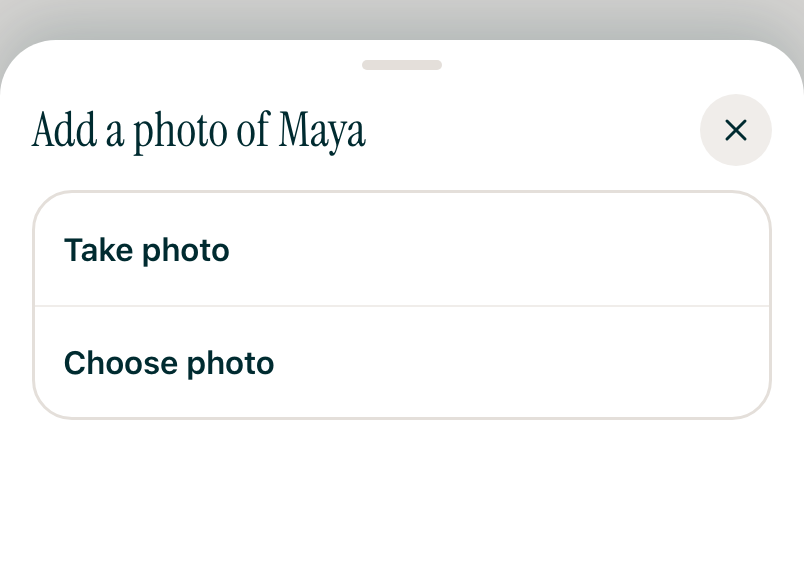
The photo shows on their page and beside their name in People. Added a photo of Maya shows with Undo for a few seconds.
To take it off, tap the photo, then Remove photo. Photos up to 10 MB work (JPEG, PNG, HEIC or WebP).
Step 2Find what you've shared
When you've traded photos, files or links with someone, their page has a Media, links and files section with how many there are, like 12 items.
- Tap Media, links and files to open it and see the latest few.
- Tap a photo to see it full screen.
- Tap See all for everything, with Media, Files and Links at the top, like a chat's shared media in Messenger.

Touch and hold anything to open the conversation it was shared in.
What about notes?
Notes are what you type or say about someone, right under Call, Open Texts and Email. See Add a note about someone and Tell Avery by voice.
Example uses
- You meet twenty people at a client event. That night, add a photo to each page from the pictures on your phone, so you remember who's who.
- A buyer texted you a photo of their pre-approval letter in March. Open Media, links and files, then Files or Media, instead of scrolling the thread.
- You sent Maya three listing links last month. Find them under Links.
Who sees the photo?
Everyone on your team sees the photo on the person's page. It stays in AveryIQ and isn't sent to the person.