Send a voice note in AveryIQ
Record a voice note to Avery, to your team or about a client in AveryIQ. Avery writes out what you said, and voice notes to your team stay inside AveryIQ. Here's where each one goes.
A voice note is a recording you send instead of typing. In AveryIQ you can send one to Avery, to your team, or about a client, and Avery writes out what you said so you can read it and search for it later. Tap + on the dock and Voice note to talk to Avery about anything, or tap the voice note button beside the message box in any conversation. Voice notes can be up to five minutes long.
Where can I send a voice note?
| Where | Who hears it | What happens |
|---|---|---|
| +, then Voice note | Only Avery | She works out who it's about and saves it, or answers your question |
| Ask Avery | Only Avery | She writes it out and answers |
| A deal's thread, a direct message, or a reply to team | Your team | It plays in the conversation, written out under it |
| The mic on a person's page | Your team | It's saved as a note on their page |
| A client's conversation | The client | It's texted to them as a link |
Send one to Avery
- Tap + on the dock.
- Under Tell Avery, tap Voice note.
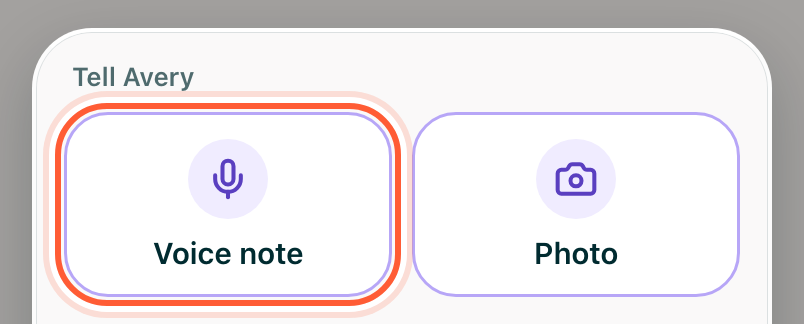
- Talk. What's on your mind? is listening from the moment it opens. Stuck? Tap an idea like Someone you just met.
- Tap Done.
You'll see "Voice note sent to Avery". It lands in Ask Avery, where she writes it out and replies. The × at the top left throws it away instead.
Send one in a conversation
- Open the conversation: a deal's thread, a direct message, or a reply thread.
- Tap the voice note button beside the empty message box. (With words in the box, it's under +.)

- Talk, then tap the check to stop. Tap × to cancel.
- The note waits above the box. Tap play to hear it, then tap send.
Nothing goes until you tap send. Your team sees Transcribing… under it for a moment, then the words.
Can I send a voice note to a client?
Yes, but it goes as a link they tap to listen, not as an audio message. In most cases a text, or a voice memo you record in Messages, reads better. To talk about a client with your team instead, touch and hold their text and tap Reply to team. See Message your team.
Example uses
- Leaving a showing: tap +, Voice note, and say "Met Luis Romero at the open house, he's renting on Elm and wants three bedrooms by June."
- In the Juniper Lane deal thread: "Inspection's done, roof needs work, I'll send the report tonight."
- After a pop-by, on Grace's page: tap the mic in Add a note about Grace and say what you learned. See Tell Avery about someone by voice.