Have Avery write a text from your notes
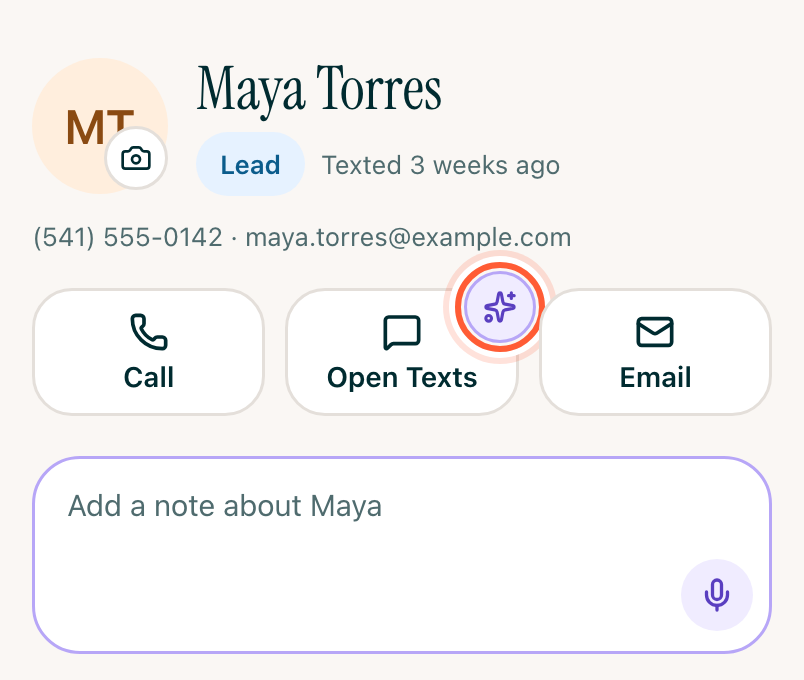
On a person's page in AveryIQ, tell Avery what's new in the note box, then tap the sparkle on Open Texts. She writes a text from your notes and their history, ready for you to edit and send.
Avery can write a text to anyone with a phone number, using your notes and everything she knows about them. Open their page, tell her what's new in the note box, then tap the sparkle on Open Texts. Her draft lands in the text box. You read it, change what you like, and send it yourself.
Step 1Open their page
Tap People, search for them, and tap their name.
Step 2Tell Avery what's new
In Add a note about them, under Call, Open Texts and Email, type or tap the mic and talk:
"Met Maya at the coffee shop. She's ready to look in the spring, wants a yard for the dog, and her lease ends in March."
Tap Save (typed) or the send arrow (spoken). Avery saves the note and reads it into Maya's page. See Tell Avery about someone.
Nothing new to add? Skip this step. Avery still writes from what she knows.
Step 3Tap the sparkle on Open Texts
The round sparkle sits on the corner of Open Texts.
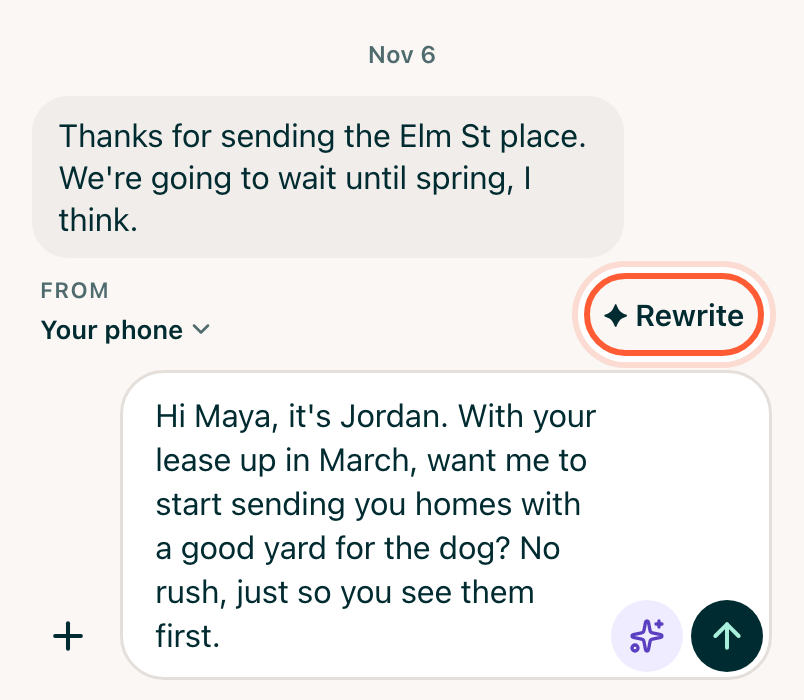
Your texts with Maya open and you see ✦ Avery is writing a text for Maya…. In a few seconds her draft is in the box. It picks up from your last conversation, or gives a warm, specific reason to be in touch, like the note you just saved.
Step 4Make it yours, then send
- Tap the words to change them.
- Tap ✦ Rewrite for a different version.
- Tap send. From your phone, Messages opens with the text ready. From your team line, it sends after a few seconds you can Undo. See Send a text.
Tapping Open Texts itself (not the sparkle) opens an empty box to write your own.
When you'd use it
- After a listing appointment you dictate a note, then have Avery write the thank-you text while it's fresh.
- A past client pops into your head at a red light. Two taps and there's a check-in text that mentions their kids by name.
- You're not sure what to say to a lead who went quiet. Let Avery start it, and ✦ Rewrite until it sounds like you.
Other ways to get a draft
- From your deck. Every text task already has Avery's draft. Tap it to edit, and under HAVE AVERY REWRITE IT tap Update Maya's info to tell her what's new, or an idea like Just say hi. See Use your deck.
- From Ask Avery. Say "Text Maya Thursday about the Juniper Lane open house." She saves a task for Thursday, and her draft is ready that morning. See Ask Avery.
What if it doesn't work?
- "Avery couldn't write this one. Nothing was sent." Tap Try again, or write it yourself.
- "Your draft is still here, so Avery didn't write over it." You had words in the box already. Delete them, go back to their page and tap the sparkle again.
- No sparkle? They need a phone number. Tap Add phone on their page.