Find someone in People
Search your database by name, phone or email, or ask a question like "past clients I haven't talked to in 6 months". Avery finds who fits and says why.
To find someone, open People and type in the search box at the top. Names, phone numbers and emails match as you type. To find people by what's going on in their lives, like "buyers moving in the next 3 months", type the question and tap Ask Avery. Avery reads your notes and conversations and shows everyone who fits.
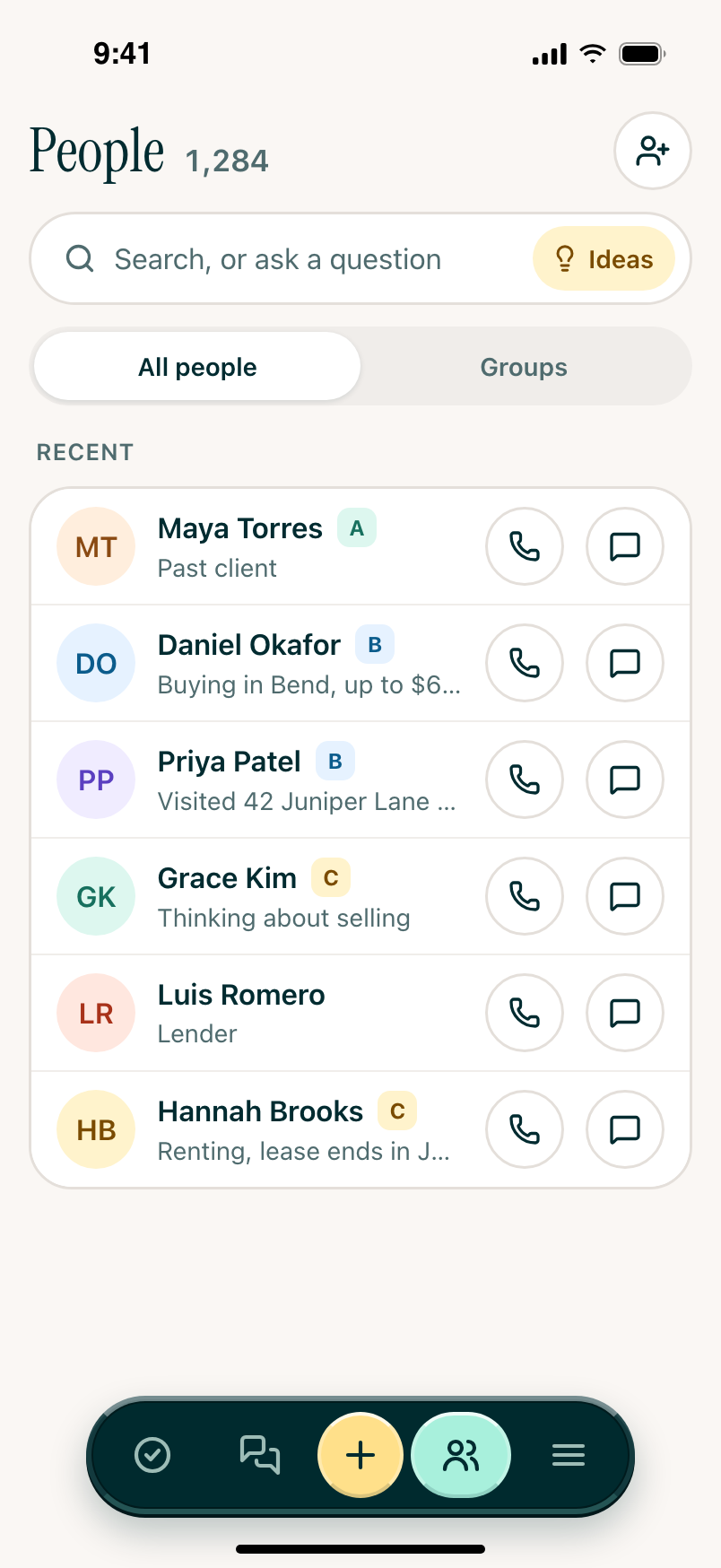
When you open People, Recent lists the people you've been in touch with most lately. Tap anyone to open their page.
Step 1Search by name
- Tap Search, or ask a question.
- Type part of a name, a phone number or an email.
- Tap the person under Names.
No match? Check the spelling, or try their phone number. They may also be saved under a nickname or a spouse's name.
Step 2Ask a question
Type what you're looking for in your own words, then tap Ask Avery (or Ask Avery instead under the names). For example:
- "Past clients I haven't talked to in 6 months"
- "Who has a dog?"
- "People who came to the Juniper Lane open house"
- "My A and B people"
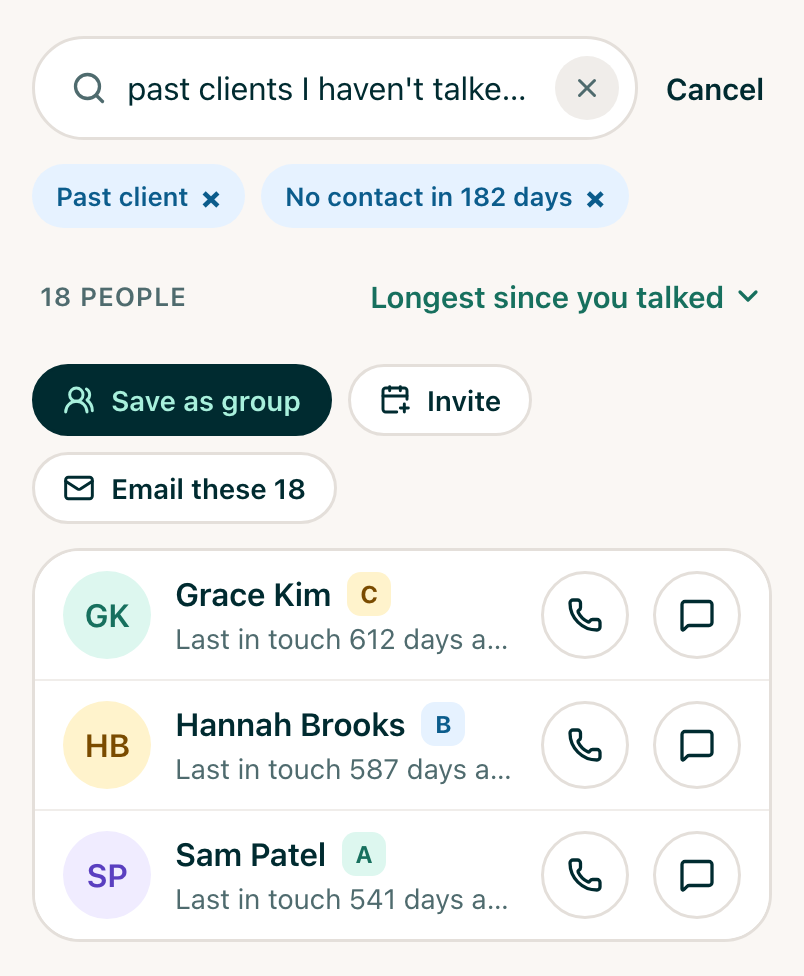
Avery turns your question into filters, shown as chips above the results, with a count like 42 people. Each person has a short line saying why they fit. Tap × on a chip to take that filter off and widen the search.
Not sure what to ask? Tap Ideas in the search box for about 30 ready questions, from birthdays this week to homeowners with a rate over 6%.
Step 3Sort and use the list
Tap the order above the results, like Longest since you talked, to sort another way: Name, Newest added, Lead score and more. The order that fits your question is marked Best for this.
From the results you can:
- Save as group: keep the list. See Groups.
- Invite: add them to an upcoming client event.
- Email these 42: start an email to all of them.
Tap Cancel to go back to Recent.
Ways people use it
- A past client calls from a new number. Type the first few letters of their last name and open their page while the phone rings.
- Thursday afternoon, you ask "leads I haven't talked to in 30 days" and work down the list.
- You're hosting a golf outing. Ask "golfers", tap Save as group, then invite the group.
Does search read my notes?
Yes. Ask Avery searches what you've told her in notes, what people said in texts and emails, their details and their deals, not only names. Typing a name alone never uses Avery; it matches as you type.
Can I see my whole database?
The number beside People is everyone you have. Ask a question to list a part of it, like "everyone added this year", then sort by Name.