What's on a person's page
Each person in AveryIQ has one page with how to reach them, your notes, their tasks and deals, what Avery knows about them, and their history. Here's what each part is for.
Everyone in your database has a page: one place for how to reach them, what you know about them and what's going on with them. Open it by tapping their name anywhere in AveryIQ: in People, on a task, or at the top of a conversation. Avery keeps it up to date from your notes, texts, calls and emails, so you rarely have to type anything in.
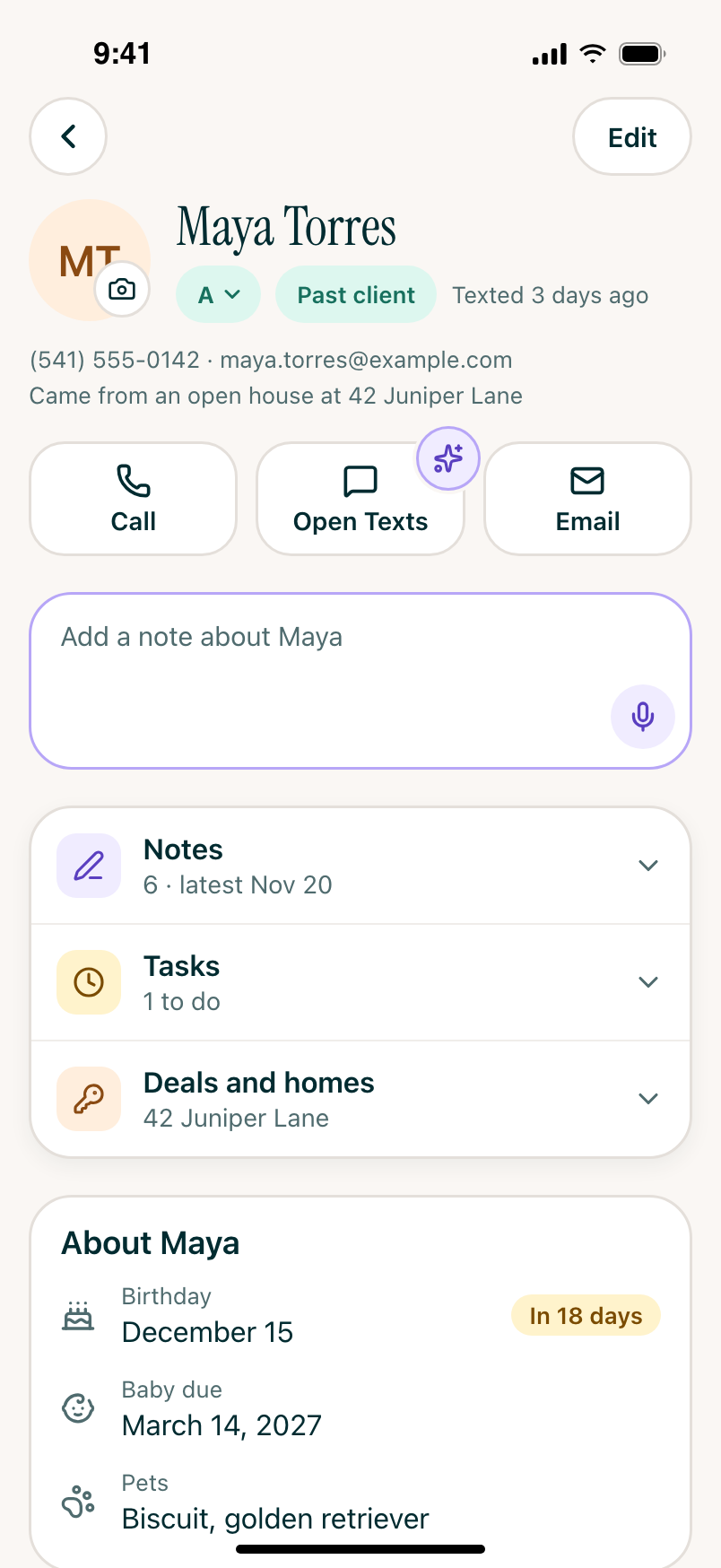
The top: who they are and how to reach them
- Their photo. Tap it to take or choose one. See Add a photo and find shared files.
- Their name, with their lead score letter, a chip like Past client or Lead, and when you were last in touch, like Texted 3 days ago. Tap that to open the conversation.
- Their main phone and email. +2 more shows the rest.
- Came from and Referred by: where they came from, like an open house or a website.
- Call, Open Texts and Email. Call asks before it rings. The sparkle on Open Texts has Avery write the text for you; see Draft a text with Avery. No phone or email yet? The tile says Add phone or Add email and opens Edit.
- Edit, at the top right: their name, phones and emails, and Delete.
The middle: what you know and what's happening
- Add a note about them: type or say what you learned. See Add a note about someone.
- Notes: what you and your team wrote or said, and your call notes.
- Tasks: their open, snoozed and waiting tasks. Tap one to open it.
- Deals and homes: their deals, the homes they own or rent, and Start a deal. See Track a deal.
- About Maya (with their first name): family, birthdays, work, what they like. See What Avery knows about someone.
- Maya's goals: buying, selling or renting, with budget and timing. See Goals, connections and events on a person's page.
- Connections: people they know, like who referred whom.
- Media, links and files that were shared in your conversations.
- Events they were invited to, and whether they came.
About Maya is always open. Each other section shows a one-line summary. Tap it to open it.
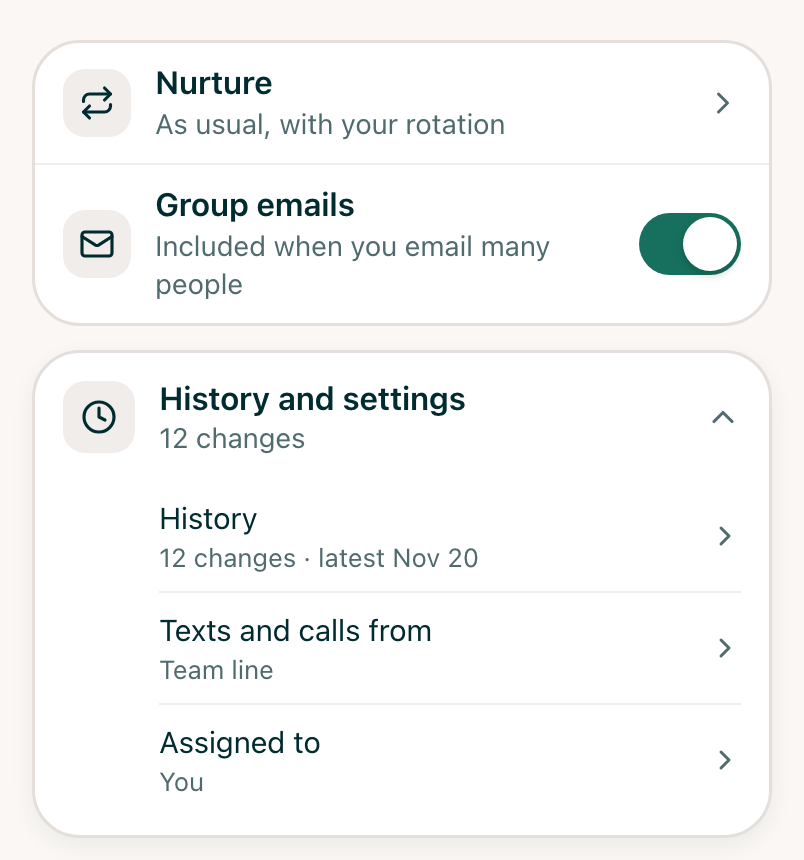
The bottom: settings and history
- Nurture: whether Avery brings them up in your deck. See Turn off Nurture for someone.
- Group emails: whether your emails to many people include them.
- History and settings: every change to their record, with Undo (see See someone's history), plus Texts and calls from, Assigned to and, on a team, This is you or a teammate. See Mark a contact as you or a teammate.
When you'd use it
- Before a listing appointment, scan About Maya and Notes so you walk in knowing their kids' names and why they're moving.
- After a showing, add a voice note right under Call, Open Texts and Email.
- A past client says they're thinking of selling. Open Maya's goals and tap Start a deal.
- Your teammate's lead called you by mistake. Open History and settings, then Assigned to, to see whose they are.
Can I use it on my computer?
Yes. In AveryIQ on your computer, the page shows in two columns: their header, note box and notes on the left, everything else on the right. Next to a conversation, the same page opens in the panel beside it.