Import your phone's contacts into AveryIQ
Bring the people in your iPhone or Android contacts into AveryIQ. You pick who comes in, your iPhone lists become groups, and people already in your database aren't duplicated.
Your phone's contacts are often your real sphere: past clients, friends, your kids' friends' parents. In AveryIQ, go to People, tap Add people (the person icon at the top), then Import from Contacts. You choose who comes in. Nothing in your phone changes.
Step 1Open Import from Contacts
Go to People and tap Add people at the top right. Tap Import from Contacts. It's also in More, then Settings, then Phone contacts.
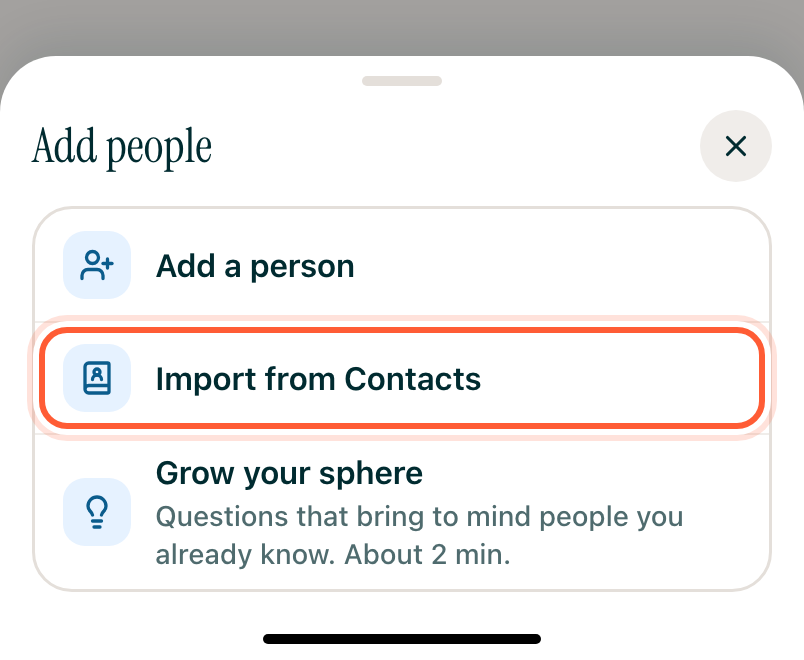
The first time, tap Choose contacts, then let AveryIQ see your contacts. iPhone may ask whether to share all of them or only some. Either works.
Step 2Pick who comes in
AveryIQ reads your contacts and checks each one against your database. A big address book can take a minute.
- People new to AveryIQ start ticked. So do people you have, when the phone has a number or email AveryIQ doesn't (In AveryIQ, with new details).
- People already in AveryIQ, and business cards with no person's name, start unticked.
- Tap a row to tick or untick it. Search to find someone, or tap Pick all or Unpick all.
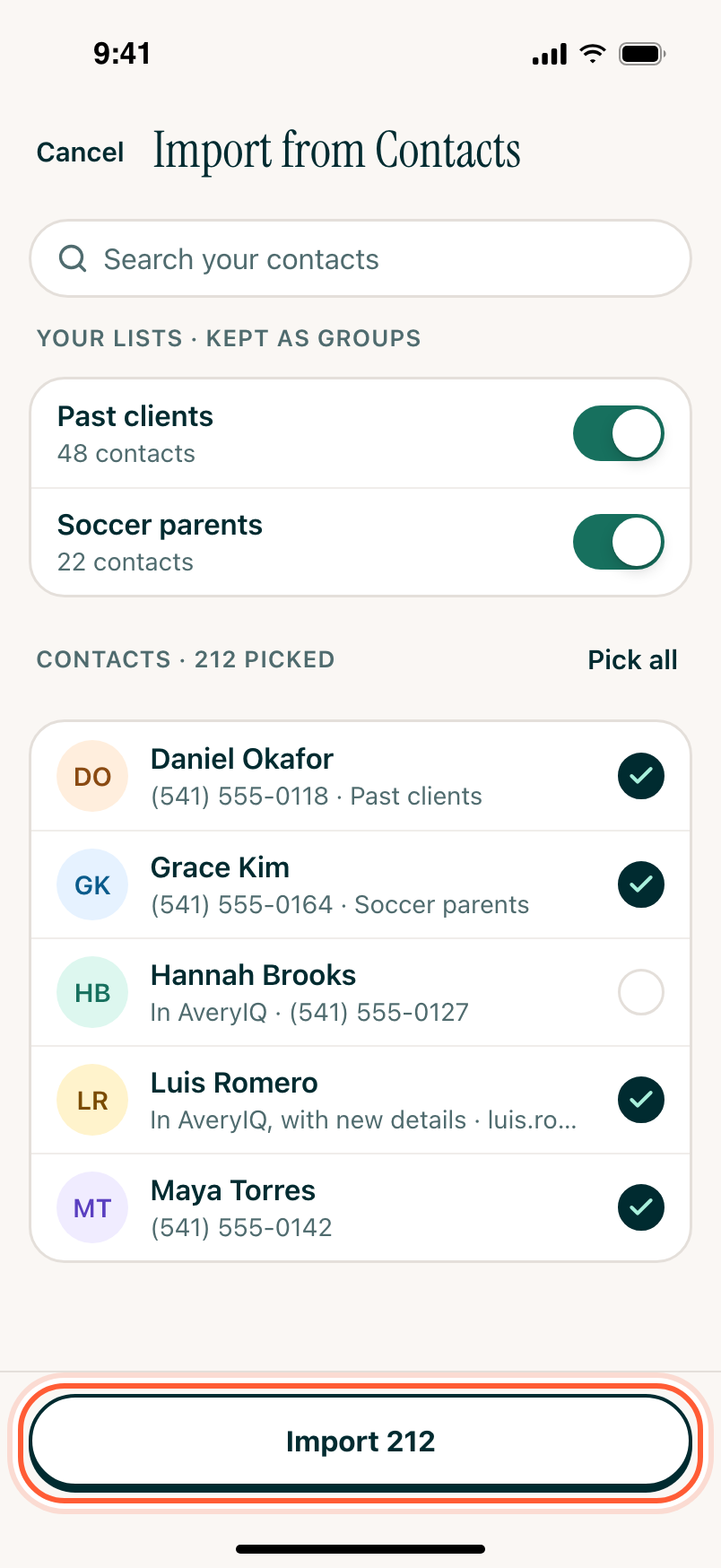
On an iPhone, Your lists shows the lists in your Contacts app. Each one you leave switched on becomes a group in People. Tap a list's name to tick everyone in it.
Step 3Import
Tap Import at the bottom. It shows the count, like Import 212. When it's done you see how many people were added and how many got new details.
Avery brings in their numbers, emails, work, birthdays, home addresses and the people they're related to, like a spouse.
If something goes wrong
- "Contacts are off". Tap Open Settings, turn on Contacts for AveryIQ, and come back.
- Only some contacts show. You shared only some. Tap Choose more.
- "The import stopped". Your picks are kept. Tap Try again and it sends only the ones that didn't go.
- "... may already be here". Some contacts share a phone or name with someone you have. Tap it to review them and merge or keep them apart. See Merge duplicates.
When you'd use it
- You just signed up and your sphere lives in your phone.
- You met a dozen people at a school fundraiser this weekend and saved them as contacts. Run it again: only the new ones start ticked.
- Your Google contacts sync to your iPhone. They show up here too. See Import from Google Contacts.
Does it import my whole phone without asking?
No. Nothing comes in until you tap Import, and only the people you ticked. AveryIQ checks the numbers and emails of everyone listed to see who's already in your database, but keeps only the people you import.
Will Avery text everyone I import?
No. Avery never texts anyone on her own. Imported people show up in your deck a few at a time, with a draft for you to send. To keep someone out, like your dentist, turn off Nurture on their page.
Importing on a computer? Phone contacts come in from the phone app only. On a computer, use a spreadsheet.