Turn off Nurture for someone
Stop Avery from bringing someone up in your daily deck. Open their page, tap Nurture, then Don't nurture. Their texts and emails still reach you, and you can turn it back on anytime.
Nurture is what puts someone in your daily deck: with it on, Avery brings them up every so often with a reason to reach out, plus their birthday and home anniversary. To turn it off, open their page, scroll down, tap Nurture, then Don't nurture. Avery stops suggesting them. Their texts and emails still reach you, and you can turn it back on the same way.
Step 1Open Nurture on their page
- Find them in People and open their page.
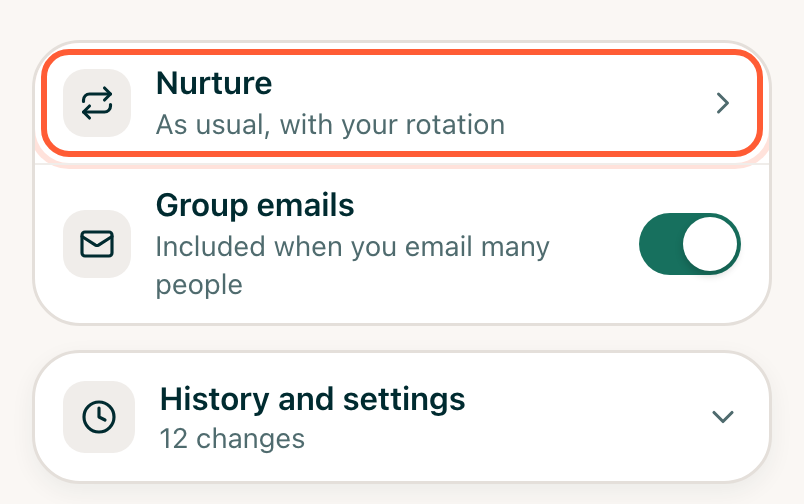
- Scroll to the bottom. Nurture is near the bottom, above History and settings. It says how they're nurtured now, like As usual, with your rotation.
Step 2Tap Don't nurture
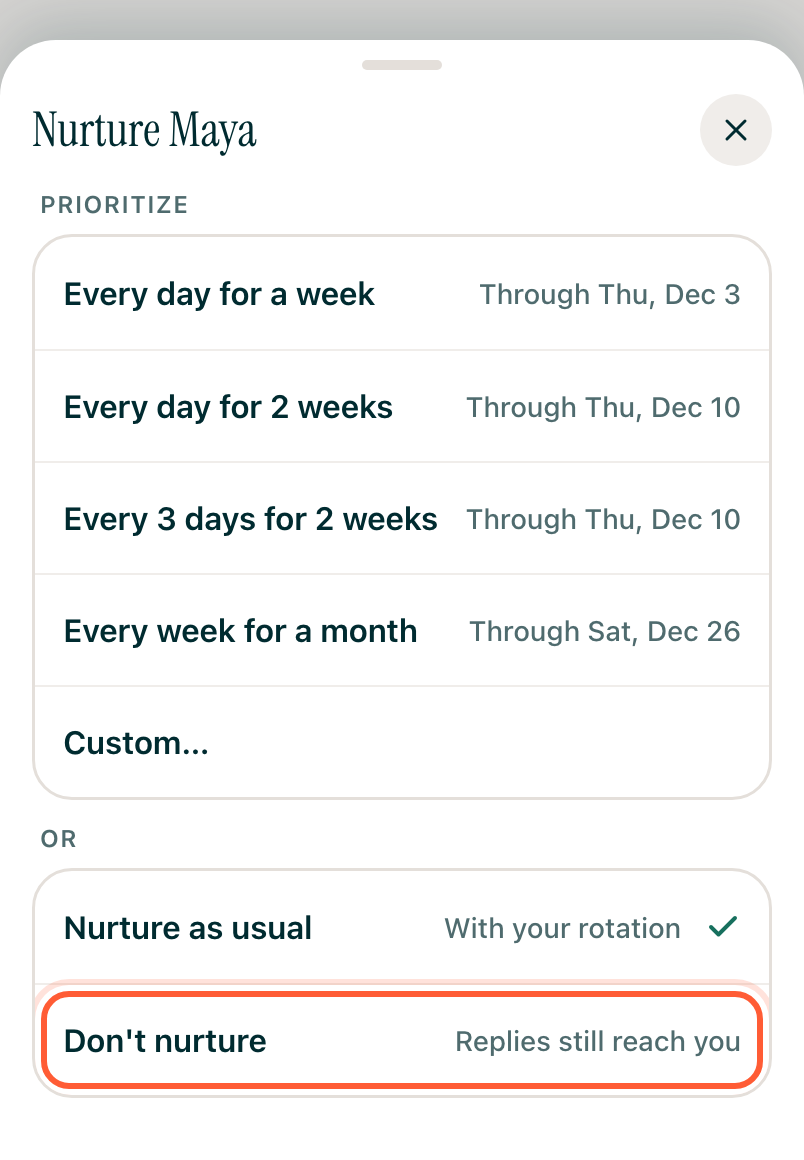
In Nurture Maya, tap Don't nurture. The sheet closes and Avery won't bring up Maya anymore shows with Undo. The row now says Off · Avery won't bring them up.
Or turn it off from your deck
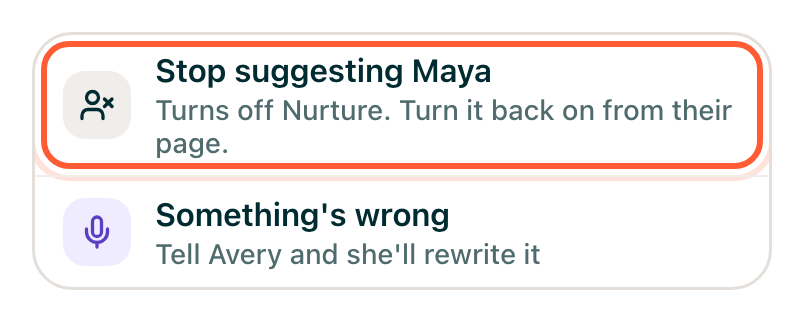
When Avery brings someone up you don't want to hear about, tap Skip on their task (or swipe left), then Stop suggesting them. It's the same switch: it turns off their Nurture. Avery won't bring up Maya again shows with Undo.
What changes when Nurture is off
- Avery stops bringing them up in your deck, birthdays and home anniversaries included. Tasks she had waiting for them are cleared.
- If they were prioritized, that ends too.
- Their texts, calls and emails still reach you in Messages, and tasks you made yourself still come up.
- Avery takes it into account in their lead score.
- Your emails to many people are a separate switch, Group emails, right under Nurture.
Turn it back on
Tap Nurture on their page, then Nurture as usual. Avery will bring up Maya again shows. Or pick a choice under Prioritize, like Every day for a week, to bring them up more often for a while; that turns Nurture back on too. See Follow up with a new lead every day.
When you'd use it
- Your plumber is in your contacts, but you don't need a reminder to text him about real estate.
- A lead tells you they bought with another real estate agent. Stop suggesting them, and keep them in AveryIQ for the history.
- A cousin you talk to every week anyway keeps showing up in your deck.
Can I turn off Nurture for many people at once?
Yes. Ask Avery in Ask Avery, like "Stop nurturing everyone in my Vendors group." She tells you how many people she changed, and "undo that" puts them all back. To pause the regular rotation for everyone instead, open Deck settings and set Nurture rotation to Off. Your deck then brings only birthdays, anniversaries, new people and upcoming moves.
How do I find everyone I've turned off?
In People, ask "people I'm not nurturing". The results have a Not nurtured filter, and you can open each one to turn Nurture back on.