Your profile in AveryIQ
Your AveryIQ profile shows your streak, decks cleared, tasks handled, badges and the last 12 months, with your Contact Card on top. Teammates see the same page for you.
Your profile is your page on the team: your name and photo, your Contact Card, your current streak, three numbers (Longest streak, Decks cleared and Tasks handled), your badges, and a calendar of the last 12 months. To open it, tap More, then your name at the top. Teammates see the same layout when they tap you on Team.
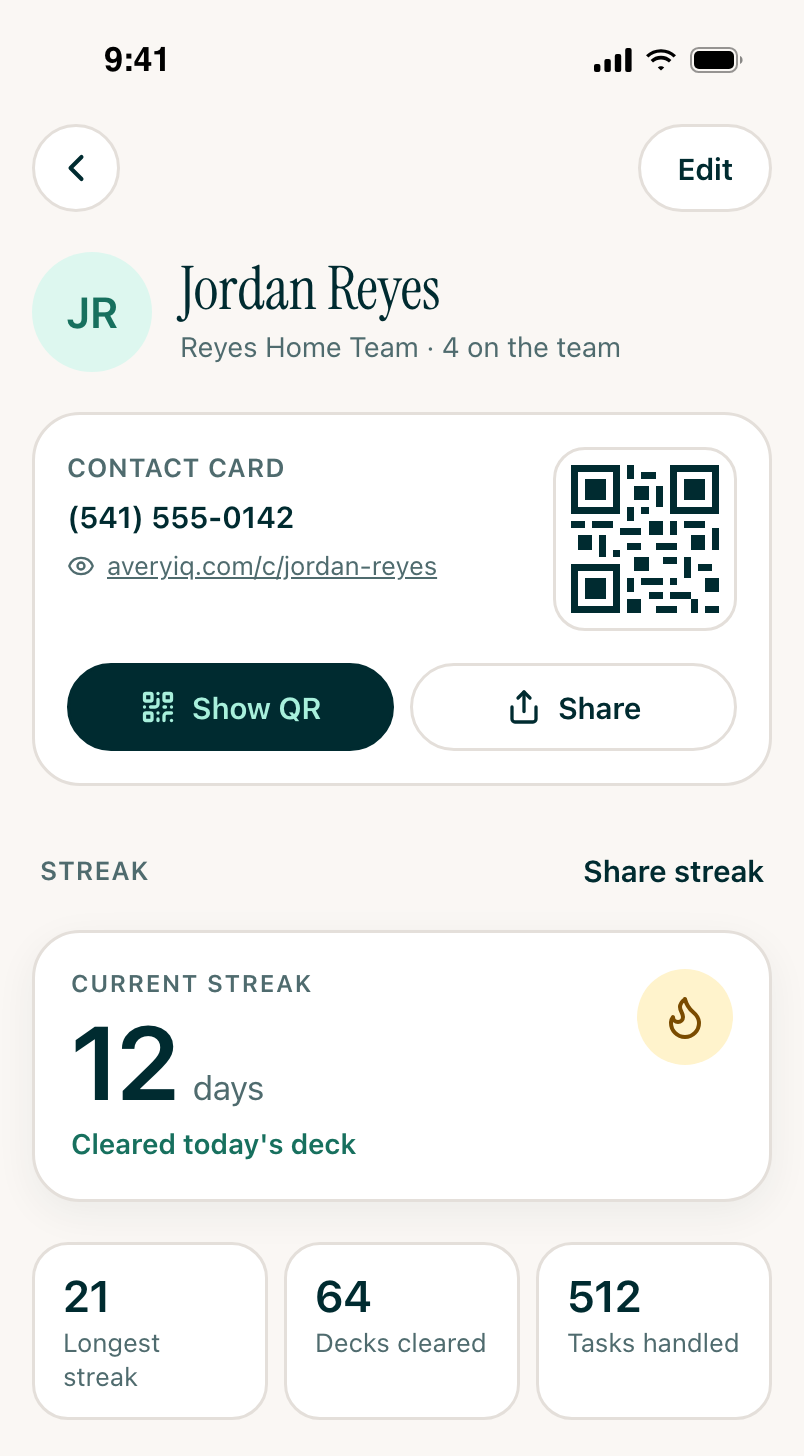
What's on it
- Contact Card: your number, your card's link (tap it to preview), a small QR code, and Show QR and Share. See Share your Contact Card.
- Streak: how many days in a row you've cleared your deck. Tap Share streak to post it or send it. See Streaks and badges.
- Badges: your latest four. Tap See all for every badge and how to earn the rest.
- Last 12 months: a square for each day, filled in on the days you cleared your deck. Switch between Year and Month.
Change your name, photo or title
Tap Edit at the top right. It opens your Contact Card, where you change your photo, name, title, cell, website, areas you serve and links. Tap Save. See Set up your Contact Card.
A teammate's profile
Tap More, then Team, then their name. You see their streak, their Decks cleared and Badges, and since when they've been on the team.
- Message at the top opens your direct message with them.
- Say congrats, beside a badge they earned this week, starts a message with "Congrats on …" already typed.
- Team owners also see Role (Member or Team owner) and Remove from team. See Your team.
Examples
- You hit a 30-day streak. Open your profile, tap Share streak, then Share, and pick Instagram or Messages.
- Your new headshot came back from the photographer. Tap Edit and change your photo.
- Your teammate just earned a badge. Open their profile and tap Say congrats.
Do my teammates see my numbers?
Yes. Everyone on your team sees everyone's streak, decks cleared and badges. Nobody is ranked: Team lists people by name.
Why did my streak go back to 0?
A streak counts the days in a row you cleared your deck, every task handled. A day with tasks left over ends it. Days with no deck, and days on time away, pause it instead of ending it.