What Avery knows about someone
The About card on a person's page lists the details Avery has learned, like birthdays, kids, pets, work and favorite restaurant. See where each came from, and edit or remove what's wrong.
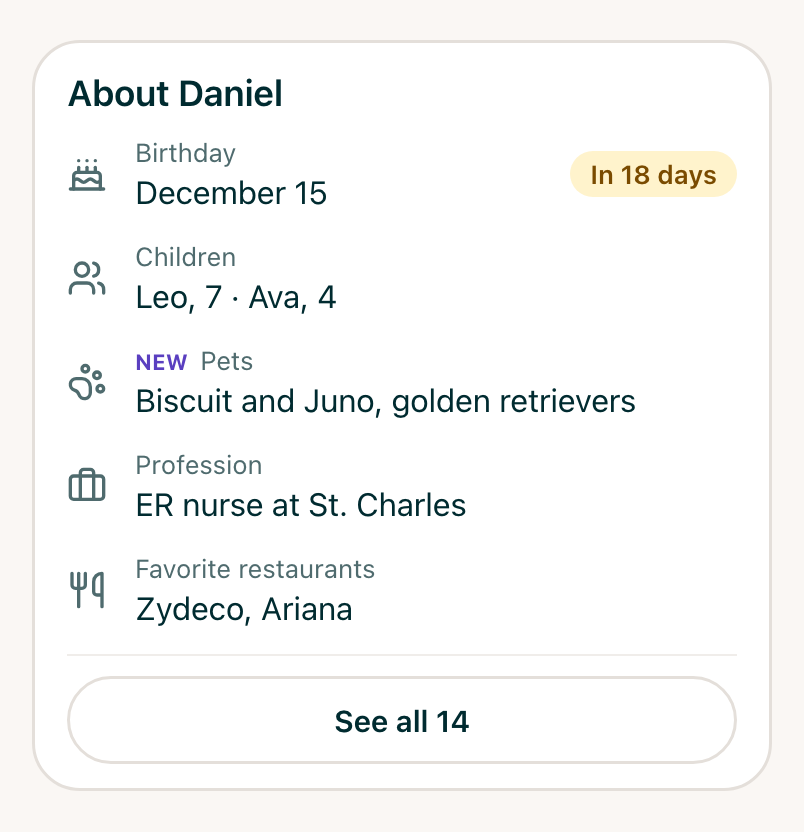
The About card on someone's page, like About Maya, holds the personal details that make a follow-up feel personal: their birthday, their kids and pets, where they work, the team they root for. Avery fills it in from your notes, texts, emails, calls and open-house sign-ins, and shows where each detail came from. Tap any detail to edit it or remove it.
Step 1Find it
Open their page from People. About them is the card after Notes, Tasks and Deals and homes. It shows up to eight details, with dates coming up first, like In 18 days beside a birthday. A detail Avery learned in the last day is marked NEW.
Tap See all for everything, grouped like a phone's contact card: Family, Dates, Money and timing, Likes, Work and background, and more. Family members who are in AveryIQ themselves show with their photo; tap one to open their page.
Step 2See where a detail came from
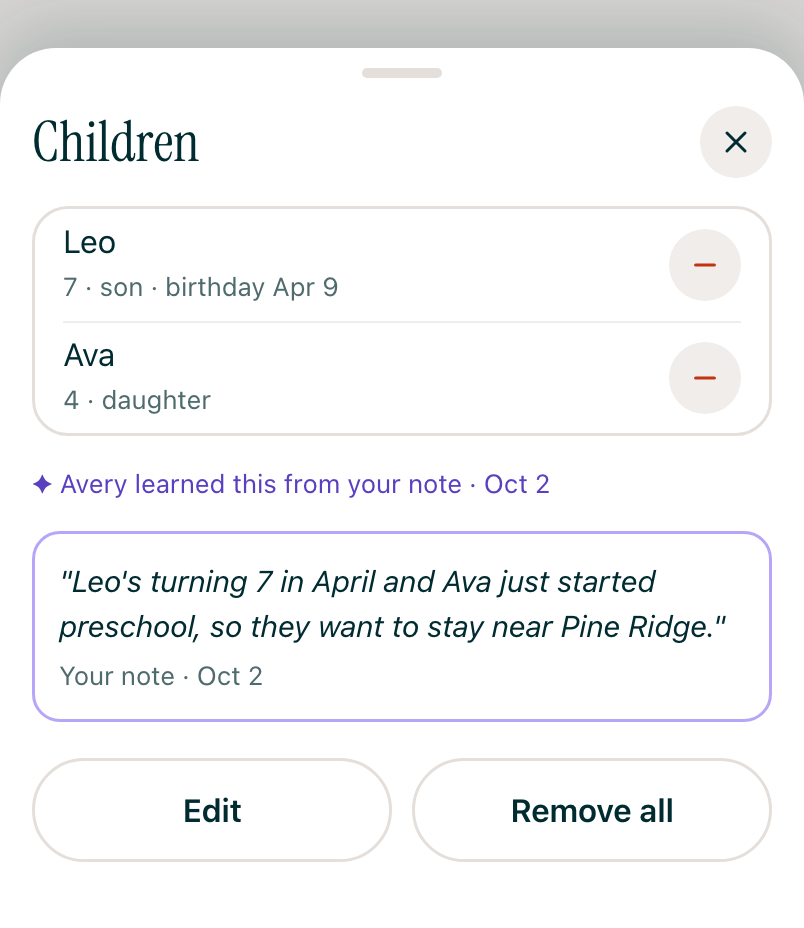
Tap the detail. The sheet says who added it, like ✦ Avery learned this from a text · Nov 3, You added this or Imported, and shows the words it came from.
Step 3Fix or remove it
- Edit: change the value and tap Save. Dates, names, ages, amounts and lists can be edited here.
- Remove: take it off. For a list, like kids or hobbies, each one has its own remove button, so taking out one never takes the other. Remove all clears the list.
Each change shows Undo for a few seconds. Avery won't add back something you removed, and your edit outranks what she reads later.
Some details, like a yes or no, can't be edited, only removed. To change one, tell Avery in a note.
Add something new
There's no form to fill in. Put it in a note on their page, like "Their son Leo starts kindergarten in the fall", and Avery adds it here. See Add a note about someone or Tell Avery by voice.
To see every kind of detail Avery keeps track of, open People, tap Ideas, then Everything Avery keeps track of at the bottom. See What Avery keeps track of about your people and homes.
When you'd use it
- Before a pop-by, check About Maya for her favorite treat.
- Avery says Daniel has two dogs, but one passed away. Tap Pets and remove the one.
- Planning birthday texts for the month: ask People "birthdays this month". Avery finds them from these details.
Where else does Avery use these details?
In the texts she drafts for your deck, in birthday and home anniversary tasks, in People search, and in lead scores.