What does Skip do? Skip or snooze a task
Every choice on AveryIQ's Skip sheet, Already did it, Snooze, Stop prioritizing, Stop suggesting, Something's wrong and Just skip, and what each one does to the person and your deck afterwards.
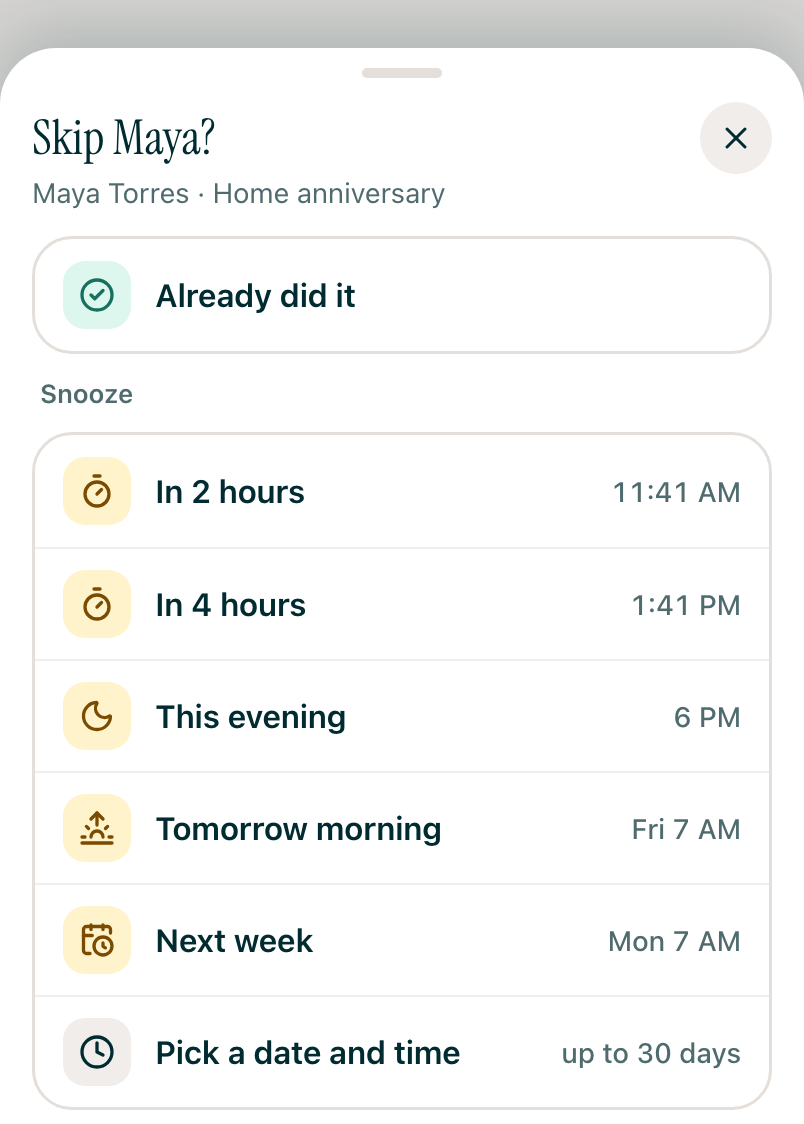
Skip is how you tell Avery "not this one" and why. Tap Skip on a card in your deck, or swipe the card left, and a sheet asks what happened. Each choice does something different: marks it done, brings it back later, stops Avery suggesting that person, or has Avery fix what she got wrong.
What each choice does
Already did it. You reached them some other way, like a call from your car. The task closes and counts as their turn, so Avery won't bring them up again for a while. On a to-do or something you asked for, it marks it done. On a follow-up about something they owe you, it reads Maya replied another way.
Snooze. The task leaves your deck and comes back at the time you pick: In 2 hours, This evening, Tomorrow morning, Next week and others. Pick a date and time goes up to 30 days out. Snoozing never moves a deadline. Your list of times is yours to change: see Quick times.
Stop prioritizing Maya. Only on a card for someone you prioritized. They go back to your regular rotation.
Stop suggesting Maya. Turns off Nurture for them, so Avery stops bringing them up in your deck. Their texts, calls and new deadlines still reach you. Use it for a vendor, an ex, or anyone you don't want reminders about.
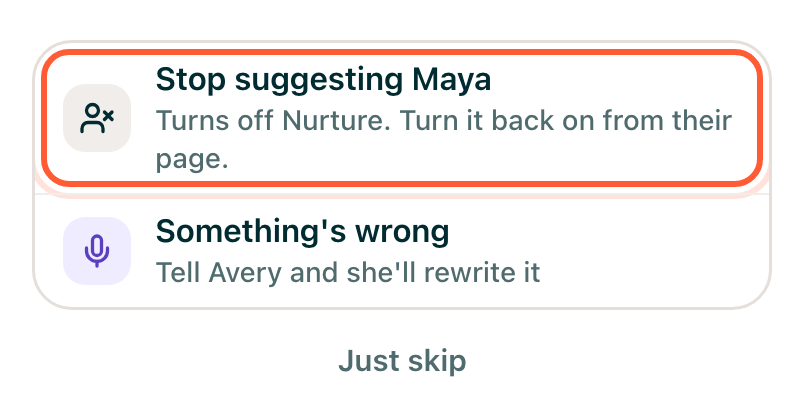
Something's wrong. Avery got a fact wrong, like a kid's name or where they live. On a text or email, a recording screen opens: say what's right, tap done, and Avery fixes their info, then rewrites the text. The card stays in your deck. On a call, Avery asks you in Ask Avery which thing was wrong, and saves your answer to their page.
Edit. Only on a task you or a teammate asked for. Opens the task to change what, when or who.
Just skip, at the bottom. Clears the task with no reason. For an Avery pick, it counts as their turn. For a task someone asked for, it's removed.
Snooze from your task list
On Tasks, swipe a row left to snooze it, or open the task and tap Snooze. To skip from the list, open the task, tap Status, then Skipped.
Changed your mind?
Each choice shows a message at the bottom, like Snoozed until 6 PM or Avery won't bring up Maya again, with Undo for a few seconds. Tap it and the task comes back.
Missed Undo after Stop suggesting? Open their page, tap Nurture, then Nurture as usual. See Turn off Nurture for someone.
A snoozed task waits in your list under the day it comes back. Open it to change the time or mark it done early.
When you'd use it
- You ran into Luis at the coffee shop: Already did it.
- Grace is on vacation until Monday: Snooze, Next week.
- The card says Priya has twins, but it's one son: Something's wrong, then say "one son, Leo, he's 6."
- Hannah is your cousin, and you talk every week anyway: Stop suggesting Hannah.
Does skipping break my streak?
No. Skipped and snoozed cards both count as handled, so your streak keeps going.
What's Dismiss?
Some cards are things Avery noticed in a conversation, like "send Daniel the comps." They show Dismiss instead of Skip. Tap it to remove the suggestion, with Undo.