See your history with a contact
See every text, call and email with someone, your notes on them, and every change to their record in AveryIQ, with Undo for changes that were wrong.
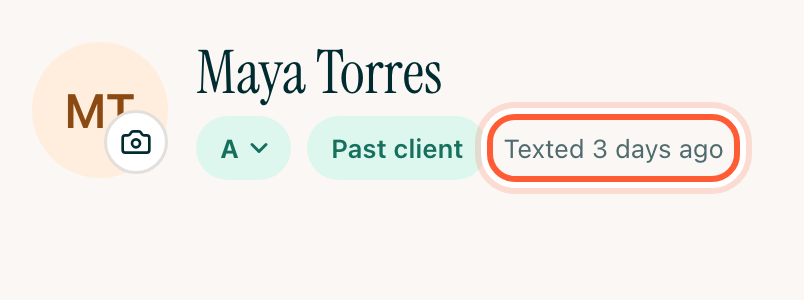
Everything you've done with someone starts from their page. Your texts, calls and emails with them are in their conversation: tap Open Texts, or the line under their name like Texted 3 days ago. Your notes are under Notes. Every change to their record, like a new phone number or a birthday Avery learned, is under History and settings, then History, where you can undo a change that's wrong.
Step 1Open their page
Open People, search for them and tap their name. Or tap their name on a task or at the top of a conversation. See Find someone.
Step 2See your conversations
Under their name, AveryIQ says when you were last in touch and how, like Texted 3 days ago, They called yesterday or Signed in at an open house. Tap it to open that conversation. Open Texts opens your text thread with them too.
The conversation shows your texts, emails and calls with them in order, newest at the bottom, with call recordings and summaries where you have them. See Use Messages and Call recordings and summaries.
It says No conversations yet when you haven't texted, called or emailed them in AveryIQ.
Step 3Read your notes
Tap Notes on their page for the latest three, then See all for every note by month, with a search box at the top. Notes include call notes and what you said in voice notes. See Add a note about someone.
Step 4See every change to their record
- Scroll to the bottom of their page and tap History and settings.
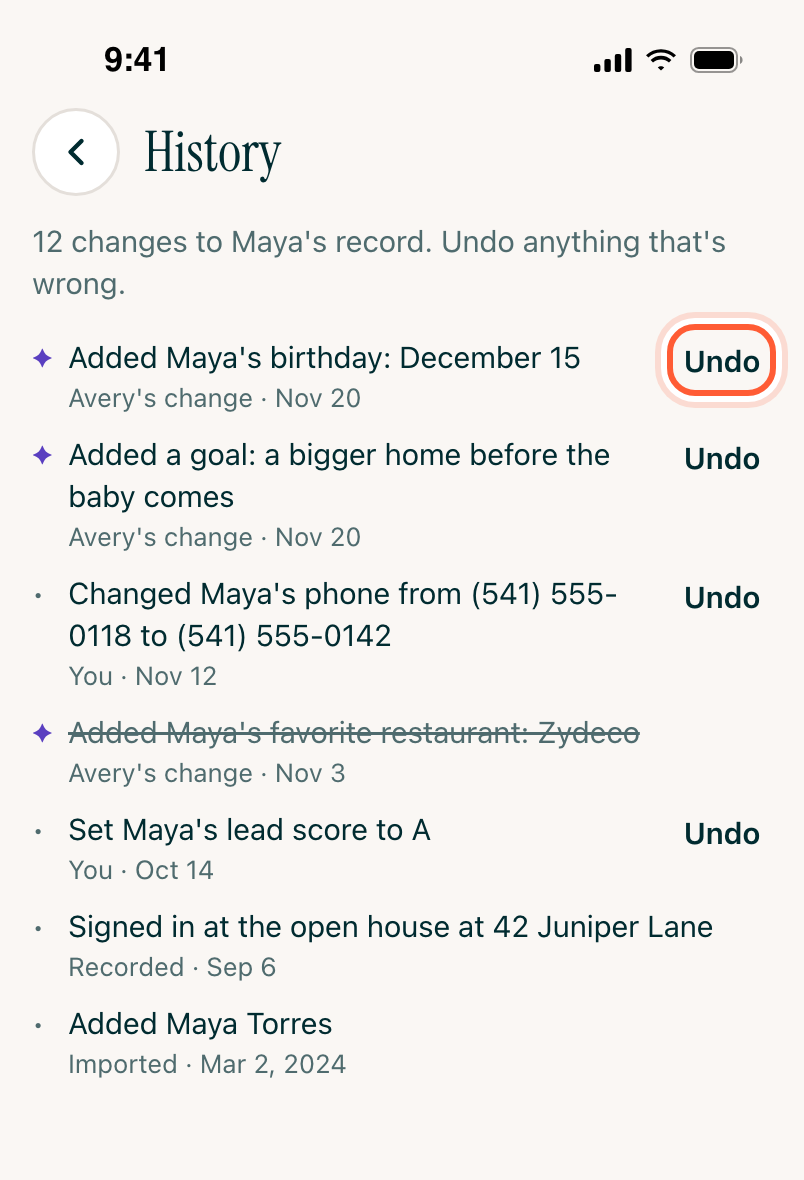
- Tap History. It shows how many changes there are, and the latest date.
Each change says what changed, who changed it and when, newest first:
- Avery's change, with a ✦: something Avery learned, like a new birthday or goal.
- You: a change made by hand in AveryIQ.
- Imported: it came in with an import.
- Recorded: AveryIQ recorded it on its own.
Undo a change
Tap Undo beside it. The change is crossed out and their page goes back to how it was. If something newer changed the same thing, AveryIQ says Can't undo that and you can fix it on their page instead, with Edit or by tapping the detail in About them.
Imported and recorded changes can't be undone from here.
Example uses
- Maya's birthday on her page looks wrong. Open History to see it came from Avery reading a text, and tap Undo.
- A teammate asks when Daniel last heard from your team. The line under his name says They texted 2 weeks ago; tap it to read the thread.
- Before a call, open Notes, then See all, and search "budget".
Does History show texts and calls?
No. History lists changes to their record. Texts, calls and emails are in their conversation, and notes are under Notes.
Can I undo a merge or a delete?
No. Merging two people and deleting someone are permanent, which is why AveryIQ asks before it does either. See Merge duplicate contacts and Delete someone.