Add leads from a paper sign-in sheet
Snap a photo of an open house sign-in sheet and Avery saves each visitor, turns their notes into what they're looking for, and asks about anything she couldn't read.
Transcript
- Every open house leaves a sign-in sheet. Most of them end up in a drawer.
- You're busy. You don't have time for data entry. So snap a photo, and let Avery do it.
- In AveryIQ, tap the plus, then Photo.
- Get the whole page in frame: flat, good light, every row showing.
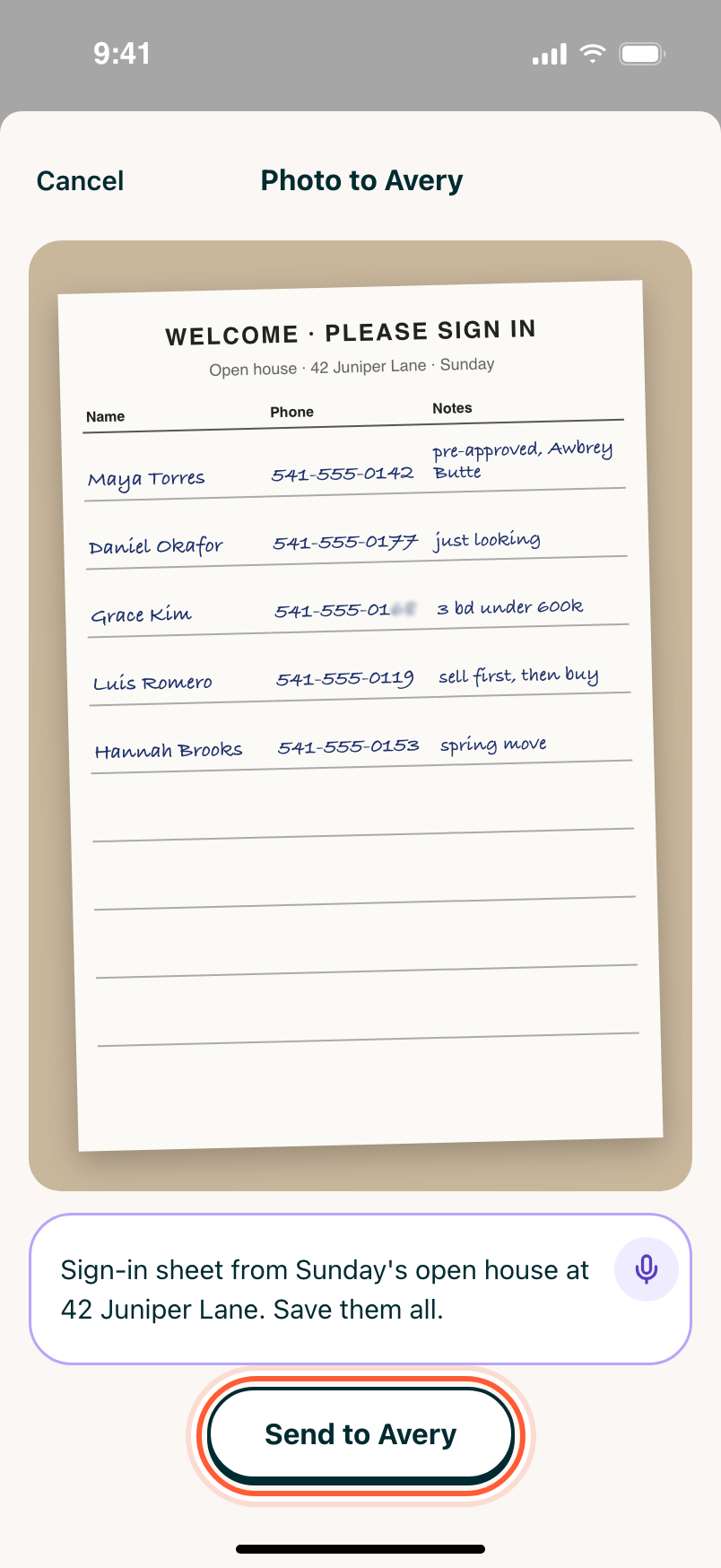
- Add a quick note: which open house, and that these are leads. Then send it to Avery.
- Avery reads every row, even the messy handwriting.
- It saves each person with their phone and email, turns notes like "pre-approved, Oak Park" into what they're looking for, and tells you what it couldn't read instead of guessing.
- Each person keeps the original words on their page. Changed your mind? Undo it in Activity.
- Seven leads in under a minute. But right now they're just names and numbers. Next, how to tell Avery everything you remember about them.
Open house sign-in sheets, business cards, names scribbled on a napkin: if you can photograph it, Avery can turn it into contacts in your database.
Step 1Take the photo
Tap +, then Photo. Get the whole page in the frame, flat and in good light, with every row showing.
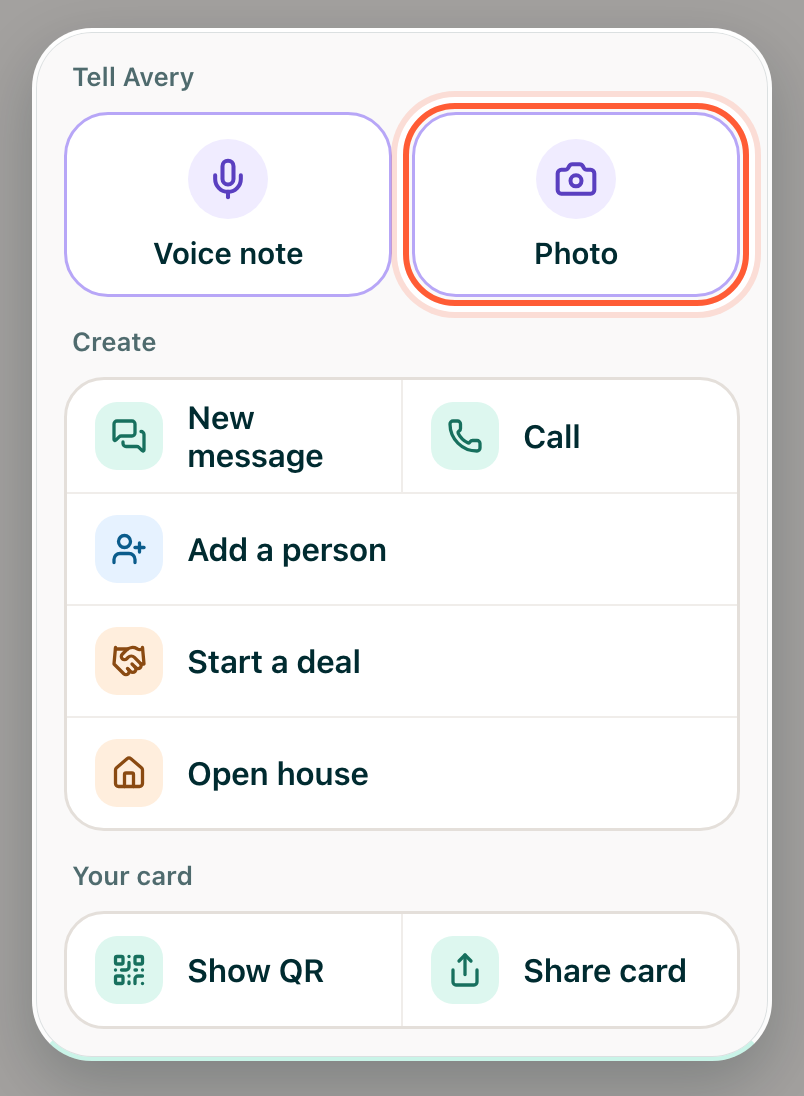
Already took the photo? Open it in Photos, tap Share, and choose Add to Avery.
Step 2Add a note and send it
Add a quick note saying what it is and what you want, like "Sign-in sheet from Sunday's open house at 42 Juniper Lane. Save them all." Tap Send to Avery.
Step 3Check what Avery saved
Avery reads every row, even messy handwriting, and answers in Ask Avery (pinned at the top of Inbox) with who she added and who she matched to someone already in your database. Notes like "pre-approved, Awbrey Butte" are saved on that person in the words written, and Avery reads them into what they're looking for.
She never guesses. If she can't read something, like a smudged digit, she leaves it out and tells you what's missing. If a row could be someone you already have, she asks you which before saving it.
Step 4Undo if you need to
Changed your mind about something Avery saved? Open the person, tap History, and tap Undo on that change.