View the Status of a Maintenance Request
Use AveryIQ to open an existing maintenance request, review its current status, and check for updates from your property team.
Open an Existing Request
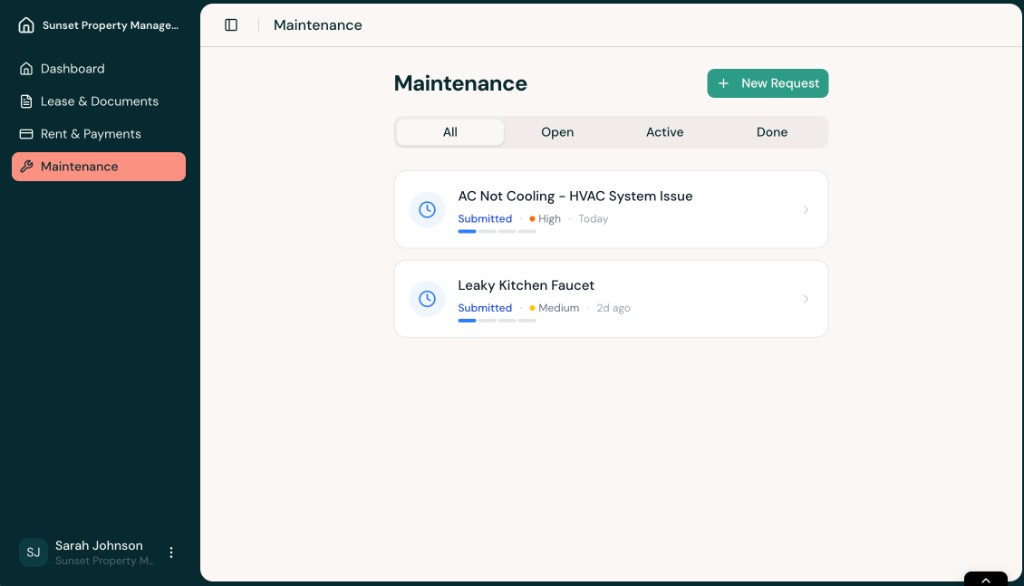
- Sign in to AveryIQ and open Maintenance from the left navigation. Select the request you want to review from the list.
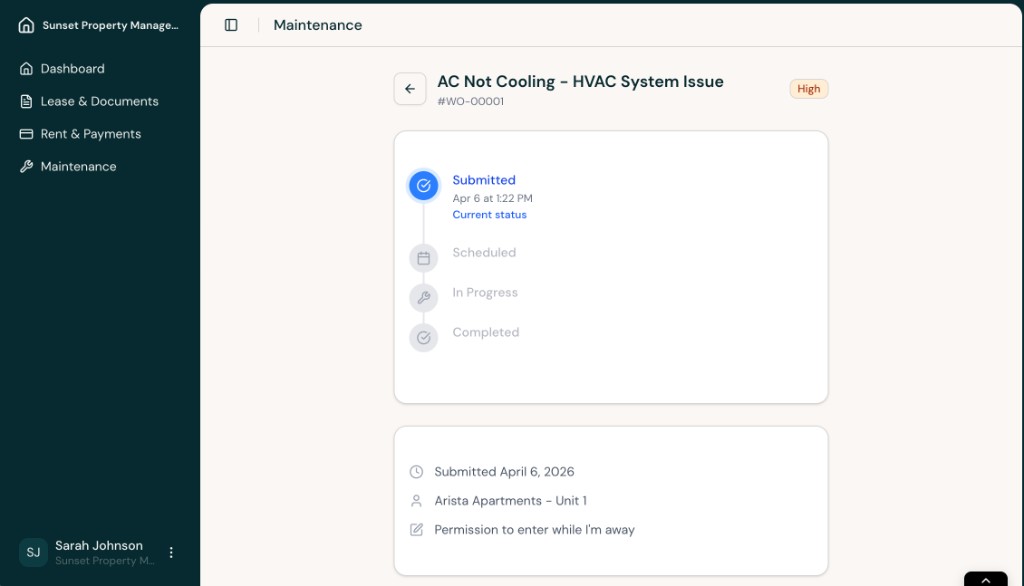
- At the top of the request details page, review the status timeline. This shows whether the request is Submitted, Scheduled, In Progress, or Completed.
Check Updates and Take Action
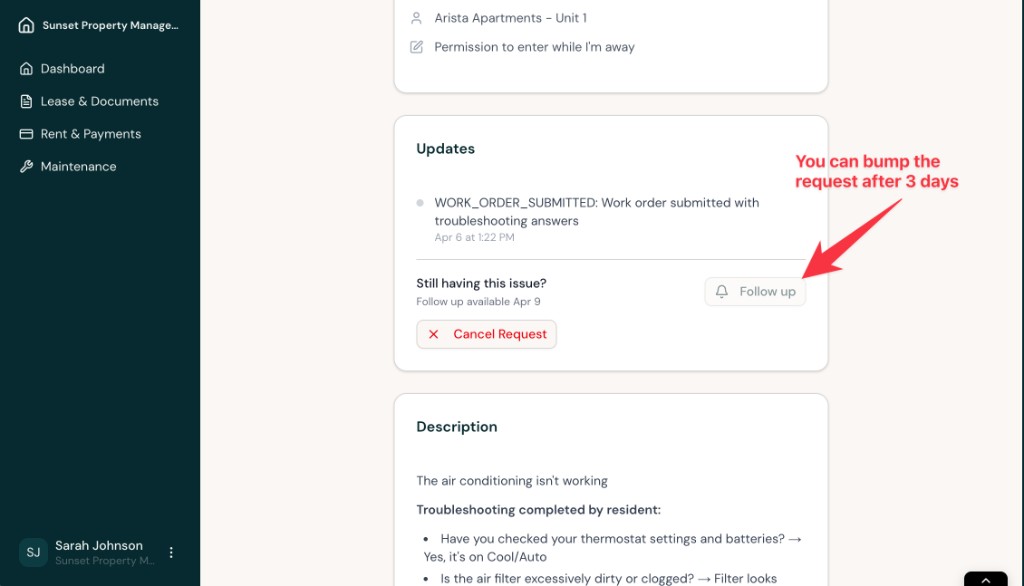
- Scroll down to the Updates section to see recent activity on the request. If the request is still unresolved, AveryIQ may also show options to follow up or cancel the request.
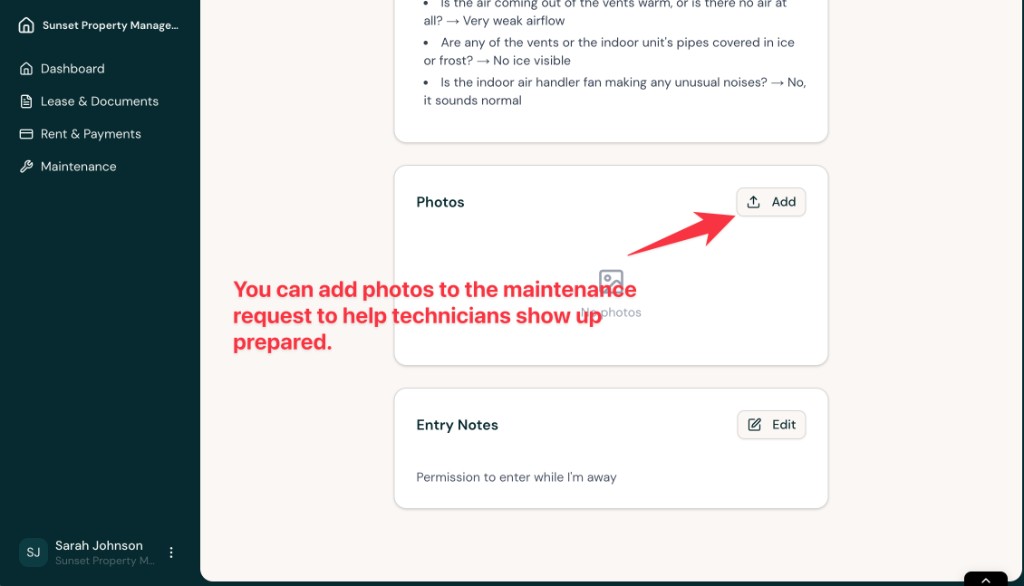
- Keep scrolling to review the request description, troubleshooting answers, photos, and entry notes. If needed, you can add more photos so the technician has better context before arriving.
Tips
- Check the request again after your property team has had time to review it
- Add photos if the issue changes or becomes easier to show visually
- Use follow-up options when available if the issue is still happening
Emergency Issues
If the issue becomes an emergency or there is an immediate threat to safety or major property damage, follow your community’s emergency procedures and contact the appropriate emergency services when necessary.