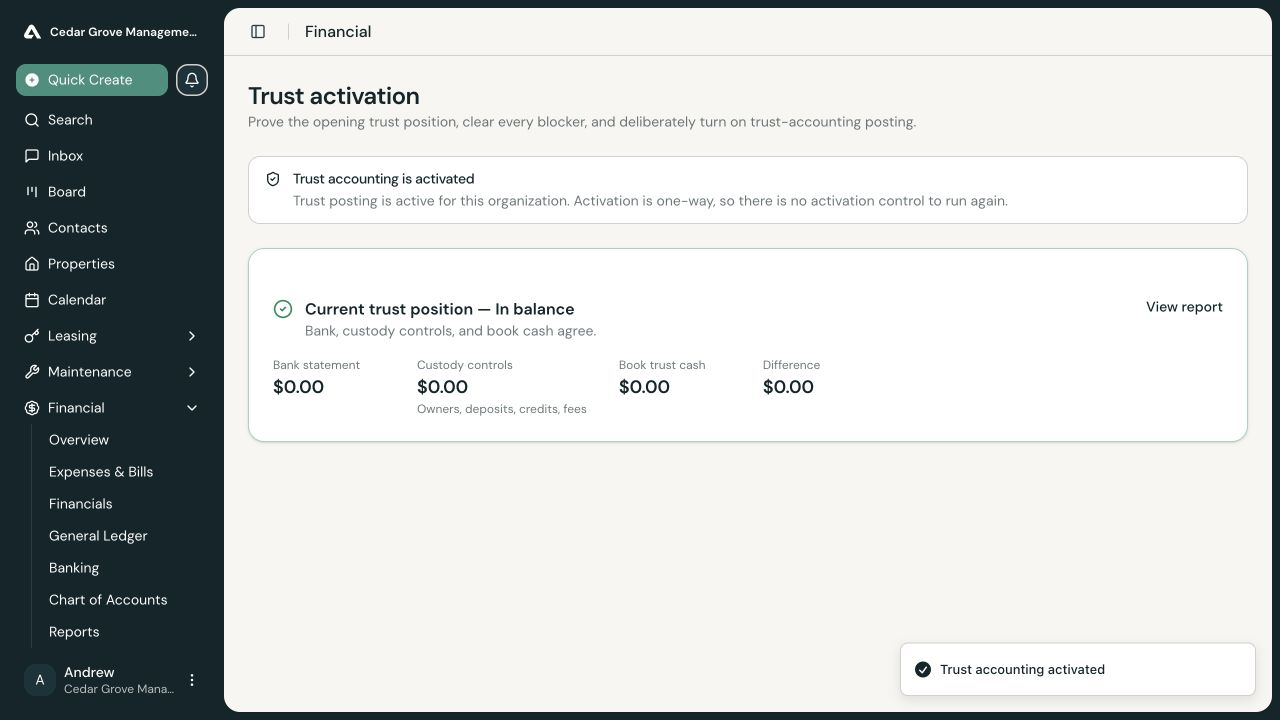
Activate Trust Accounting
Activate trust accounting when your organization holds rent, owner funds, resident credits, or security deposits on behalf of clients. Activation is an organization-wide, one-way accounting migration.
Do not activate trust accounting merely because a trust bank account was added. First make sure AveryIQ’s book cash, client obligations, bank evidence, and chart plan describe the same opening position.
Before You Start
- Add and correctly classify the operating and trust financial accounts.
- Bring forward any client balances that existed before AveryIQ go-live.
- Complete the trust-account reconciliations and other evidence requested by the readiness checklist.
- Resolve differences between trust cash and the amounts held for residents or owners.
- Ask an Accounting Admin to perform the final activation.
Open Trust Activation
Open Financial > Trust Activation. AveryIQ calculates readiness from the organization’s current accounting records.
Team members without Accounting Admin access can review the readiness details and follow correction links, but they cannot activate trust accounting.
Clear the Readiness Checklist
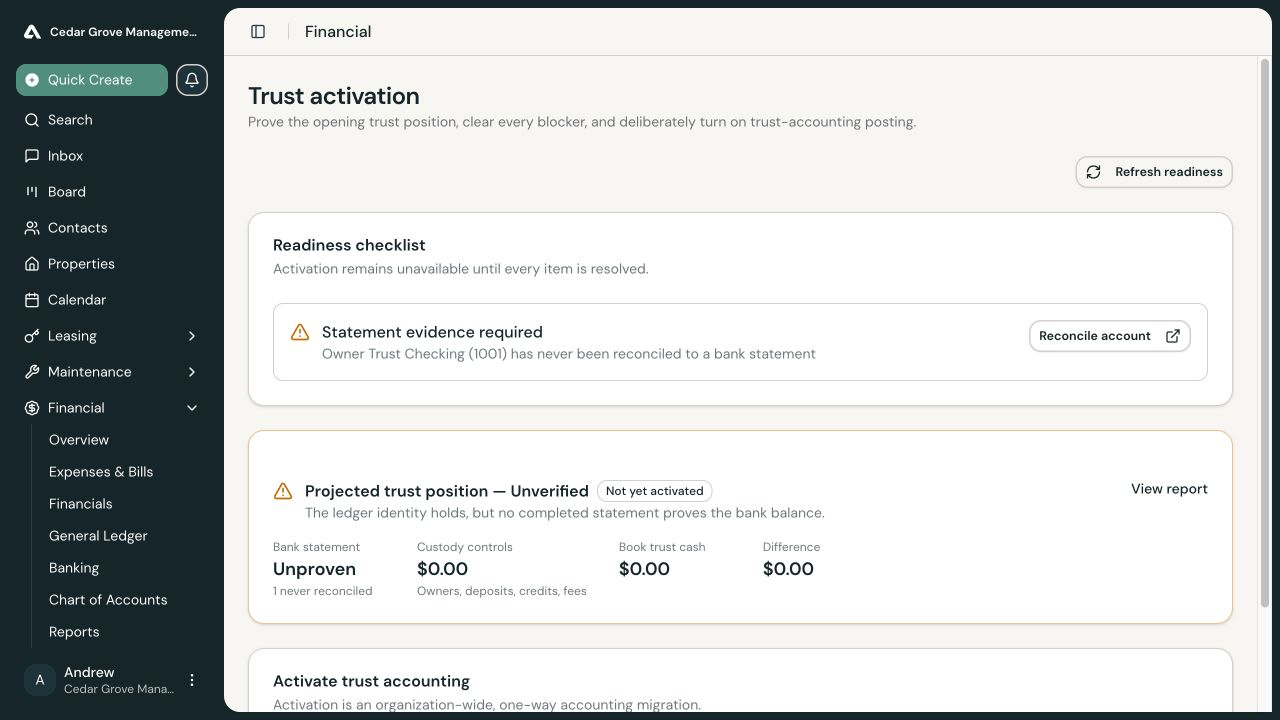
Review every blocker shown on the page. A blocker can identify missing bank evidence, incomplete custody controls, book-cash differences, or a chart account that AveryIQ cannot safely adopt.
Use the action beside each blocker to open the responsible workflow. Return to Trust Activation and select Refresh readiness after making corrections. Activation remains unavailable until every readiness check passes.
Review the Projected Trust Position
Review the projected trust position for:
- Trust cash
- Security-deposit liabilities
- Resident credits held
- Amounts due to owners
- Any difference or unfunded obligation
The projection summarizes the current records; it does not replace the readiness checklist or a completed bank reconciliation.
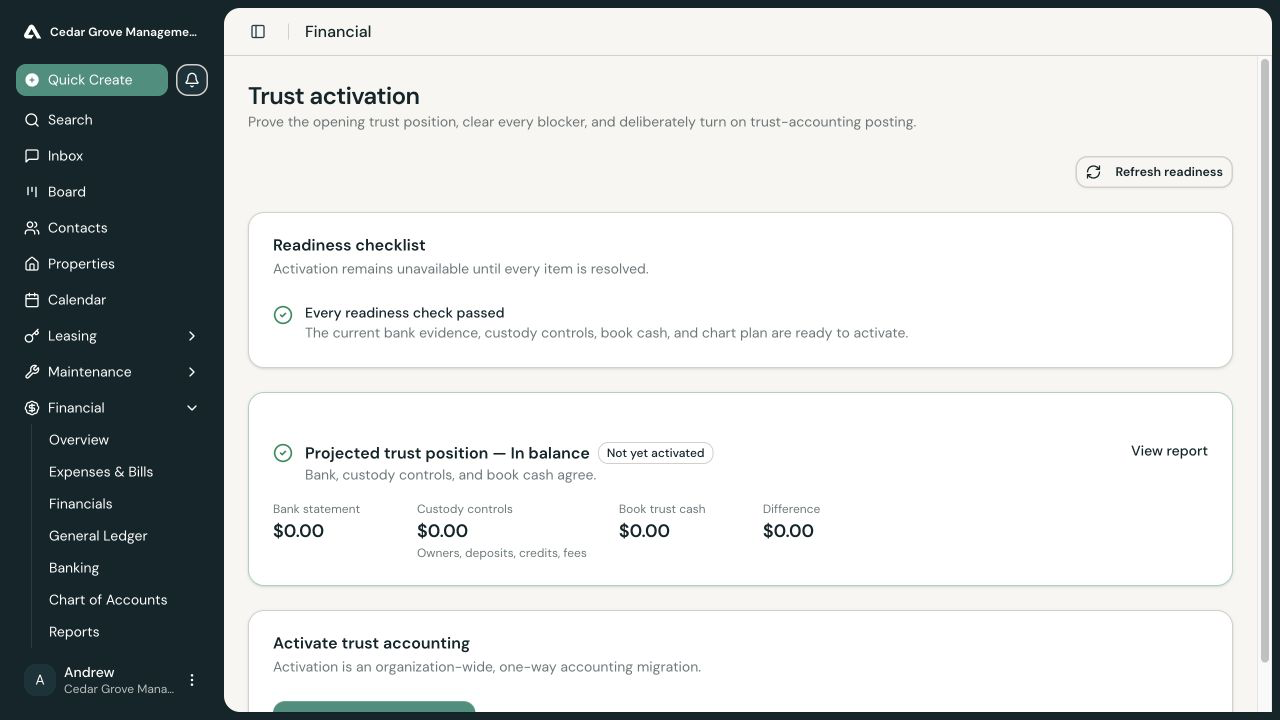
Review the Chart Plan
The chart plan shows only accounts that AveryIQ would create or cannot safely adopt. Review each proposed account. If an existing account’s code or type conflicts with the required trust structure and the Chart of Accounts page does not provide a safe correction, contact AveryIQ Support.
Activate Trust Accounting
After every readiness check passes:
- Select Activate trust accounting.
- Read the one-way migration warning.
- Confirm that you reviewed the bank evidence, custody controls, trust cash, and chart plan.
- Select Activate trust accounting in the confirmation dialog.
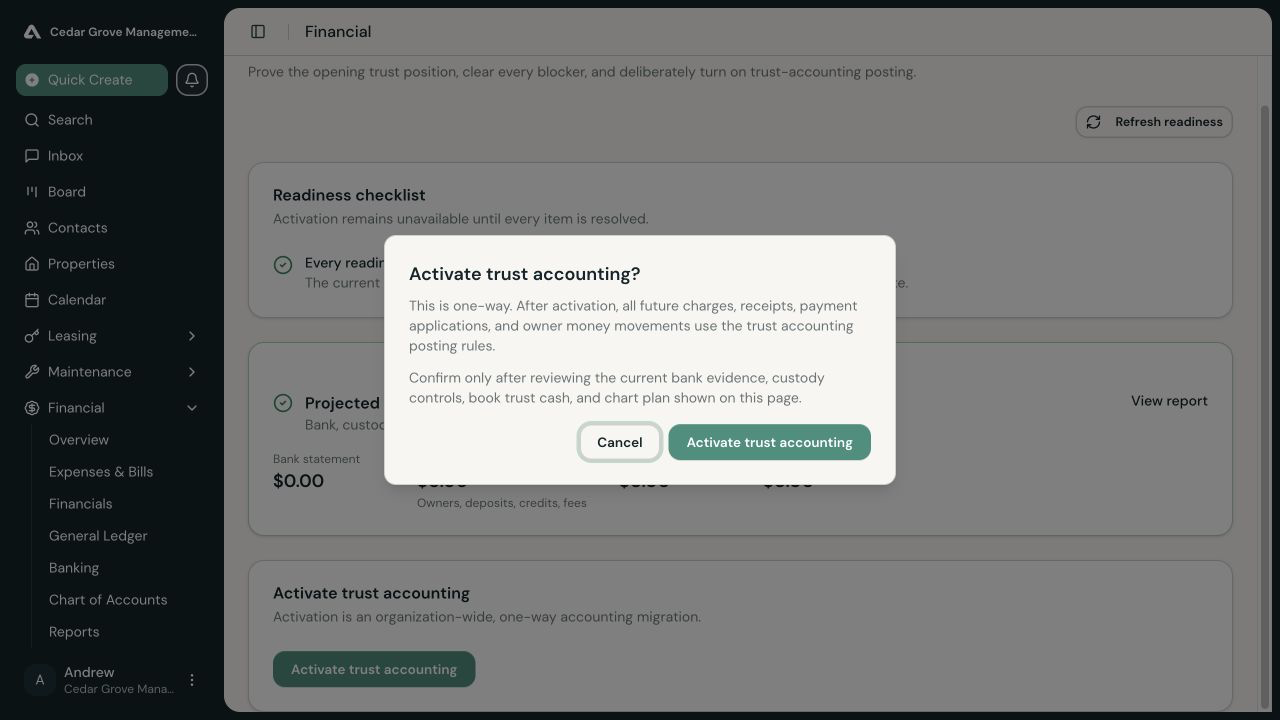
The action may be sent for approval under your organization’s policy. If the financial position changes after review, AveryIQ requires you to refresh and review the new position rather than retrying the old confirmation.
After Activation
AveryIQ displays Trust accounting is activated and removes the activation control. Future charges, receipts, payment applications, deposits, owner money movements, and related corrections use the trust-accounting posting rules. Activation cannot be undone.