Import an Accountant-Prepared Opening Balance
Use the accountant import when you have a balanced opening balance or trial balance from a previous accounting system. This path exposes debit, credit, account, and property-management dimensions directly.
If you only know the balances that need to move, use Move Starting Resident and Owner Balances instead.
Before You Start
- Add and classify every bank, cash, and credit-card account represented in the import.
- Choose the first date AveryIQ will record new activity.
- Prepare debit and credit amounts that balance exactly.
- Identify property, unit, tenancy, lease, resident, vendor, or owner dimensions required by each row.
- Confirm that the import will not repeat entries already recorded in AveryIQ.
Open the Accountant Import
- Open Financial > Opening Balances.
- Select Import an accountant-prepared opening balance.
- Select Open accountant import.
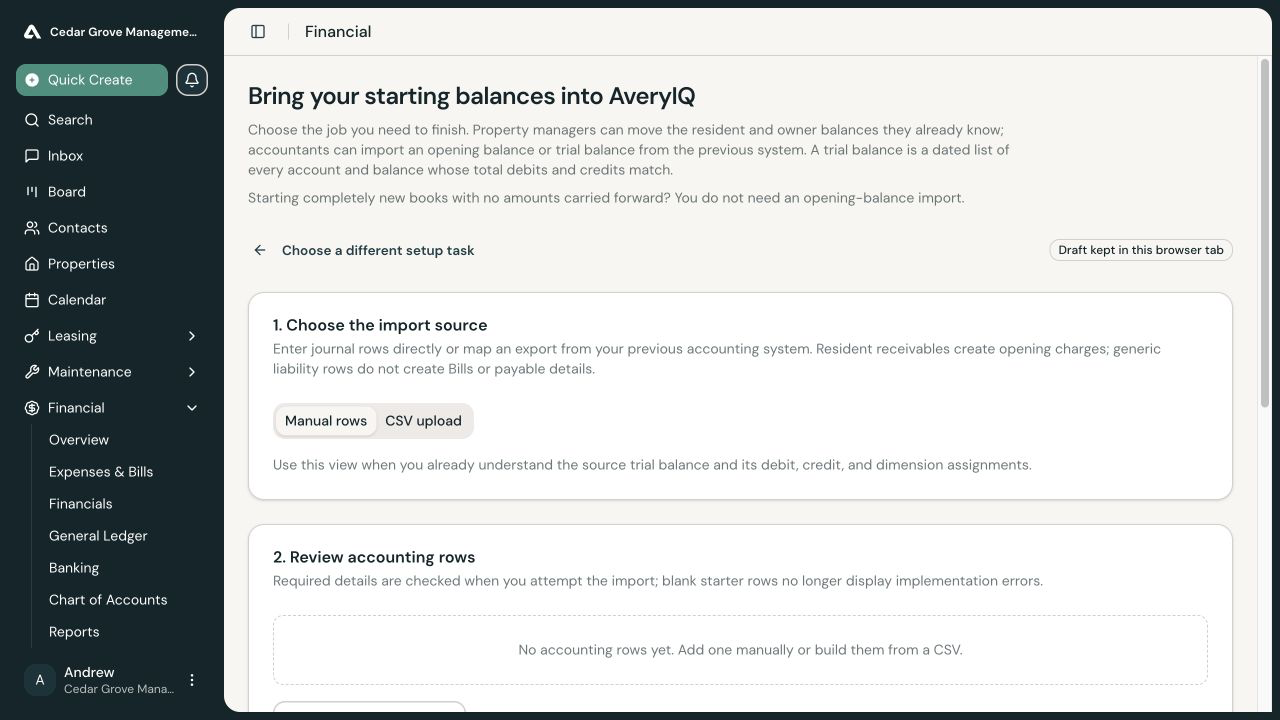
Choose Manual Rows or CSV Upload
Use Manual rows to enter accounting rows directly.
Use CSV upload to import an export from the previous system. Confirm which CSV columns contain the account, direction, amount, description, and any dimensions, then build the preview. Applying a CSV mapping replaces the rows currently in the draft, so review the replacement warning before continuing.
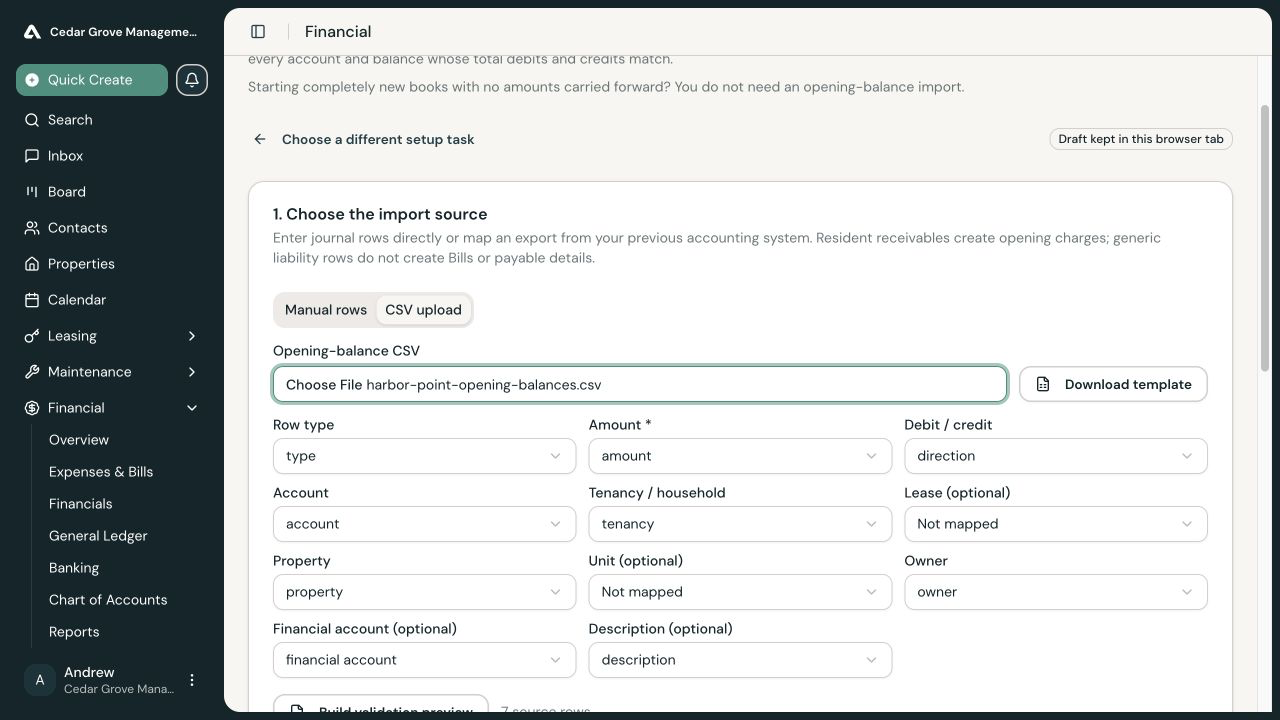
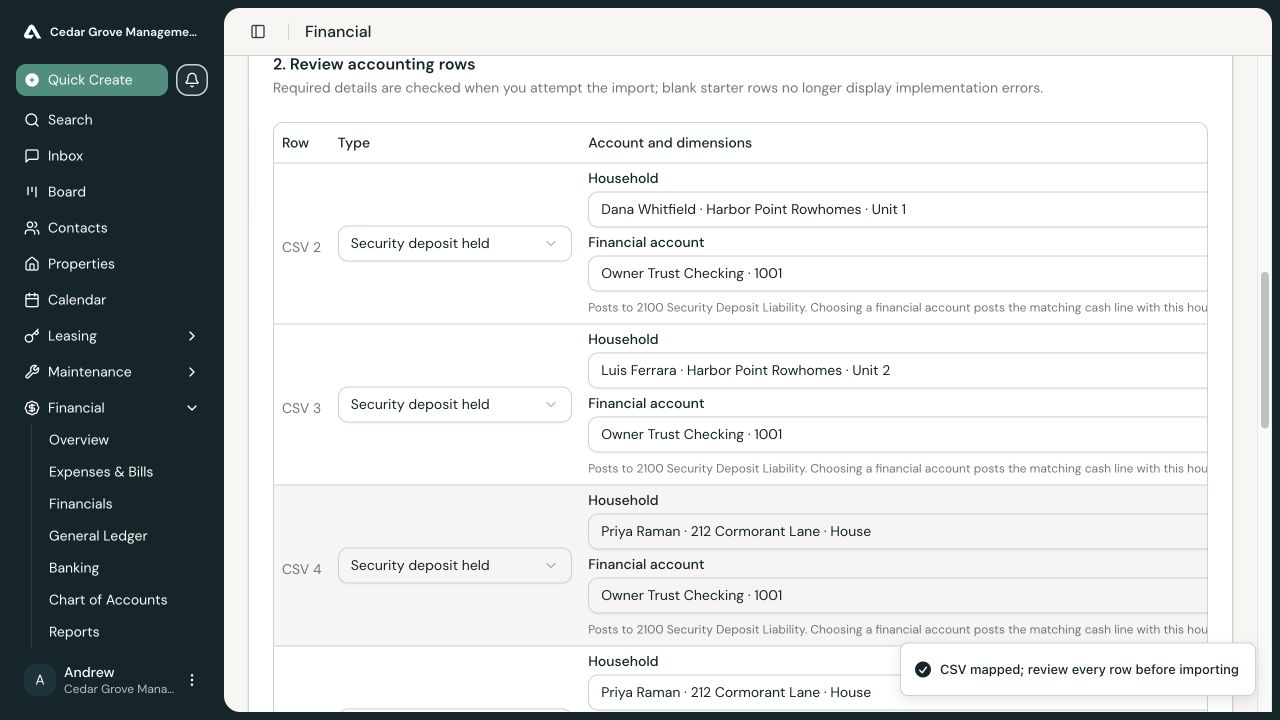
Review Every Accounting Row
For each row, confirm:
- Ledger account
- Debit or credit direction
- Amount
- Description
- Financial account when the row represents bank, cash, or card activity
- Property-management dimensions required by the balance
Resident receivable rows can create supporting opening charges. A generic liability row does not create a Bill or payable record, so do not use an undimensioned trial-balance row when the operational payable detail must also exist in AveryIQ.
Balance the Import
AveryIQ displays total debits, total credits, and the difference. The import must balance to the cent; AveryIQ never creates an automatic suspense or plug row.
If an offset genuinely belongs in opening equity, add and review that row explicitly. Confirm that every trust-cash row and custody obligation uses the correct financial account and dimensions.
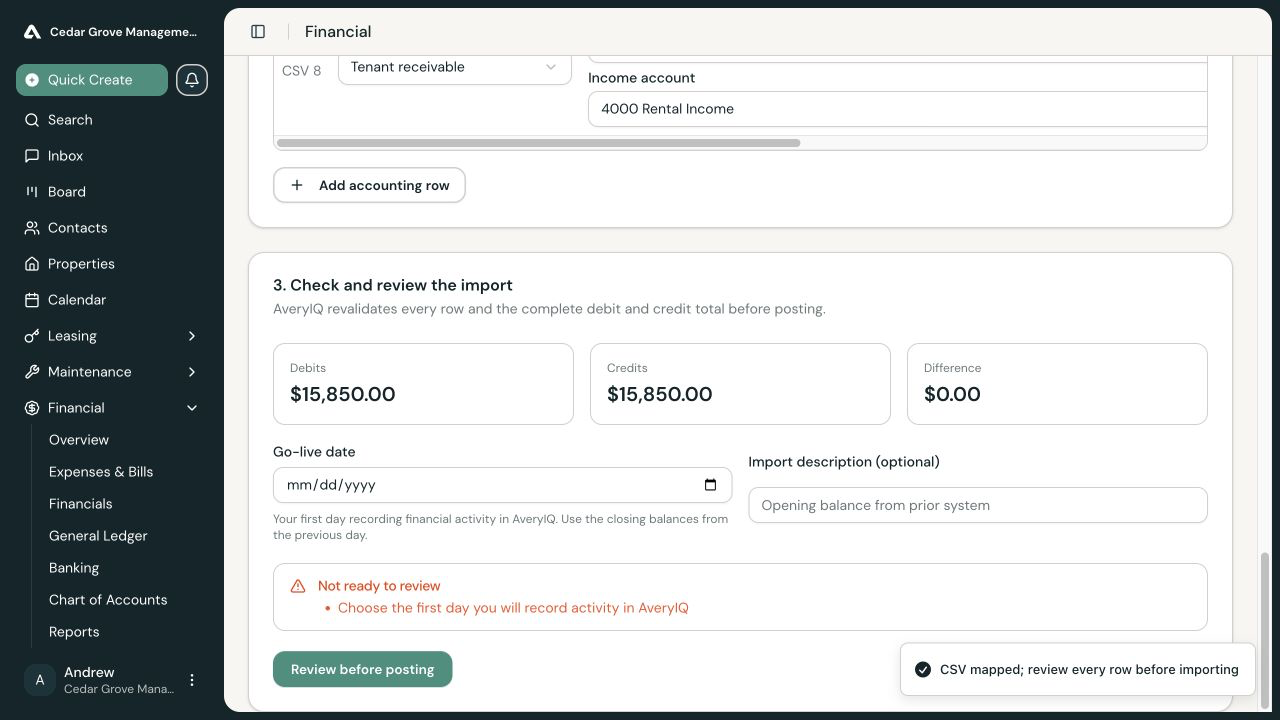
Review the Cutover
Enter the go-live date and an optional description. Use closing balances from the previous day.
If ordinary AveryIQ financial activity already exists, the import requires an explicit acknowledgement that an accountant reviewed that activity against the cutover. Editing the source, rows, or cutover details clears the acknowledgement, and new AveryIQ activity requires another review.
Post the Opening Balance
Select Review before posting only after every required detail is complete and debits equal credits. On the final review:
- Confirm the date, row count, and matching totals.
- Confirm that the import creates immutable accounting entries.
- Select Post opening balances.
The request may be sent for approval. Leave the draft locked while the exact request is pending so a second opening import is not created.
Correct a Posted Import
Do not overwrite posted opening entries. Reverse the complete import with a reason, correct the source rows, and post a replacement. A reversal can be blocked after later activity has been applied to supporting opening records.